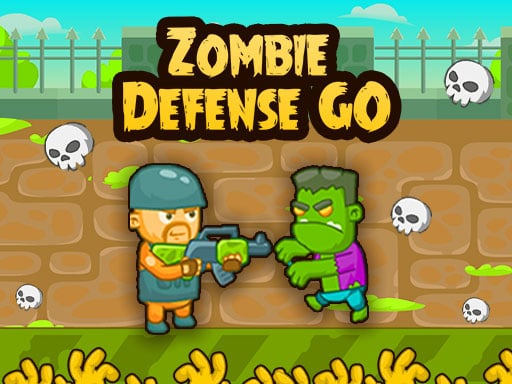
About Zombie Defense GO
Zombie Defense GO puts players on guard outside a rural homestead threatened by relentless waves of undead attackers. Your main objective is to defend the farmer's house by taking aim and eliminating every encroaching zombie before they overrun the yard. Eliminating invaders earns you cash, and finishing quests brings extra rewards that you can reinvest into new weapons and fortified barrier defenses.
In Zombie Defense GO, the tranquility of a countryside farm is disrupted by an invasion of undead creatures swarming across the yard. Taking up position near the farmhouse, you must hold the perimeter and shoot down every approaching monster before the homestead is breached. The core gameplay loop revolves around defensive marksmanship, tactical spending, and quest completion.
Every defeated zombie yields currency, directly fueling your defensive preparations between or during enemy assaults. You can allocate these funds toward purchasing additional weapons or strengthening your protective barriers. As you complete assigned quests, you collect supplementary rewards, encouraging balanced attention between shooting targets and managing your equipment upgrades.
Your goal
The primary objective is to safeguard the farmer's house by neutralizing all invading zombies in the yard. To succeed across challenging quest encounters, you need to manage incoming threats systematically, accumulate in-game currency from each kill, and complete quests to secure the funds needed for superior firearms and sturdier barrier fortifications.
How to play Zombie Defense GO
1. Survey the farmyard perimeter to spot incoming zombies as soon as they emerge.
2. Aim and shoot at encroaching zombies using your arrow keys or left mouse button.
3. Eliminate every target to protect the farmer's house and gather cash from fallen foes.
4. Review and complete current quest goals to claim bonus rewards.
5. Invest your collected money into purchasing new weapons or upgrading barrier defenses.
Controls and device support
Shoot at targets using Arrow Keys or Mouse Left Click.
- Controls: Keyboard
- Device support: Browser
- Game frame: 960 x 600
Rules to keep in mind
- The farmer's house must be protected from invading zombies across the yard.
- Eliminating zombies generates in-game money.
- Successfully completing each quest yields rewards.
- Earned currency can be spent on buying new weapons or upgrading structural barriers.
What makes the challenge interesting
The central appeal of Zombie Defense GO lies in balancing rapid targeting against long-term resource investment. In the heat of defense, prioritizing targets closest to the perimeter prevents immediate breaches, while steady shooting builds up the capital required for future rounds. Players must decide whether to direct their funds into direct firepower or reinforced barriers to withstand heavier pressure as quests become more demanding.
Tips for Zombie Defense GO
- Focus fire on the closest zombies first to keep them from pressuring your defensive line, avoiding the common mistake of firing randomly into distant groups.
- Check your quest objectives regularly so you do not miss opportunities to collect valuable payout bonuses after completing key tasks.
- Balance your spending between buying heavier weaponry and reinforcing barriers, ensuring you have both stopping power and safety margin.
- Experiment with both arrow key inputs and mouse clicks during quiet moments to discover which aiming method offers you cleaner response times.
Stages and progression
Progression in Zombie Defense GO centers on structured quest completion and tactical inventory growth. As you finish individual quests, you receive reward payouts that complement the steady earnings accumulated from clearing yard invaders. You can reinvest this wealth into unlocking new weapon options or strengthening barrier durability, allowing you to develop a more robust defensive setup for subsequent encounters.
Playing on different devices
On desktop setups, players have the flexibility to fire using either the left mouse button or the keyboard arrow keys. Mouse clicking provides direct point-and-shoot targeting across the 960 by 600 display canvas, while arrow keys offer a dedicated keyboard alternative depending on your preferred layout.
The skills behind the game
Zombie Defense GO fits naturally within the action and defensive shooter categories, combining continuous target management with structured upgrade mechanics. Players who enjoy classic stationary base defense and wave-clearing action will find a familiar rhythm in tracking targets, protecting perimeter structures, and investing battle earnings into better gear.
Who will enjoy this game
Players looking for an action game online featuring accessible defense mechanics can jump into Zombie Defense GO for quick, focused combat sessions. The combination of direct shooting controls, visible quest objectives, and incremental upgrades makes it well suited for casual sessions where players practice target prioritization and resource allocation without overwhelming complexity.
Games with a similar feel
DOOM: While DOOM centers on dynamic first-person movement, aggressive arena navigation, and fast combat across complex maps, Zombie Defense GO delivers a focused perimeter defense format. It emphasizes stationary house protection, yard defense, and equipment upgrades rather than 3D exploration.
Bubble Witch 3 Saga: Bubble Witch 3 Saga challenges players with trajectory-based puzzle matching and clearing colored bubble clusters, whereas Zombie Defense GO focuses purely on direct combat shooting, yard defense, and spending earned money on weapons and barrier reinforcements.
Frequently asked questions
How do you earn money in Zombie Defense GO? You earn money by shooting and defeating zombies as they invade the yard, and you receive additional reward payouts whenever you complete an in-game quest.
What can you spend your earned currency on? Collected funds can be used to buy new weapons to increase your firepower or to upgrade barriers protecting the farmer's house from approaching enemies.
What controls are used to shoot zombies? You can shoot incoming zombies using either your keyboard Arrow Keys or by left-clicking with your mouse.
Something not right?
Tell us if the game does not load, the information is wrong or the content needs review.
Report a problem ›