Official listing
Game description
Shoot all the zombies with weapons that you choose! want to kill in style? use your Grappling gun. all the zombies located in the city, so its fun to fight.
Shooting game
Zombie Bullet 3D puts you directly into an urban combat zone overrun by undead threats. Armed with a selection of firearms and an agile grappling gun, your mission is to navigate city streets, engage encroaching zombie waves, and eliminate all targets with precise movement and tactical weapon switching.
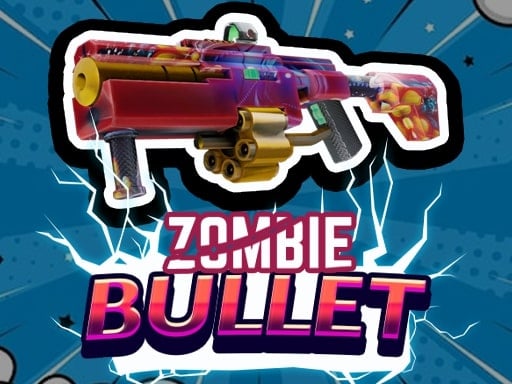
Choose Play now to load the game.
Official listing
Shoot all the zombies with weapons that you choose! want to kill in style? use your Grappling gun. all the zombies located in the city, so its fun to fight.
From the game listing
WASD for movement Q from dropping the gun E for Grappling gun
Open this card to load the gameplay video.
Zombie Bullet 3D puts you directly into an urban combat zone overrun by undead threats. Armed with a selection of firearms and an agile grappling gun, your mission is to navigate city streets, engage encroaching zombie waves, and eliminate all targets with precise movement and tactical weapon switching.
In Zombie Bullet 3D, players enter a 3D city environment packed with zombie adversaries. The gameplay revolves around tactical positioning and firearm management as you roam urban areas to take down enemies. You can freely choose your preferred weapons to tackle different encounters, swapping or dropping gear as needed to suit the situation. Adding a unique mobility twist, the game provides a dedicated grappling gun, allowing you to reposition swiftly across the city layout and dispatch opponents with creative flair. Whether maneuvering around tight street corners or managing space against hostile groups, active navigation and gun handling remain central to your survival.
The main objective in Zombie Bullet 3D is to defeat all the zombies distributed across the city environment. You must stay alive while navigating the streets, strategically choosing your weapons, deploying your grappling gun to gain tactical advantages, and systematically eliminating every undead threat in the area.
1. Navigate the 3D city streets by pressing the WASD keys to locate nearby zombie threats.
2. Equip and aim your chosen weapons to target and eliminate zombies across the urban zone.
3. Press E to deploy your grappling gun for rapid repositioning and stylish urban maneuvers.
4. Press Q whenever you want to drop your current gun to manage your active weapon loadout.
5. Continue clearing out every zombie located in the city while maintaining distance from dangerous clusters.
W, A, S, D: Move character across the city
Q: Drop the current gun
E: Deploy grappling gun
Combat in Zombie Bullet 3D centers on combining dynamic movement with steady marksmanship. Because enemies inhabit the urban map, staying stationary exposes you to getting cornered. Leveraging the grappling gun using the E key allows you to swiftly create separation or gain higher vantage points, transforming standard ground shootouts into mobile tactical engagements. Meanwhile, balancing your weapon choices and utilizing the drop mechanic ensures you maintain control over your combat approach. Mastering smooth WASD navigation while timing your attacks is key to clearing the hostile city streets efficiently.
As a 3D browser shooting game, Zombie Bullet 3D emphasizes responsive directional movement, weapon handling, and spatial navigation. The shooter genre typically challenges players to maintain situational awareness, manage ammunition or weapon selection, and neutralize targets efficiently across varied three-dimensional battlegrounds.
Players searching for a zombie bullet 3d game or an active shooting game online will find fast-paced city combat here. The title combines classic first-person style controls with grappling mechanics, offering straightforward browser-based zombie elimination action.
DOOM: Like DOOM, Zombie Bullet 3D focuses on high-tempo combat against hostile hordes where continuous movement is essential. However, Zombie Bullet 3D features a dedicated grappling gun mechanic set specifically across an open 3D city setting.
What keys do I use to move and fight in Zombie Bullet 3D? You navigate the city using WASD, drop your equipped firearm with the Q key, and trigger your specialized grappling gun by pressing E.
Can I change or drop weapons during combat? Yes, you can choose different weapons to fight zombies and press Q at any time to drop your active gun.
Tell us if the game does not load, the information is wrong or the content needs review.
Report a problemExplore popular games by category, shared tags and site-wide activity.





















