Official listing
Game description
Use your starship laser to destroy all blocks and zodiac signs!
Hypercasual game
Zodiac Wars puts you in the cockpit of an armed spacecraft tasked with clearing the board. Equipped with a starship laser, your mission is to blast through rows of oncoming blocks and celestial zodiac targets before they overwhelm your sector. Offering straightforward controls through either mouse targeting or keyboard inputs, the game delivers quick sessions centered on rapid target acquisition and steady firing.
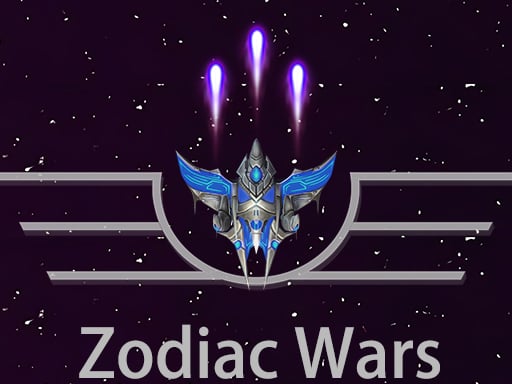
Choose Play now to load the game.
Official listing
Use your starship laser to destroy all blocks and zodiac signs!
From the game listing
mouse or keyboard WASD space
Open this card to load the gameplay video.
Zodiac Wars puts you in the cockpit of an armed spacecraft tasked with clearing the board. Equipped with a starship laser, your mission is to blast through rows of oncoming blocks and celestial zodiac targets before they overwhelm your sector. Offering straightforward controls through either mouse targeting or keyboard inputs, the game delivers quick sessions centered on rapid target acquisition and steady firing.
Zodiac Wars combines arcade shooting action with responsive laser mechanics. Piloting a starship across an active play area, players face a field populated with assorted destructible blocks alongside distinct zodiac sign targets. The core objective is simple yet demanding: fire your primary starship laser continuously to break down incoming shapes and clear every celestial obstacle from the screen.
Because the game supports both mouse and keyboard inputs, players can choose between rapid pointer-based tracking or classic WASD maneuvering paired with spacebar firing. Each round tests your ability to prioritize high-value targets, adjust your firing lines under pressure, and eliminate dense clusters of blocks before the screen becomes congested.
Your primary goal in Zodiac Wars is to destroy all blocks and zodiac signs displayed on screen using your starship laser. Achieving a clean board requires deliberate aim, proactive positioning across the playfield, and sustained laser fire to dismantle dense formations before obstacles crowd your ship.
1. Launch the game and decide whether mouse steering or keyboard keys offer the most comfortable control scheme for your setup.
2. Position your starship across the horizontal plane to align your weapon with incoming blocks and zodiac signs.
3. Engage your starship laser continuously by clicking the mouse or pressing the spacebar to strike oncoming targets.
4. Focus your beam on tougher clusters or central zodiac emblems to break apart dense groupings efficiently.
5. Maintain your firing cadence and maneuver laterally until all remaining blocks and zodiac symbols are completely eliminated.
Zodiac Wars supports input via mouse navigation as well as keyboard WASD movement with spacebar activation to fire your starship laser.
The defining dynamic of Zodiac Wars lies in managing continuous forward laser fire while actively scanning for emerging bottlenecks. Because blocks and zodiac signs occupy valuable screen space, players must constantly balance sweeping broad horizontal paths against drilling deep channels into tough obstacle clusters. Hesitation can allow targets to build up across multiple lanes, forcing split-second directional shifts.
Choosing between mouse and keyboard inputs also shapes the physical feel of the session. A mouse allows swift, sweeping lateral glides across the 800 by 600 display area, whereas WASD keys provide discrete, deliberate step positioning. Mastering steady target tracking without overshooting targets is essential for maintaining sustained destruction.
Zodiac Wars is formatted within an 800 by 600 display frame, making it well suited for desktop browser play. The inclusion of dual input schemes lets players switch seamlessly between mouse pointing and keyboard navigation using WASD and the spacebar depending on hardware preference.
Positioned within the hypercasual and arcade shooting space, Zodiac Wars embraces instant accessibility and immediate feedback. Players can jump straight into the action without navigating intricate menus or mastering complicated multi-button combinations. The straightforward objective of clearing obstacles with laser weaponry provides satisfying, low-friction gameplay ideal for quick breaks.
By blending classic space shooter aesthetics with block-clearing mechanics, the title appeals to fans of both retro aerial combat and modern casual precision games. Fast pacing and simple movement loops keep the focus firmly on line alignment and steady target destruction.
Players searching for Zodiac Wars or discovering a fresh Zodiac Wars game experience are typically looking for an action-oriented browser shooter that requires zero setup. The focus on rapid starship maneuvers and focused laser demolition delivers an engaging test of hand-eye coordination and spatial tracking.
Whether practicing precision aiming with a mouse or relying on rhythmic taps across WASD keys, the game serves as an accessible casual challenge for anyone who enjoys quick-reflex block-demolition games.
2048: While 2048 challenges players to make careful, turn-based spatial calculations by sliding and merging matching number tiles on a static grid, Zodiac Wars delivers real-time arcade action focused on active starship shooting and rapid obstacle clearance. Players seeking fast-paced reflex shooting will prefer Zodiac Wars, whereas deliberate strategists will gravitate toward 2048.
What is the primary objective in Zodiac Wars? The objective is to eliminate all destructible blocks and zodiac signs on the screen using your starship laser before the board fills up.
Which control schemes can I use to pilot the starship? You can steer and shoot using either your mouse or standard keyboard controls featuring WASD for movement and spacebar for laser fire.
What types of targets appear during gameplay? Players face a mix of solid geometric blocks alongside celestial zodiac signs that must all be blasted away with laser fire.
Tell us if the game does not load, the information is wrong or the content needs review.
Report a problemExplore popular games by category, shared tags and site-wide activity.