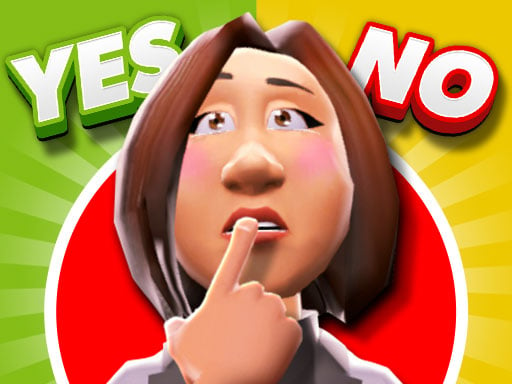
About Yes or No Challenge
Yes or No Challenge brings the fast-paced energy of a game show directly into your web browser. Competing either as a solo contestant or against a rival in shared two-player mode, participants face trivia queries where decisive choices lead to surprise gifts and prizes. Navigating your character to select answers and define rewards tests your general knowledge and quick thinking across every round.
Yes or No Challenge places players center stage in a colorful three-dimensional quiz competition. Built around a familiar game-show atmosphere, each round presents questions paired with distinct gifts, surprises, and answer options. Whether playing on your own or sharing a keyboard with a friend, the game revolves around moving into position and locking in your decisions.
The core loop involves sizing up the query, shifting left or right between options, and confirming your pick to reveal whether your choice yields a reward or claims victory in the match. Because the title supports both single-player and dedicated two-player gaming modes, the experience easily shifts from thoughtful personal trivia practice to an immediate, competitive local duel.
Your goal
Your primary goal in Yes or No Challenge is to outsmart the competition by selecting the correct responses to incoming questions while securing the best gifts. In solo sessions, players work to test their personal trivia recall and make winning choices consistently. In two-player duels, the objective expands to outmaneuvering your opponent, picking answers decisively, and establishing superior knowledge across consecutive quiz showdowns.
How to play Yes or No Challenge
1. Select your preferred format from the opening menu, deciding between solo single-player mode or local two-player competition.
2. Examine the active quiz query and evaluate the potential gifts and answer options presented on screen.
3. If competing in single-player, use your mouse to left-click your selections directly on the interface.
4. In two-player mode, Player 1 maneuvers left and right with A and D, while Player 2 maneuvers with the Left and Right arrow keys.
5. Confirm your choice using W for Player 1 or the Up Arrow for Player 2 to lock in your answer or claim your surprise gift.
Controls and device support
Single-player uses mouse navigation with Left-Click to select choices. In two-player mode, Player 1 moves left or right using A and D and picks with W, while Player 2 moves left or right using the Left and Right Arrow keys and picks with the Up Arrow.
- Controls: Keyboard
- Device support: Browser
- Game frame: 800 x 450
Rules to keep in mind
- The game supports both single-player and two-player gaming modes with distinct control schemes.
- Contestants face a series of questions where selecting the correct choice or gift determines who wins the quiz battle.
- Players must move their character left or right into position before confirming their designated pick.
- Both contestants share the same game screen during two-player face-offs using separate sides of the keyboard.
What makes the challenge interesting
The central appeal of Yes or No Challenge lies in balancing snap decision-making against accurate recall under competitive pressure. In two-player matchups, both contestants view the prompt at the exact same moment. This creates an immediate psychological tug-of-war: moving too quickly might lead you to misread a tricky question, while hesitating allows your rival to claim the initiative.
Beyond pure trivia knowledge, physical coordination plays a role. Navigating with movement keys and locking in answers cleanly requires steady hand placement. Managing this rhythm—reading carefully, reacting swiftly, and executing inputs without stumbling—defines the flow of high-energy matches.
Tips for Yes or No Challenge
- Read the entire prompt before initiating movement. Rushing toward a side based on early keywords often leads to careless misreads when a question contains unexpected qualifying words.
- Keep your fingers resting on your assigned movement and pick keys. Scrambling to locate W or the Up Arrow mid-round can cost precious moments during tight head-to-head rounds.
- Observe your opponent's positioning without copying their direction blindly. If you trust your own factual knowledge, commit firmly rather than letting a rival's sudden movement sway your pick.
- Use solo single-player sessions to familiarize yourself with the question styles and interface pacing before taking on friends in competitive two-player showdowns.
Stages and progression
Rather than relying on elaborate gear upgrades or character unlocks, progression in Yes or No Challenge is driven by broadening your trivia expertise and refining your reaction speed over successive rounds. As you encounter varied questions, answers, and surprise gift situations, your ability to quickly interpret prompts improves.
Players can structure their own improvement plan by starting in single-player mode to practice deliberate decision-making without distraction. Once comfortable navigating the stage and locking in choices cleanly, shifting into two-player mode tests your consistency against real human unpredictability, turning each match into a fresh competitive benchmark.
Playing on different devices
The game provides dedicated input configurations tailored for desktop keyboard and mouse setups. In single-player mode, direct mouse clicks make interaction simple and approachable for a solitary contestant.
For two-player sessions, ensure both participants have comfortable access to the keyboard. Player 1 utilizes the left side (W, A, D) while Player 2 operates the arrow keys on the right, providing an organized split-control layout on standard desktop hardware.
The skills behind the game
As part of the puzzle and quiz game landscape, Yes or No Challenge taps into the classic appeal of brain teasers and rapid recall. Trivia games naturally bridge entertainment and mental exercise, inviting players to test general knowledge across a wide variety of subjects in a low-stakes, accessible format.
By wrapping these trivia mechanics in a 3D quiz show presentation, the game connects the intellectual satisfaction of problem-solving with the active kinetic feel of moving a character on stage. This combination makes it a versatile choice for casual solo practice or lively party entertainment.
Who will enjoy this game
Players looking for a fun yes or no challenge often seek interactive experiences that test intuition and trivia knowledge without requiring hours of setup. The format strips away unnecessary complexity, focusing entirely on presenting an intriguing question and demanding a definitive decision.
Whether you are looking for an engaging puzzle game online to enjoy during a quick break or want a spirited yes or no challenge game to play alongside a friend, shared keyboard play delivers an immediate, sociable experience that anyone can pick up in seconds.
Frequently asked questions
Can two people play Yes or No Challenge on the same computer? Yes. The game features a built-in two-player mode where Player 1 controls their character using W, A, and D, while Player 2 competes alongside them using the arrow keys.
How do single-player controls differ from two-player mode? In solo play, contestants interact using the mouse and left-clicks to choose answers. In two-player mode, both contestants control movement and selections using separate clusters of keyboard keys.
What is the best way to practice for competitive matches? Starting in single-player allows you to read prompts calmly and understand the answer mechanics. Once you build confidence with quick reading and confirmation timing, jump into two-player mode for faster-paced competition.
Something not right?
Tell us if the game does not load, the information is wrong or the content needs review.
Report a problem ›