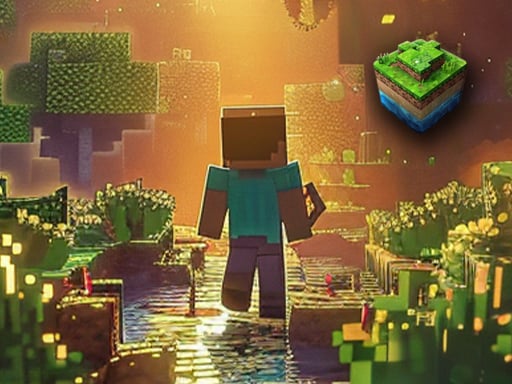
About World of Blocks 3D
World of Blocks 3D is a browser-based voxel simulation game where players enter an expansive open craft world to shape their own custom environments. By gathering and placing dozens of available items and mine materials, you can assemble unique structures, modify the terrain, and inspect your architectural projects across an open map.
In World of Blocks 3D, players are placed directly into a vast 3D sandbox filled with creative potential. The primary gameplay loop centers on experimenting with construction tools, managing a variety of block types, and shaping landscapes to match personal designs. Whether you intend to erect fortified towers, carve underground chambers, or construct sprawling towns, the game supplies dozens of mines and structural components to realize those concepts.
Beyond ground-level placement, the game allows players to inspect their creations from fresh angles by taking to the air in a dedicated flying mode. Every session offers the possibility of developing an entirely different world layout, providing an accessible creative space for experimenting with layout planning, architectural symmetry, and open-ended structural design.
Your goal
The primary objective in World of Blocks 3D is open-ended creative construction. Players aim to organize building materials, design cohesive architectural projects, and fully shape their personal sandbox map. Success is defined by your ability to plan, place, and refine structures using the extensive inventory of available blocks and items.
How to play World of Blocks 3D
1. Navigate the terrain using the standard directional keys and sprint when you need to cover open ground quickly.
2. Open the blocks panel to browse available materials, then cycle through rows and assign desired items to your active selection bar.
3. Target the terrain and use primary clicks to hit existing blocks or secondary actions to place and create new structures.
4. Adjust block orientation before placement using rotation inputs to achieve precise alignment in your walls and decorative features.
5. Equip and position torches to illuminate darker areas, and interact with objects as you flesh out the details of your build.
6. Switch to flying mode to survey your entire construction from above and evaluate your overall layout.
Controls and device support
World of Blocks 3D features dedicated keyboard and mouse bindings: Move with W, A, S, D; sprint with Left Shift; crouch with C; open the blocks panel with Q; cycle block rows with Tab; and select active blocks with number keys 1 through 8. Use Left-Click to hit blocks, Right-Click to create blocks, X to place bricks, and R to rotate blocks. Additional actions include L for torch, T to interact, G to throw, and 'a' to pause.
- Controls: Mouse or touch
- Device support: Browser
- Game frame: 1920 x 1080
Rules to keep in mind
- Block manipulation requires targeted aiming: left-clicking strikes or dismantles targeted blocks, while right-clicking and placement keys introduce new blocks to the world.
- Active inventory slots are bound to keys 1 through 8, requiring players to organize items from the broader panel into active rows.
- Torches can be deployed directly via dedicated key inputs to provide visibility across darkened construction sites.
What makes the challenge interesting
World of Blocks 3D emphasizes deliberate architectural planning and spatial creativity over fast-paced reflex challenges. Players must balance the selection of diverse materials with efficient hotbar management, ensuring they have the exact textures and block types required for intricate walls, roofs, and pathways.
The core rhythm involves alternating between meticulous ground-level bricklaying and broader structural evaluation. Utilizing the flying mode introduces a helpful perspective shift, enabling builders to step back, catch structural misalignments early, and refine the proportions of monumental builds without tedious manual scaffolding.
Tips for World of Blocks 3D
- Organize your hotbar before starting large builds. Grouping foundational blocks, accent colors, and functional items like torches across slots 1 to 8 prevents frequent menu disruption.
- Take advantage of block rotation before setting down complex fixtures. Checking orientation avoids having to break and replace misaligned pieces repeatedly.
- Use the flying mode regularly to survey large foundations. Aerial inspection quickly highlights uneven wall lengths or irregular perimeter lines that look fine from ground level.
- Place torches strategically along interiors and excavated areas. Maintaining proper lighting makes it much easier to align fine details in recessed corners and enclosed rooms.
Stages and progression
Rather than relying on linear stages or locked mission tiers, World of Blocks 3D offers an open creative progression where each new session allows you to design a completely fresh world. Mastery develops through personal project complexity, moving from basic shelters to multi-tiered installations.
Players can set their own building milestones by starting with terrain clearing, establishing foundation perimeters, and gradually integrating multiple material types and lighting layouts to produce fully realized custom landscapes.
The skills behind the game
Within the realm of online adventure and sandbox games, block-building titles offer players freedom from rigid narrative paths. World of Blocks 3D fits into this pixel and voxel tradition by providing a blank slate where creative construction, spatial experimentation, and environmental customization take center stage.
Players who enjoy architectural planning, terraforming, and stress-free creative exploration can utilize the game's expansive toolset to practice structural design, coordinate modular materials, and build intricate 3D installations directly in a browser environment.
Who will enjoy this game
Players looking for a lightweight world of blocks 3d game experience will find a focused sandbox environment that emphasizes immediate building mechanics. Free from elaborate installation requirements, it serves as a convenient browser destination for testing building concepts and voxel layouts.
If you enjoy finding an engaging adventure game online with open-ended creative tools, this title offers an inviting creative space where you can spend a casual session erecting towers, carving terrain, and surveying your handiwork from the air.
Games with a similar feel
Minecraft: World of Blocks 3D shares the familiar block-based voxel aesthetic and freeform building mechanics popularized by Minecraft. While Minecraft combines broad survival mechanics and expansive world generation, World of Blocks 3D offers a streamlined browser-based building experience focused primarily on direct creative placement, block rotation, and aerial inspection of custom structures.
Frequently asked questions
How do you select different building materials? Open the blocks panel using the Q key, cycle through the rows with Tab, and place desired blocks into slots 1 through 8 for direct selection during construction.
Can you fly to view your creations from above? Yes, World of Blocks 3D includes a flying mode designed to let players soar above their unique builds and inspect expansive layouts from an aerial perspective.
How do you rotate blocks before placing them? You can rotate blocks by pressing the R key, allowing you to align specific brick faces and structural components accurately before finalizing placement.
Something not right?
Tell us if the game does not load, the information is wrong or the content needs review.
Report a problem ›