About Word search html5
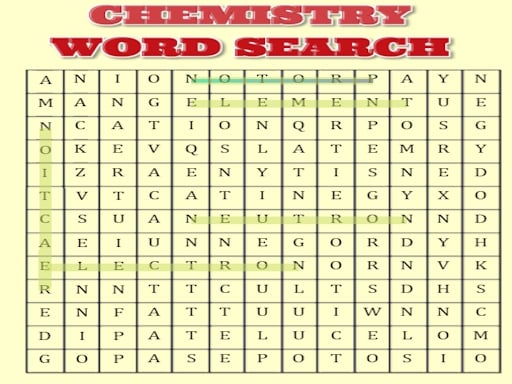
Word search html5 is a browser-based word-finding game that challenges your visual scanning across varied subject categories. Players can select themed boards covering celebrities, Harry Potter, history, food, chemistry, and physics, or jump directly into an unpredictable challenge by launching a random board.
Word search html5 presents a clean, approachable puzzle environment designed around themed vocabulary grids. Rather than limiting you to a single set of generic terms, the game organizes puzzles by distinct subjects, including popular culture like Harry Potter and celebrities, academic domains like history, chemistry, and physics, and everyday topics like food.
The core loop involves scanning letter arrangements to spot specific target words associated with your chosen subject. If you prefer not to pick a specific category manually, the option to launch a random level lets you begin immediately with a surprise mix of vocabulary. The interaction is straightforward, letting you use standard pointer inputs on a desktop or direct finger taps and drags on a touch-enabled screen.
Your goal
Your primary goal in Word search html5 is to locate and highlight every hidden term hidden within the puzzle grid. By working through your selected theme or testing your adaptability on randomized boards, you aim to complete each word list with steady visual recognition and thorough grid coverage across multiple knowledge areas.
How to play Word search html5
1. Launch the game and decide whether to pick a specific topic or select the button to play a random level.
2. If choosing manually, select one of the available themes, such as chemistry, physics, food, history, celebrities, or Harry Potter.
3. Inspect the target word list associated with the active board to understand what terms you need to find.
4. Scan the letter grid horizontally, vertically, or diagonally to spot the starting letters of listed words.
5. Use your mouse cursor or finger on a touchscreen to select and highlight the letters forming each found word.
6. Continue identifying and clearing words until every item on the puzzle list has been located.
Controls and device support
The game is designed to be played using a mouse on desktop systems or a finger on touchscreen mobile devices.
- Controls: Mouse or touch
- Device support: Desktop + mobile
- Game frame: 360 x 640
What makes the challenge interesting
The core skill in Word search html5 revolves around pattern recognition and systematic visual inspection. Because words can hide in multiple orientations, scanning line by line for uncommon letter combinations or distinct starting letters helps players filter through the surrounding distractors quickly.
The inclusion of subject-specific categories like science and history adds thematic context to each search session. Recognizing domain-specific terms—such as chemical elements in chemistry or famous names in history and pop culture—helps narrow down search expectations, creating an engaging rhythm between reading vocabulary and scanning the matrix of letters.
Tips for Word search html5
- Target rare letters like Z, X, Q, or K first when scanning for scientific or character names, as they stand out much faster against a dense grid of vowels and common consonants.
- Adopt a methodical row-by-row or column-by-column visual sweep instead of jumping randomly across the board, which prevents missed terms and reduces eye fatigue.
- Read the entire word list before beginning your search so your subconscious can flag familiar word structures while your eyes move across the grid.
- Use the random level button when you want to test your general vocabulary speed without the priming effect of choosing a specific category in advance.
Stages and progression
Word search html5 offers variety through its distinct themed categories and a dedicated random level generator. Rather than relying on rigid linear stages, players can structure their own progression by working through each distinct topic, moving between science subjects like physics and chemistry, cultural topics like history and celebrities, and entertainment themes like Harry Potter.
To build personal mastery, consider practicing across all categories to see which terminology sets you can resolve most smoothly, or rely on the random button to keep each consecutive round unpredictable.
Playing on different devices
Word search html5 features a vertical 360 by 640 display format that runs naturally in standard web browsers. It supports both mouse input on desktop computers and touch input via finger gestures on mobile and tablet devices.
When playing on a touchscreen, dragging smoothly from the first letter to the last ensures clean selection, while mouse users can click and drag with precision across tight letter spacing.
The skills behind the game
Word search puzzles belong to the broader category of casual word games that prioritize visual scanning, language familiarity, and spatial reasoning. Unlike anagram or crossword puzzles that require active deduction or vocabulary recall from clues, word searches provide the target terms up front, shifting the focus to pattern matching within a matrix of letters.
By categorizing boards under diverse themes—ranging from science and history to food and entertainment—these puzzles offer both relaxing leisure play and light educational reinforcement for players who enjoy testing their observational focus.
Who will enjoy this game
Players looking for an accessible word search puzzle online often want quick, self-paced sessions that can run directly in any standard web browser without complex installation steps. Word search html5 fits this interest by offering instant access to themed boards and randomized levels.
Whether you are taking a brief break or looking to practice careful visual search habits, playing a word search html5 game provides straightforward puzzle solving that works equally well with mouse or touch controls.
Games with a similar feel
Wordscapes: While Wordscapes focuses on forming valid words from a circular wheel of letters to fill a crossword-style grid, Word search html5 presents a classic word search matrix where complete words must be found hidden among letters. Players looking for word-finding across specific subjects like science or history will enjoy Word search html5's grid layout.
Frequently asked questions
What puzzle categories are available in Word search html5? The game includes specialized word search topics covering celebrities, Harry Potter, history, food, chemistry, and physics, along with an option to load a random level.
Can I play Word search html5 on a mobile phone? Yes, Word search html5 is built for browser play and supports touchscreen finger controls alongside traditional desktop mouse input.
How do I start a quick puzzle without picking a theme? You can select the button labeled to play a random level directly from the menu to jump straight into an automatically selected board.
Something not right?
Tell us if the game does not load, the information is wrong or the content needs review.
Report a problem ›