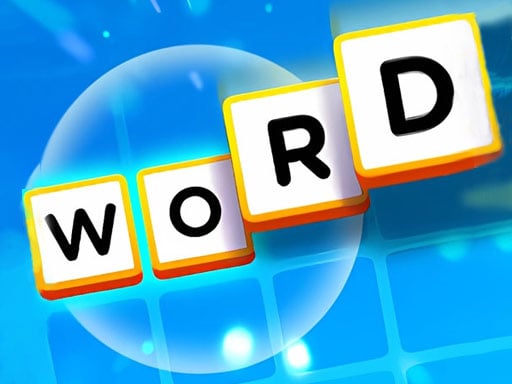
About Word Factory Game
Word Factory Game is an accessible browser puzzle centered on assembling English words from scattered letter tiles. Players observe available letter squares, identify the intended vocabulary term, and use mouse clicks to move pieces directly into the puzzle's designated target slots. Built for casual puzzle solvers and language learners alike, the game emphasizes careful letter identification, pattern recognition, and hands-on spelling practice in an uncomplicated digital format.
Word Factory Game places players inside a straightforward spelling interface designed around interactive letter squares. The primary activity involves scanning available letter tiles, figuring out which valid English word they can form, and maneuvering each tile into the designated solution area. By focusing on direct point-and-click or drag interactions, the game removes complex menu layers so players of varying English familiarity can begin solving immediately.
The loop revolves around word reconstruction and spatial placement. Rather than typing on a physical keyboard, players engage visually with individual letter blocks, clicking them with the mouse and guiding them toward the solution area to complete the word. This tangible manipulation makes vocabulary recall approachable, turning spelling exercises into a relaxed, bite-sized matching and sequencing challenge suitable for quick browser sessions.
Your goal
The core objective in Word Factory Game is to spell the correct word by transferring the appropriate letter squares into their designated target spaces. Players strive to recognize English words quickly, place each letter in its proper order without misplacing components, and reinforce their spelling accuracy across each puzzle exercise.
How to play Word Factory Game
1. Load the puzzle in your browser and examine the scattered letter squares displayed on screen.
2. Scan the available letters to mentally identify which English word can be assembled.
3. Click on the required letter square using your mouse cursor.
4. Drag the selected letter tile toward the designated target area.
5. Release or position the square into the correct sequence slot to complete the spelling.
Controls and device support
Spell the correct word by clicking on the square using the mouse and dragging the letter tiles directly to the designated area.
- Controls: Mouse or touch
- Device support: Browser
- Game frame: 1080 x 1920
Rules to keep in mind
- Letter squares must be moved into the designated placement area to form the target term.
- The completed arrangement must match the correct spelling of the intended word.
What makes the challenge interesting
At its core, Word Factory Game combines anagram deciphering with steady physical placement. The mental task asks players to identify vowel and consonant combinations from an unordered set of squares, while the mechanical action requires deliberate mouse clicks to place tiles where they belong. Because the interface relies on dragging elements to a designated zone rather than blind typing, players benefit from taking a deliberate pause before moving tiles.
A common tension in casual spelling puzzles involves balancing fast visual recognition against accurate execution. Rushing to grab the first obvious letter can lead to awkward rearranging if an alternate anagram was needed. Cultivating a calm rhythm—identifying the complete root word first, then dragging letters methodically—produces a smoother and more rewarding puzzle-solving experience.
Tips for Word Factory Game
- Scan every available vowel first before moving tiles. Identifying the vowel placement narrows down plausible English vocabulary patterns and avoids unnecessary tile shuffling.
- Mentally construct the full word before dragging letters into the designated area. Grabbing tiles prematurely can lead to disordered arrangements that require manual correction.
- Look for common consonant blends such as 'sh', 'th', or 'st' among the squares. Pairing frequent clusters in your mind speeds up word discovery across casual puzzle rounds.
- Maintain steady mouse control when releasing squares over target zones. Dropping a tile slightly off-target can break your solving flow and disrupt your pacing.
Playing on different devices
Word Factory Game is built with an HTML5 portrait canvas measuring 1080 by 1920 pixels. While the official instructions cite mouse controls for clicking and dragging letter squares, its vertical aspect ratio and Android tag align naturally with touchscreen displays and handheld window orientations. On desktop monitors, playing inside a centered vertical window provides ample precision for mouse dragging.
The skills behind the game
Word Factory Game sits at the intersection of puzzle, matching, and word genres. In traditional online puzzles, players often match colors or geometric shapes to clear a board. Here, the matching mechanic is semantic and linguistic: players match scrambled letters against known vocabulary terms to create coherent sequences. This genre focus appeals to players who enjoy mental exercises, anagram solving, and structured cognitive challenges.
Who will enjoy this game
Players searching for a casual puzzle game online often seek accessible browser challenges that can be enjoyed in short bursts without heavy downloads. As a focused word factory game, this title fulfills that search intent by delivering a straightforward spelling activity where visual manipulation replaces complex rules. It serves as a practical warmup for daily word games or as an enjoyable spelling refresher for students looking to reinforce fundamental English vocabulary.
Frequently asked questions
How do you form words in Word Factory Game? Players click on individual letter squares with their mouse and drag them into the designated target area to spell out the correct word.
Is Word Factory Game suitable for English vocabulary practice? Yes. The simple interface allows both beginners and experienced speakers to practice spelling and pattern recognition without complicated menus.
Does the game require a physical keyboard to play? No. The game is designed around clicking and dragging on-screen letter squares with your mouse rather than typing letters on a keyboard.
Something not right?
Tell us if the game does not load, the information is wrong or the content needs review.
Report a problem ›