About Word Challenge
Word Challenge is a browser-based anagram puzzle game where players test their English vocabulary by building words from a circular tray of letters. By linking characters presented at the bottom of the screen, you fill empty letter slots at the top, clear board objectives, and earn points as puzzles grow progressively more demanding.
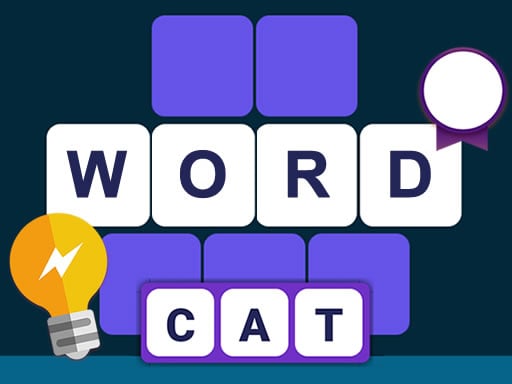
Word Challenge presents a clean puzzle layout centered on anagram solving. The play area features a circular selection wheel at the bottom containing a set of letters, while the upper portion of the screen displays rows of empty cells awaiting correct submissions. Players examine the available letter pool, identify valid English word combinations, and enter them to populate the open grid slots.
When a formed word matches the board's targets, it immediately transfers into the corresponding empty cells above. Each successful completion awards points and advances the player into subsequent levels with tougher letter sets. If you find yourself stuck on an elusive word, a lit light bulb icon located in the lower-left corner offers hints to keep the solving momentum going.
Your goal
The primary objective in Word Challenge is to discover all required words using the provided letter wheel to fill every empty cell on the board. Players strive to progress through continuous levels, steadily accumulate points, and broaden their active English vocabulary while solving anagram puzzles of increasing complexity.
How to play Word Challenge
1. Observe the available letters arranged in the round field at the bottom of the screen.
2. Connect the letters using mouse clicks or touchscreen taps to spell out valid English words.
3. Watch your identified words automatically transfer into the matching blank cells at the top of the screen.
4. Click or tap the light bulb icon in the lower-left corner whenever you need a hint to reveal tricky letters.
5. Complete all open word slots to finish the level, score points, and move on to more difficult anagram challenges.
Controls and device support
Use left mouse clicks or tap gestures to select and combine letters on screen, or to activate the hint icon.
- Controls: Mouse or touch
- Device support: Desktop + mobile
- Game frame: 800 x 600
Rules to keep in mind
- Words must be formed exclusively from the pool of letters displayed inside the round bottom field.
- Valid word submissions are automatically transferred to fill the designated empty cells at the top of the display.
- Completing word sets advances the player through sequential levels and awards accumulated points.
- The lit light bulb located in the lower-left corner can be activated at any time to provide solving hints.
What makes the challenge interesting
The core appeal of Word Challenge lies in pattern recognition and lexical scanning. Rather than requiring rapid reflexes, the game encourages thoughtful contemplation as players mentally reorganize a fixed set of vowels and consonants. Spotting common roots, prefixes, and suffixes allows you to unravel multiple words from a single letter cluster.
A key strategic balance involves managing the available hints. While the light bulb feature ensures you never remain permanently blocked, relying on personal deduction builds greater confidence and vocabulary retention. Players can deliberate at their own pace, making it an engaging exercise for both native speakers and those learning English.
Tips for Word Challenge
- Identify short foundation words first. Searching for three-letter and four-letter terms early on often reveals obvious letter combinations that help you deduce the remaining longer anagrams.
- Group common prefixes and suffixes such as RE, UN, ING, or ED mentally to test whether the letter cluster supports multiple variations of the same root word.
- Reserve light bulb hints for moments when only one or two stubborn slots remain unfilled, avoiding premature hint usage on boards where simpler words are still undiscovered.
- Count the empty cell lengths at the top of the screen before guessing, matching your candidate words directly against the exact letter counts required by open slots.
Stages and progression
As you successfully clear boards in Word Challenge, the game advances you through sequential stages with increasingly demanding tasks. Later stages present more intricate letter configurations and longer target words, requiring broader vocabulary recall and careful anagram examination.
To handle rising difficulty smoothly, focus on developing a systematic solving habit. Tackle shorter target lengths first to narrow down unused letters, keep track of scoring trends across levels, and use hints deliberately when encountering unfamiliar English word constructions.
Playing on different devices
Word Challenge runs directly in web browsers with an 800x600 display resolution. On desktop setups, standard mouse clicks allow precise selection across the letter wheel and interface buttons. On mobile smartphones and tablets, touchscreen tap inputs provide a natural, responsive way to connect letters and trigger hint tools.
The skills behind the game
Word Challenge fits neatly into the puzzle and educational genre, where mental problem-solving takes priority over fast action. Anagram puzzles encourage players to deconstruct familiar spelling structures, reinforcing language skills, pattern identification, and deductive reasoning in a relaxed browser environment.
Unlike reflex-driven arcade games, letter-matching puzzles offer an accessible entry point for students, casual word enthusiasts, and language learners alike. The format allows anyone to practice English vocabulary, experiment with spelling permutations, and enjoy satisfying mental workouts at an individual pace.
Who will enjoy this game
Players looking for an engaging word challenge game will appreciate how this title balances straightforward mechanics with expanding difficulty. It provides a convenient option for anyone seeking a casual puzzle game online to sharpen their language skills during short breaks or study sessions.
Whether you want to discover new English terminology or simply enjoy untangling jumbled letter wheels, the anagram format delivers reliable entertainment without complex setup. Its browser-friendly design makes practicing vocabulary and word-building accessible on virtually any connected screen.
Frequently asked questions
How do you form words in Word Challenge? Select and connect the letters displayed inside the round field at the bottom of the screen using mouse clicks or screen taps. When a word is valid, it automatically transfers to fill the corresponding empty cells at the top.
What should I do if I get stuck on a difficult level? You can click or tap the lit light bulb icon in the lower-left corner of the screen to receive a hint, which assists you in discovering missing word combinations when progress stalls.
Is Word Challenge suitable for players learning English? Yes. The game is designed for players who know basic English or want to expand their vocabulary by assembling anagrams, identifying root words, and learning new letter combinations across successive stages.
Something not right?
Tell us if the game does not load, the information is wrong or the content needs review.
Report a problem ›