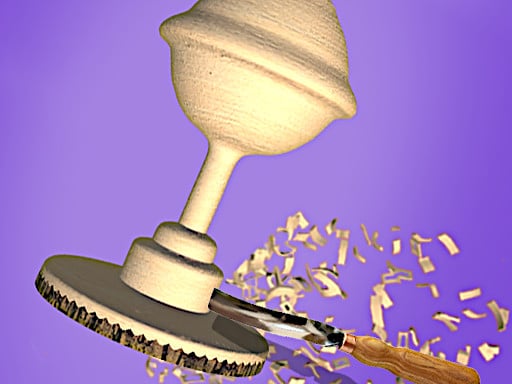
About Woodturning Art
Woodturning Art is a 3D hypercasual crafting game where players experience the creative process of being a virtual carpenter. Using simple mouse controls, your goal is to cut, polish, and paint raw wood into finished crafted objects, offering a smooth and satisfying hands-on simulation directly in your web browser.
Woodturning Art invites players to explore the craft of woodworking through a virtual workshop experience. Built with 3D WebGL technology, the game captures the tactile satisfaction of carpentry by guiding players through distinct production stages. Starting with raw material, you use your mouse to carefully cut the profile, polish the newly formed surface, and apply paint to color the finished piece. Combining skill and puzzle elements within a hypercasual structure, it emphasizes steady hands and careful adjustments to produce smoothly crafted wooden objects from start to finish.
Your goal
The primary objective in Woodturning Art is to successfully complete each woodworking project by cutting, polishing, and coloring raw wooden materials into refined decorative items. Players work to accurately shape the spinning wood using mouse guidance, smooth out imperfections during the polishing step, and finish the object with vibrant paint to achieve a clean, complete carpenter creation.
How to play Woodturning Art
1. Position your mouse cursor to direct the cutting tool against the spinning wood block.
2. Carefully carve away excess material to form the desired wooden shape.
3. Apply polishing tools across the carved surface to create a smooth finish.
4. Select colors and paint the polished object to complete your woodcraft piece.
Controls and device support
Mouse: Cut, polish, and paint the wood objects
- Controls: Mouse or touch
- Device support: Browser
- Game frame: 800 x 450
Rules to keep in mind
- Players interact with each stage of the woodworking process using mouse controls.
- Every crafting project involves cutting the wood, polishing the surface, and painting the finished shape.
What makes the challenge interesting
The core gameplay focus in Woodturning Art centers on tool precision and the satisfying rhythm of manual craftsmanship. Operating in a 3D space, players must coordinate mouse movements to control how deeply and evenly tools engage the rotating wooden material. Balancing careful cuts during the shaping phase prevents removing too much material before progressing to surface refinement. The subsequent polishing and painting stages shift the focus from structural shaping to aesthetic finishing, providing a complete creative loop that tests steady control while delivering a relaxing carpentry simulation.
Tips for Woodturning Art
- Maintain a steady, controlled mouse movement while cutting into the rotating wood to avoid making uneven gouges or carving too deeply.
- Thoroughly move your mouse across the entire carved surface during the polishing step to produce an even and clean finish.
- Take time during the coloring stage to apply paint evenly across each section of your polished woodcraft design.
The skills behind the game
Woodturning Art sits within the hypercasual and skill genre, offering lightweight simulation focused on accessible mechanics. Hypercasual crafting games emphasize instant engagement and straightforward loops, allowing players to quickly understand and enjoy practical tasks like carpentry. By using 3D WebGL rendering, the game delivers visual feedback that makes material shaping and painting rewarding without requiring complicated control schemes or complex simulation rules.
Who will enjoy this game
Players looking for a relaxing woodturning art game will find a focused crafting experience centered around shaping raw materials. Woodturning art titles emphasize tactile transformations, letting users cut, smooth, and paint items at their own pace. This title channels classic workshop activities into a streamlined browser format, combining puzzle-like attention to shape with simple skill-based mouse interactions for fans of hypercasual making and decorating games.
Games with a similar feel
Minecraft: Like Minecraft, Woodturning Art involves creative material manipulation and crafting. However, while Minecraft features an expansive open-world voxel sandbox with exploration and building, Woodturning Art focuses strictly on the focused, single-object carpentry tasks of cutting, polishing, and painting.
Terraria: Both Woodturning Art and Terraria feature crafting themes, but Terraria is a 2D action-adventure sandbox with resource gathering and combat, whereas Woodturning Art is a 3D hypercasual simulation focused entirely on lathe-style carving and decorating individual items.
Frequently asked questions
What controls are used to play Woodturning Art? Woodturning Art is played entirely using a mouse. You use mouse movements to guide your tools across the wooden object during the cutting, polishing, and coloring stages.
What main activities can you perform in the game? Players experience the role of a carpenter by cutting rotating wood into distinct shapes, polishing the newly formed surface, and painting the completed object with decorative colors.
Something not right?
Tell us if the game does not load, the information is wrong or the content needs review.
Report a problem ›