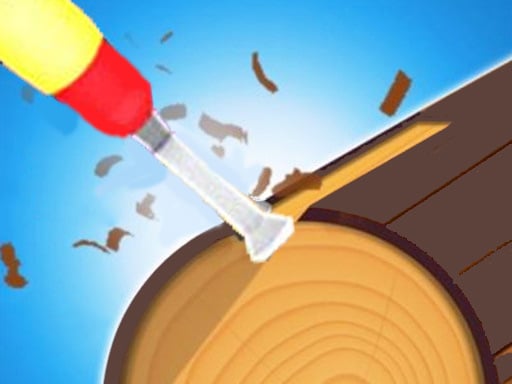
About Wood Shop
Wood Shop is an engaging and relaxing 3D crafting simulator designed for players of all ages. Step into the digital workshop during your free time to carve and craft beautiful woodwork projects. By shaping each piece with precision, you earn rewards and unlock an expanding variety of unique shapes to test your crafting skills.
Wood Shop delivers a tranquil hypercasual experience centered around the art of digital woodworking. Players take on creative projects in full 3D, working through distinct object outlines to craft finished items. The gameplay loop focuses on leisure and satisfaction, making it an ideal pastime for winding down while still providing a skill-based crafting challenge.
Each crafting session presents a fresh workpiece waiting to be transformed. As you follow the target contours, performing clean and accurate carving actions leads to higher quality results. Mastering the motion allows you to build up earnings and discover fresh patterns across multiple creative stages.
Your goal
Your primary goal in Wood Shop is to complete woodwork projects in diverse shapes as accurately as possible. Crafting pieces perfectly rewards you with in-game currency, which directly enables you to unlock additional woodwork models and advance through new crafting templates.
How to play Wood Shop
1. Select an available woodworking template to begin your crafting session.
2. Slide across the screen to guide your tool along the target shape.
3. Carefully shave away excess material to match the intended profile.
4. Complete the carving accurately to maximize your performance payout.
5. Use the earned funds to unlock brand-new wood shapes in the shop.
Controls and device support
Slide on screen: Carve and shape the woodwork item
- Controls: See in-game controls
- Device support: Browser
- Game frame: 750 x 1334
Rules to keep in mind
- Crafting accuracy determines completion quality; completing a shape perfectly yields monetary rewards.
- New woodwork shapes remain locked until purchased or unlocked through accumulated earnings.
What makes the challenge interesting
The core of Wood Shop revolves around deliberate motion and steady execution. Because your earnings depend on crafting shapes perfectly, taking time to make smooth sliding gestures yields cleaner cuts. The tactile satisfaction of turning raw blocks into polished forms provides a calming rhythm, combining relaxing simulation pacing with accessible skill-based goals.
Tips for Wood Shop
- Make slow, steady slide strokes rather than rushing, helping you maintain control over the shaping outline.
- Aim for clean symmetry across the piece to achieve perfect ratings and maximize your earned reward money.
- Reinvest your completed project earnings immediately to unlock diverse shapes and expand your crafting catalog.
Stages and progression
Progression in Wood Shop centers on continuous workshop expansion. As you achieve high ratings on individual woodworking challenges, you accumulate in-game currency that unlocks new shapes and project types, keeping future crafting sessions varied and rewarding.
Playing on different devices
Designed with a vertical 750 x 1334 layout, the game is optimized for mobile touchscreens, allowing seamless single-finger sliding while running directly in modern HTML5 web browsers.
The skills behind the game
As a 3D hypercasual simulation title, Wood Shop emphasizes immediate accessibility and therapeutic gameplay. It strips away complex crafting menus in favor of direct, satisfying touch manipulation, fitting neatly among relaxing mobile-friendly skill titles.
Who will enjoy this game
Players looking for an approachable wood shop game or relaxing digital crafts can enjoy intuitive lathe-style shaping on the go, offering similar creative satisfaction to a coloring game online within a tactile 3D workshop environment.
Games with a similar feel
Happy Color: Like Happy Color, Wood Shop provides a relaxing, low-stress creative activity, but it substitutes 2D region coloring with tactile 3D woodwork shaping and unlocking new structural models.
Frequently asked questions
How do you control the carving tools in Wood Shop? You control the carving action by sliding your finger across the screen to trim and shape the rotating wood piece to match the outline.
What happens when you finish a woodwork shape perfectly? Completing a woodwork design with high accuracy awards in-game money, which you can use to unlock more shapes and project varieties.
Is Wood Shop suitable for younger players? Yes, Wood Shop features intuitive hypercasual controls and non-violent, relaxing simulator mechanics, making it suitable for players of all ages.
Something not right?
Tell us if the game does not load, the information is wrong or the content needs review.
Report a problem ›