Official listing
Game description
Tap the sea creature which is different from others.
Puzzles game
Which Sea Creature Looks Different is a casual online puzzle game where players test their observational skills underwater. Your main task is to examine the group of sea creatures displayed on the screen and tap the sea creature which is different from others. Designed with simple mechanics, it provides an accessible difference-finding challenge playable with a mouse or touch pad.
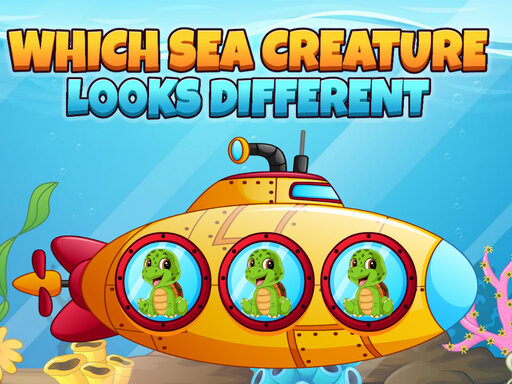
Choose Play now to load the game.
Official listing
Tap the sea creature which is different from others.
From the game listing
Use mouse or touch pad to play this game
Open this card to load the gameplay video.
Which Sea Creature Looks Different is a casual online puzzle game where players test their observational skills underwater. Your main task is to examine the group of sea creatures displayed on the screen and tap the sea creature which is different from others. Designed with simple mechanics, it provides an accessible difference-finding challenge playable with a mouse or touch pad.
Which Sea Creature Looks Different centers on visual perception and attention to detail. Players are presented with a collection of underwater sea life, where most figures look identical or share matching traits, but a single sea creature looks different from the rest. The core challenge requires you to carefully inspect every character to detect the visual outlier among the group. Once you spot the odd creature, tap or click directly on it to complete the selection. Because the instructions specify using a mouse or touch pad, the game delivers an intuitive, direct interface suitable for players of all ages, including young children looking for a relaxed puzzle challenge. Built with HTML5 technology, it runs smoothly in modern web browsers without requiring complex configurations.
The main objective in Which Sea Creature Looks Different is to accurately locate and tap the sea creature which is different from others. Players must study the visual appearance, shapes, and features of every animal shown, identify the specific outlier that does not match the rest of the school, and register their choice by tapping or clicking it with a mouse or touch pad.
1. Load Which Sea Creature Looks Different in your web browser to display the puzzle scene.
2. Carefully inspect the collection of sea creatures presented across the play area.
3. Compare the details, colors, and poses to find the creature that looks different from all the others.
4. Position your cursor or pointer over the odd sea creature using your mouse or touch pad.
5. Tap or click the selected sea creature to register your choice and complete the task.
Mouse or touch pad: Tap or click the sea creature that is different from the others
Gameplay in Which Sea Creature Looks Different focuses on visual discrimination and patient comparison. Rather than relying on fast reflexes or complicated inputs, the title challenges your ability to spot minor graphical distinctions in an underwater setting. Players must scan through similar aquatic figures, noting matching patterns and detecting the single sea creature that breaks the uniform design. Success depends on maintaining focus and verifying differences before committing to a tap. With straightforward mouse or touch pad navigation, the gameplay loop remains relaxed, direct, and welcoming to casual puzzle enthusiasts and younger players practicing their observation and pattern-matching abilities.
Which Sea Creature Looks Different fits directly within the puzzle and hidden difference category. Difference puzzles emphasize careful observation, shape identification, and pattern recognition over high-speed action. This genre is especially popular in browser-based gaming for kids and casual players because it promotes visual focus in a friendly environment. By centering the activity around sea creatures and simple point-and-click interactions, it delivers classic puzzle-solving enjoyment that is easy to understand immediately.
Players searching for which sea creature looks different often seek an accessible puzzle game online suitable for younger audiences or quick mental breaks. The title Which Sea Creature Looks Different fulfills this query directly by presenting straightforward odd-one-out gameplay. Designed with HTML5 support for desktop browsers, it offers a quick and charming difference-finding experience where finding the unique underwater creature remains the central attraction for casual puzzle seekers.
How do you play Which Sea Creature Looks Different? Examine the sea creatures shown on the screen, identify the one that looks different from the rest of the group, and tap or click it using your mouse or touch pad.
What controls can I use in this game? According to the game instructions, you can play using a computer mouse or a touch pad to tap and select the target sea creature.
What kind of puzzle game is this? It is an HTML5 puzzle game designed for kids and puzzle enthusiasts, focusing on spot-the-difference visual observation among underwater sea creatures.
Tell us if the game does not load, the information is wrong or the content needs review.
Report a problemExplore popular games by category, shared tags and site-wide activity.



















