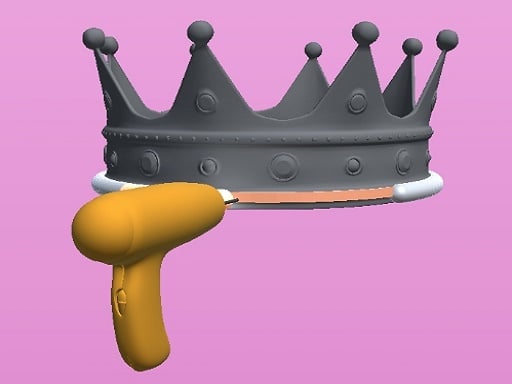
About Welding Simulation 3D
Welding Simulation 3D is a casual workshop simulator where players assemble metal components, run clean weld seams, and apply finishing paint to complete a variety of craft projects. Focusing on hands-on creation across multi-step tasks, the game challenges you to position each piece accurately and handle the welding torch smoothly to produce cleanly finished objects.
In Welding Simulation 3D, each project guides players through a complete fabrication workflow inside a virtual workshop setting. Rather than managing complex industrial controls or raw material budgets, the gameplay emphasizes the tactile progression of making something from scratch. You begin every project by examining loose parts and arranging them into their designated alignments.
Once pieces are positioned correctly, you transition to operating the welding equipment to bond seams together. After completing the structural joins, the process concludes with a painting phase where you coat the assembled piece to achieve a clean final appearance. The cycle repeats across a variety of distinct objects, delivering a straightforward and relaxing crafting experience.
Your goal
The primary objective is to complete every assigned fabrication job by correctly positioning structural pieces, executing steady welding along joints, and applying thorough paint coverage to the completed model. Players aim to refine their manual precision across each stage to produce neatly constructed objects without rushing the assembly or finishing steps.
How to play Welding Simulation 3D
1. Inspect the project outline and align each loose component into its correct target position.
2. Engage the welding tool using your mouse click or screen tap once the parts are properly set.
3. Guide the welding contact along the seams to secure the structural connections of the item.
4. Switch to the painting tool to apply smooth, even color over the bonded object.
5. Inspect the final painted model and proceed to the next assembly project in the workshop.
Controls and device support
Welding Simulation 3D uses simple point-and-click or tap input. Use your primary mouse button on desktop or direct screen taps on touch-enabled devices to manipulate parts, weld seams, and apply paint.
- Controls: Mouse or touch
- Device support: Desktop + mobile
- Game frame: 800 x 600
Rules to keep in mind
- Parts must be placed in their correct positions before completing the structural weld.
- The welding process must be executed along target areas to fuse the assembled components together.
- Final painting requires careful coverage to finish the crafted object cleanly.
What makes the challenge interesting
The central appeal of Welding Simulation 3D rests on steady hand coordination and the satisfying rhythm of multi-stage fabrication. Players balance moving quickly between assembly phases with maintaining careful control over the cursor during the welding and painting portions. Moving too erratically during the bonding phase can lead to uneven coverage or missed connection points, while measured strokes yield a far more polished result.
By breaking each object down into discrete engineering steps—alignment, bonding, and cosmetic finishing—the game captures the feeling of hands-on workshop work within an accessible casual format. Mastering each task comes down to developing a calm, steady rhythm rather than memorizing complex technical commands.
Tips for Welding Simulation 3D
- Verify that metal pieces snap firmly into place before starting your torch, ensuring you do not attempt to weld misaligned sections.
- Maintain a smooth, continuous mouse stroke along welding lines to produce consistent bonding across the entire seam.
- Sweep the paint applicator evenly across every surface angle, checking for bare patches before considering the finishing step complete.
- Avoid rushing through the assembly sequence, as steady cursor control consistently delivers cleaner visual outcomes than rapid, erratic dragging.
Stages and progression
Progression in Welding Simulation 3D revolves around tackling a variety of distinct objects, each offering different component shapes, joint configurations, and surface areas to coat. As you advance from basic items to more intricate builds, you encounter assemblies that require multiple seams and broader surface painting.
To improve your performance over time, treat each new project as an opportunity to build a smoother execution routine. Focus on aligning parts without hesitation, maintaining steady speed during the welding phase, and establishing full paint coverage on the first pass.
The skills behind the game
Welding Simulation 3D belongs to the casual simulation genre, blending realistic workshop themes with accessible, pick-up-and-play mechanics. While traditional trade simulations often feature complex thermal physics, safety gauges, and detailed equipment setup, hypercasual craft simulators distill the experience into its most tactile and rewarding elements.
This style of simulator provides a low-barrier introduction to building and crafting concepts. Players of all ages can enjoy the satisfaction of assembling components and transforming raw metal pieces into polished, painted products in just a few straightforward steps.
Who will enjoy this game
Players looking for welding simulation 3d typically seek an engaging, hands-on workshop experience that captures the feel of metal fabrication without requiring heavy simulation hardware or steep learning curves. The title satisfies this casual interest by delivering quick, clear fabrication steps that can be enjoyed in short breaks.
Whether you want to relax by running clean weld lines or practice steady cursor control across creative painting tasks, the welding simulation 3d game offers an approachable sandbox where visual feedback and multi-step progress take center stage.
Frequently asked questions
What is the main gameplay loop in Welding Simulation 3D? Each project involves positioning loose parts in their correct alignments, executing the welding process along seams to bond the structure, and applying paint with precision to finish the piece.
How do you control tools in the welding simulation 3d game? The game uses standard single-action inputs. You can click and drag with a mouse on desktop or tap and swipe directly on touch screens to manipulate parts, weld, and paint.
Are there different objects to fabricate in the game? Yes, the simulation includes a variety of objects to weld and paint, presenting players with different part layouts and seam patterns to work through.
Something not right?
Tell us if the game does not load, the information is wrong or the content needs review.
Report a problem ›