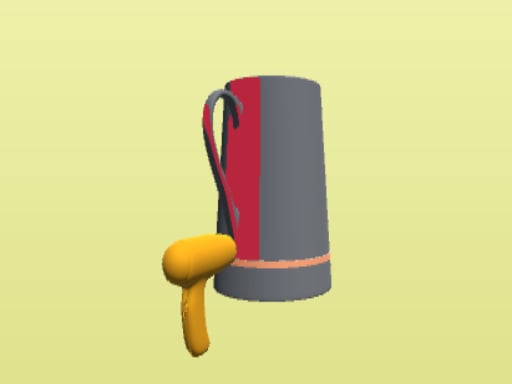
About Welding Master
Welding Master invites players into the trade of metalwork, presenting practical tasks centered around joining metals and repairing components. Drawing on arcade simulation conventions, the game sets up distinct workshop activities that range from fixing broken structures to shaping ornate decorative items. Players apply steady cursor or touch inputs to guide their torch along seams, balancing speed with steady coverage across diverse project environments.
In Welding Master, players take on the role of an aspiring fabricator tackling a sequence of metal assembly challenges. Tasks in the workshop require fusing different metallic pieces together with care, working through repair assignments on crucial structural parts as well as artistic projects such as decorative sculptures. The core experience revolves around directing the torch across visible joints to seal connections cleanly.
The presentation blends direct arcade handling with recognizable workshop settings, built using WebGL technology to run smoothly within a desktop or mobile browser window. As jobs are addressed, players experience varied visual settings and work toward unlocking new welding techniques to handle increasingly complex metal pieces. The direct input loop emphasizes observational timing and pathing rather than complex manual machinery controls.
Your goal
The main objective in Welding Master is to complete each assigned metalwork job by fusing adjoining sections thoroughly and accurately. Whether your prompt is to mend damaged structural fixtures or assemble decorative metal statues, your aim is to guide the welding torch over the target seams without leaving gaps or rushing past unbonded edges. Advancing through jobs allows you to practice consistent torch handling across diverse project requirements.
How to play Welding Master
1. Inspect the assigned workpiece on screen, noting where separate metal edges meet or where fractures require bonding.
2. Click or tap to activate the welding flame and position the tip directly over the seam line.
3. Trace smoothly along the target joint, holding your input steady to ensure the metal pieces bond completely.
4. Adjust your tracing pace around turns or irregular contours so heat is applied evenly across the sculpture or frame.
5. Release your hold once the seam is sealed, reviewing the finished assembly before moving to the next metalworking task.
Controls and device support
The game uses unified direct input: click with a mouse on desktop or tap the screen on mobile devices to operate the welding tool and interact with workpieces.
- Controls: Mouse or touch
- Device support: Desktop + mobile
- Game frame: 960 x 600
What makes the challenge interesting
Welding Master centers on motor control, steady tracing, and visual attention. Unlike fast-action arcade titles driven by avoidance or rapid reflex shooting, metal fusion challenges require smooth, calculated movements. A primary operational tradeoff exists between tracing speed and seam coverage: dragging the cursor too quickly risks skipping unsealed segments, while lingering too long on a single spot can disrupt your visual rhythm across extended joint paths.
Because tasks vary between delicate decorative sculptures and larger structural joints, players must adapt their movement tempo to differing project outlines. Learning to read each joint line before applying heat helps establish a comfortable pathing flow that keeps your weld clean from start to finish.
Tips for Welding Master
- Survey the entire weld path before initiating your stroke. Looking ahead helps avoid sudden directional corrections that can disrupt an otherwise smooth, continuous bond.
- Maintain an even, moderate movement speed across straight seams. Rushing through the motion often results in skipped gaps that force you to retrace previous segments.
- Slow down your cursor or finger input when approaching corners and curves. Tight angles require extra precision to ensure both metal edges fuse properly.
- Reset your hand posture comfortably between tasks. Relaxed grip and smooth wrist motion produce far more stable tracing than tense, jerky finger inputs.
Stages and progression
Progression in Welding Master unfolds through varied assignment types and expanding fabrication capabilities. The project briefing highlights a transition from essential structural repairs to intricate artistic sculptures, encouraging players to unlock new welding techniques as they tackle diverse environments. While specific unlock thresholds and stage tallies are not detailed, player development relies on adopting steadier pathing habits and refining seam coverage as task contours become more complex.
The skills behind the game
Tagged under both arcade and simulation categories, Welding Master occupies an engaging middle ground in web gaming. Pure simulation titles often require detailed machine setup, gas adjustments, and rigorous physics calculations. In contrast, arcade-styled craft simulations distill technical trades into accessible interactive tasks focused on clear paths and visual gratification. This format provides players who enjoy tradecraft and workshop themes with immediate, tactile play that remains accessible within standard browser sessions.
Who will enjoy this game
Players looking for a welding master game online typically seek relaxing, task-driven experiences that capture the feel of manual craftsmanship. The title fits well into casual daily practice, offering focused activities where tracing clean seams rewards patience and hand-eye coordination. Because sessions run directly in the browser, it serves both hobbyists curious about metal fabrication imagery and arcade fans wanting short, satisfying construction puzzles without extensive setup.
Games with a similar feel
Minecraft: Both games share an interest in crafting and assembling objects, but Minecraft operates as an expansive open sandbox centered on block placement and world exploration. Welding Master concentrates directly on the tactile process of joining metal pieces along focused joint paths, making it better suited for players seeking quick, structured workshop tasks rather than open-ended building.
Terraria: Terraria incorporates crafting and material gathering within an exploratory two-dimensional survival setting. While both games celebrate the creation of functional items, Welding Master isolates the singular craftsmanship of metal fusion in guided scenarios, appealing to players who prefer concise fabrication simulations over broader resource-gathering adventures.
Frequently asked questions
What is the primary objective in Welding Master? The objective is to complete metalwork tasks by guiding your welding tool along seams to join metals cleanly, repairing structures and crafting ornamental objects.
How do you control the welding tool in the game? The game uses simple mouse clicks on desktop or screen taps on mobile displays to activate the torch and guide it across target seams.
Can I play Welding Master directly in a web browser? Yes, Welding Master is built using WebGL and runs directly inside modern desktop and mobile browsers without requiring a separate client download.
What kind of projects do you work on during the game? Assignments include repairing critical structural joints as well as shaping artistic metal sculptures across a variety of realistic workshop environments.
Something not right?
Tell us if the game does not load, the information is wrong or the content needs review.
Report a problem ›