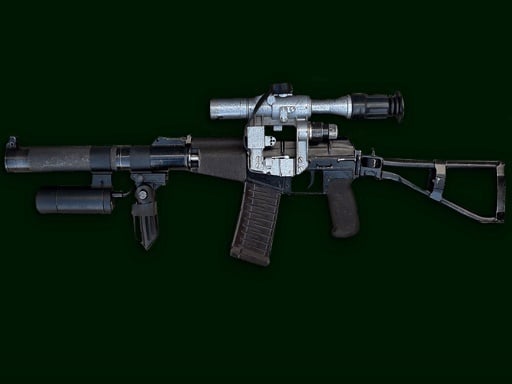
About Weapons Sounds Simulator
Weapons Sounds Simulator is a casual browser-based audio simulator that lets players explore realistic firearm sound effects. By interacting with a catalog of weapon icons, you can trigger specific firing noises ranging from the heavy blast of a shotgun to the sharp crack of a high-caliber sniper rifle. Designed for quick exploration, it offers an immediate, accessible way to hear diverse gun audio directly in your browser.
The core experience of Weapons Sounds Simulator focuses entirely on auditory exploration and soundboard interaction. Players are presented with an interface displaying distinct firearm categories and individual weapon icons. Rather than requiring navigation across complex virtual arenas or tactical battlefields, the application functions as an immediate sound showcase where every selected icon activates a dedicated audio sample.
Each firearm in the selection features its own characteristic acoustic profile. Players can sample the distinct echo and mechanical snap of long-range rifles, followed immediately by the rapid, dispersed power of shotguns. Built with WebGL and Unity technology, the simulator delivers responsive audio triggers suitable for quick interactive sessions or casual curiosity about weapon acoustics.
Your goal
The primary objective is to test and compare the entire collection of available firearm sound effects. Because the game emphasizes free exploration rather than competitive scoring or survival objectives, your goal is to discover the distinct audio signatures of various weapon classes, contrast their firing sounds, and build familiarity with different small-arms profiles at your own pace.
How to play Weapons Sounds Simulator
1. Load the simulator in your desktop or mobile browser and adjust your device volume to a comfortable listening level.
2. Review the visual menu of available weapon icons displayed across the screen.
3. Click or tap on a specific firearm icon, such as a shotgun or sniper rifle, to trigger its unique firing sound.
4. Select different weapon types sequentially to compare tone, reverb, and firing characteristics across the arsenal.
Controls and device support
Mouse click or tap to play.
- Controls: Mouse or touch
- Device support: Desktop + mobile
- Game frame: 800 x 600
What makes the challenge interesting
Weapons Sounds Simulator relies on intuitive, frictionless interactivity rather than reflexes, precision aiming, or tactical positioning. The appeal centers on immediate audio gratification and clean sample playback. Instead of managing ammunition reserves or tracking enemy movements, the player's engagement comes from appreciating the varied sound design crafted for each piece of military hardware.
This streamlined structure creates a low-stress environment where users can quickly examine how different firearm mechanisms translate into audio effects. Whether evaluating the sustained rumble of heavy firepower or the sharp report of single-shot weaponry, the title serves as a dedicated audio companion for firearm enthusiasts and casual simulation fans alike.
Tips for Weapons Sounds Simulator
- Use quality headphones or external speakers to catch subtle bass tones and mechanical clicks that standard built-in laptop speakers might muffle.
- Space out your clicks when testing a weapon to let the complete reverb and decay play out naturally before triggering another audio sample.
- Switch back and forth between contrasting classes, such as sniper rifles and shotguns, to better appreciate the differences in acoustic punch and pitch.
- Set your initial operating volume moderately before clicking high-impact weapons to avoid sudden audio spikes during initial testing.
Playing on different devices
Weapons Sounds Simulator runs within a standard 800x600 resolution canvas powered by WebGL. On desktop setups, clicking with a mouse provides immediate audio feedback. On touchscreen devices, tapping directly on weapon icons delivers a seamless mobile soundboard experience without requiring hardware keyboards or complex gestures.
The skills behind the game
Within the hypercasual and simulation categories, Weapons Sounds Simulator occupies an audio-centric niche. Hypercasual titles prioritize instant accessibility and minimalist interactions that require zero learning curve. By stripping away complex mechanics like ballistic calculations, ammunition purchasing, and map navigation, this simulator allows players to satisfy their curiosity about firearm sound effects within seconds of opening the page.
Who will enjoy this game
Players searching for a weapons sounds simulator or a weapons sounds simulator game are typically looking for quick, responsive audio demonstrations of military gear. While users browsing for a sniper game online often expect target shooting mechanics, this simulator provides a dedicated listening resource to explore the distinct report of sniper rifles and shotguns without the pressure of time limits or scoring challenges.
Games with a similar feel
Sniper Elite: While Sniper Elite immerses players in deep tactical sniping missions with detailed ballistic simulation, Weapons Sounds Simulator focuses exclusively on audio playback. Players looking for long-range tactical gameplay should turn to Sniper Elite, whereas those seeking instant firearm sound demonstrations can explore this lightweight browser tool.
Hitman Sniper: Hitman Sniper delivers methodical target observation and scoped puzzle-shooting scenarios. In contrast, Weapons Sounds Simulator provides an unhurried soundboard environment where players simply tap icons to hear weapon profiles without mission constraints, making it ideal for casual audio sampling rather than competitive marksmanship.
Frequently asked questions
What types of weapon sounds can I hear in the simulator? The simulator features a varied arsenal of firearms, highlighting distinct acoustic profiles such as the thunderous roar of shotguns and the sharp crack of sniper rifles.
Are there shooting targets or enemies in this game? No. The game is designed specifically as an audio simulation and soundboard where you click or tap weapon icons to hear their unique sounds rather than engaging in combat.
Can I play Weapons Sounds Simulator on mobile devices? Yes. The simulator supports touchscreen tap controls alongside desktop mouse clicks, enabling quick audio playback across both mobile and desktop web browsers.
Something not right?
Tell us if the game does not load, the information is wrong or the content needs review.
Report a problem ›