Official listing
Game description
The WaterColor game was developed for children and with it you will learn to paint with reference images in a fun way from your mobile phone, tablet, or computer. Game developed by: Nau.kids
Puzzles game
WaterColor is an educational puzzle game developed by Nau.kids where young players learn to paint by matching colors to provided reference images. Playable across mobile phones, tablets, and computers, the title presents a relaxing digital coloring experience tailored specifically for children seeking fun artistic practice.
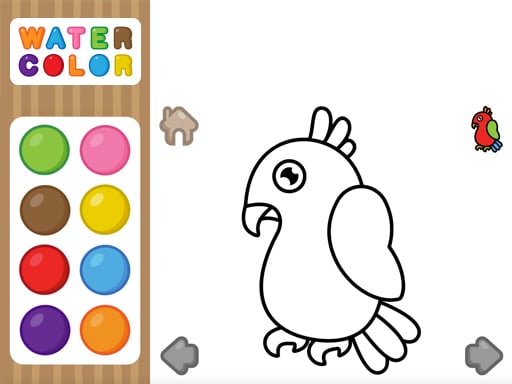
Choose Play now to load the game.
Official listing
The WaterColor game was developed for children and with it you will learn to paint with reference images in a fun way from your mobile phone, tablet, or computer. Game developed by: Nau.kids
From the game listing
Paint with the colors corresponding to the image
Open this card to load the gameplay video.
WaterColor is an educational puzzle game developed by Nau.kids where young players learn to paint by matching colors to provided reference images. Playable across mobile phones, tablets, and computers, the title presents a relaxing digital coloring experience tailored specifically for children seeking fun artistic practice.
Developed by Nau.kids, WaterColor invites children to explore digital painting through an accessible, guided puzzle format. The core activity centers on examining a sample reference image and carefully selecting the corresponding shades to fill in the artwork. Because it was crafted with kids in mind, the experience emphasizes creative learning and visual observation without complex pressure or intricate setup. Players can jump straight in from any compatible web browser on mobile phones, tablets, or desktop computers, making it a flexible coloring activity at home or on the move.
The main objective in WaterColor is to complete each painting by applying the exact colors that correspond to the reference image. Players succeed by observing the model illustration, identifying matching color tones, and filling in the scene accurately to finish the picture.
1. Open WaterColor on your mobile phone, tablet, or computer browser.
2. Examine the provided reference image to see how the completed picture should look.
3. Select the paint colors that correspond to the different sections of the model artwork.
4. Apply your chosen colors across the image until the whole scene matches the reference guide.
WaterColor focuses on observational puzzle-solving and foundational art skills. Rather than requiring freehand drawing precision, gameplay revolves around color matching and visual comparison. Young learners analyze the reference picture to decide where each shade belongs, encouraging focus, color recognition, and hand-eye coordination. The streamlined design keeps children engaged with immediate visual feedback as their canvas gradually transforms into a completed, colorful picture that matches the original guide.
As part of the puzzle and educational categories, WaterColor blends problem-solving with artistic expression. Unlike fast-paced arcade puzzles, coloring games encourage steady concentration and pattern matching, making them especially suitable for children developing fundamental visual literacy.
Players searching for a casual watercolor game or a family-friendly coloring game online will appreciate the accessible design of WaterColor. It delivers an educational puzzle game online that runs smoothly across desktop and mobile devices for hassle-free painting practice.
Happy Color: Like Happy Color, WaterColor centers on filling artwork using designated color choices. However, while Happy Color relies heavily on numbered region matching, WaterColor prompts kids to compare their painting directly against a visible reference image.
What is the goal of WaterColor? The goal is to paint each scene using the colors corresponding to the provided reference image, helping kids practice color recognition and observation.
Which devices support WaterColor? WaterColor can be played on mobile phones, tablets, and computers directly through a supported web browser without needing special hardware.
Who created the WaterColor game? The WaterColor game was developed by Nau.kids specifically as an educational and entertaining coloring puzzle for children.
Tell us if the game does not load, the information is wrong or the content needs review.
Report a problemExplore popular games by category, shared tags and site-wide activity.


















