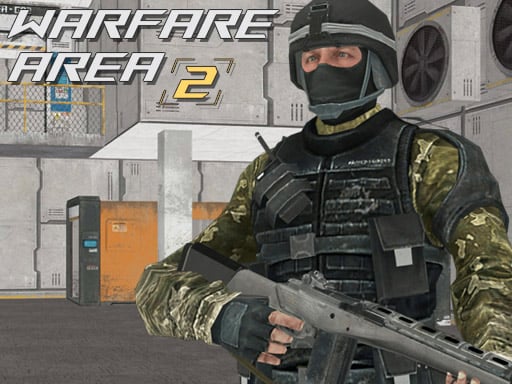
About Warfare Area 2
Warfare Area 2 is a 3D first-person shooter where you step directly onto an active battlefield with your rifle ready. Your core objective is to clear the combat zone by eliminating hostile targets while searching for first aid kits to stay alive through intense encounters across desktop and mobile browsers.
Warfare Area 2 drops players into an armed engagement requiring quick reflexes and sharp marksmanship. Equipped with a rifle, you must navigate 3D environments, search out enemy fighters, and take them down before they overpower your position. Direct fire exchanges demand constant movement and precise gunplay to maintain your health during combat.
Survival hinges on active threat management and tactical awareness. While engaging opposing forces throughout the area, picking up scattered first aid kits provides crucial healing to endure prolonged battles. The title is designed for straightforward instant-play access on both desktop computers and mobile devices.
Your goal
The main mission in Warfare Area 2 is to eliminate all enemy combatants in the sector. You must clear out hostile resistance while monitoring your survival, securing essential first aid supplies, and maintaining weapon readiness to complete your assignment alive.
How to play Warfare Area 2
1. Navigate through the combat zone using directional movement keys on PC or the virtual joystick on mobile devices.
2. Look around and aim your rifle using mouse movement or by dragging across the right side of the touchscreen.
3. Open fire on sighted enemies using the primary mouse click or dedicated mobile fire button to neutralize threats.
4. Press R on your keyboard to reload your weapon between firefights so your rifle is never empty mid-skirmish.
5. Locate and pick up first aid kits in the area to recover health and survive until all enemies are defeated.
Controls and device support
W, A, S, D / Arrow Keys: Move character
Mouse: Aim and shoot
L: Lock pointer
R: Reload weapon
P: Pause game
On-screen joystick: Move character
Fire button: Shoot
Drag on right side of screen: Aim / turn character
- Controls: Keyboard
- Device support: Desktop + mobile
- Game frame: 800 x 450
Rules to keep in mind
- Defeat every enemy deployed in the sector to fulfill the core mission objective.
- Collect available first aid kits to restore vitality and prevent defeat during gun battles.
- Keep your weapon loaded to ensure continuous offensive capability when confronting enemy clusters.
What makes the challenge interesting
Combat in Warfare Area 2 emphasizes aggressive spatial awareness and gun handling. Because opponents can strike from various angles across the 3D terrain, maintaining line of sight while tracking health reserves is essential. Locking the mouse pointer on desktop provides smooth, responsive targeting, while mobile touch controls separate movement and turning across both halves of the display.
Success comes from pacing engagements carefully: clearing forward sectors, retreating toward medical supplies when injured, and ensuring your magazine is replenished before triggering new shootouts.
Tips for Warfare Area 2
- Reload your rifle manually whenever you clear a hostile pocket so you never run dry unexpectedly.
- Lock your cursor with the L key on desktop to prevent accidental screen exits during fast aiming.
- Keep note of medical kit locations across the area and retrieve them as soon as you take heavy damage.
Playing on different devices
Warfare Area 2 supports both computer and mobile play with tailored interface schemes. Desktop players utilize a standard mouse-and-keyboard layout with pointer locking for precise gun tracking, while mobile users maneuver via an on-screen joystick and right-screen touch aiming.
The skills behind the game
As part of the shooting and action category, Warfare Area 2 delivers first-person military combat where direct engagement and quick reflexes decide victory. Players experience classic shooter fundamentals centered around line-of-sight aiming, territorial clearance, and health management.
Who will enjoy this game
Players searching for the Warfare Area 2 game or a responsive shooting game online will find focused browser-based FPS action. The game offers direct rifle battles, simple controls across platforms, and instant survival objectives without complicated setups.
Games with a similar feel
DOOM: Like DOOM, Warfare Area 2 places players in a first-person combat setting focused on shooting enemies and collecting health pickups, but Warfare Area 2 features a grounded modern military rifle theme tailored for quick browser play.
Frequently asked questions
How do you restore health in Warfare Area 2? You can restore health by exploring the combat zone and picking up first aid kits dropped or placed around the environment.
Can Warfare Area 2 be played on mobile devices? Yes, the game is playable on mobile phones with on-screen virtual joystick movement and touch-drag aiming on the right side of the screen.
How do you lock the mouse pointer on desktop? Press the L key on your keyboard while playing on a computer to lock the mouse pointer for smooth first-person aiming.
Something not right?
Tell us if the game does not load, the information is wrong or the content needs review.
Report a problem ›