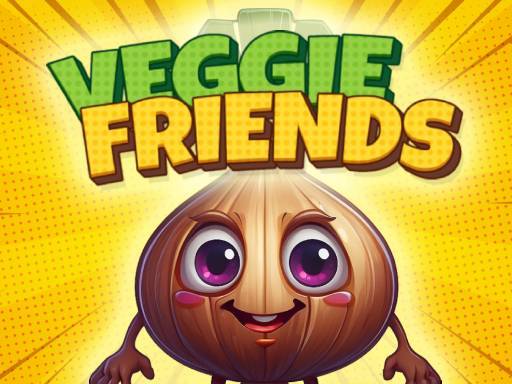
About Veggie Friends Game
Veggie Friends Game introduces young players to friendly vegetable characters through interactive matching puzzles and playful challenges. Designed to build early cognitive skills while teaching children about different foods, the game invites learners to drag, sort, and pair vegetables to solve tasks, discover character stories, and unlock new puzzle levels in a bright browser format.
Veggie Friends Game sets up a welcoming learning environment where various vegetable personalities guide young players through hands-on matching activities. Each character comes with distinct visual details and story elements, turning routine sorting exercises into a fun introductory puzzle experience. Players interact with these characters directly on screen, identifying similar items and dragging them into place.
The primary gameplay loop focuses on observing the board, recognizing matching pairs, and dragging pieces to complete each assigned task. As puzzles are solved, the game shares vegetable facts and reveals fresh stages, giving young learners positive reinforcement as they practice basic visual discrimination and hand-eye coordination.
Your goal
The central goal in Veggie Friends Game is to match pairs and collect various vegetable characters by solving on-screen puzzles and finishing designated tasks. Succeeding in each stage lets players uncover interesting facts about wholesome foods and move forward into new educational challenges.
How to play Veggie Friends Game
1. Launch the game in your desktop browser or mobile screen to view the opening vegetable puzzle stage.
2. Scan the screen to identify matching vegetable pairs or review the task displayed for the current board.
3. Click and drag or tap and hold each vegetable character to move it toward its matching pair or target location.
4. Complete the required pairings to solve the active puzzle and collect the featured vegetable friends.
5. Read the vegetable facts presented upon finishing tasks to discover details about each healthy food item.
6. Advance into newly unlocked levels to tackle fresh matching arrangements and meet more characters.
Controls and device support
On desktop computers, use the mouse to click and drag vegetable characters to their matching pairs or target positions. On mobile touchscreen devices, tap and hold on vegetables to slide them across the display to finish each task.
- Controls: Mouse or touch
- Device support: Desktop + mobile
- Game frame: 1280 x 720
Rules to keep in mind
- Vegetable items must be dragged directly to their matching counterpart or assigned task area to complete the pairing.
- Solving current puzzle tasks is required before new levels and challenges become accessible.
- Completing stage requirements collects the corresponding vegetable characters and reveals facts about them.
What makes the challenge interesting
Veggie Friends Game balances visual recognition, motor control, and early childhood learning. Instead of rapid reaction demands, the experience emphasizes thoughtful matching and gentle interaction. Players practice identifying shapes, colors, and specific character designs while building comfortable mouse or touchscreen drag-and-drop mechanics.
The pacing supports self-guided exploration, making it suitable for young children who benefit from unhurried problem-solving. By pairing cheerful character artwork with accessible mechanics, the game turns basic identification exercises into engaging cognitive practice that reinforces healthy nutritional concepts.
Tips for Veggie Friends Game
- Survey the whole board before dragging pieces so you can locate exact matches smoothly without moving unneeded items across the screen.
- Focus on unique visual traits like color and stem shapes to quickly distinguish similar-looking vegetable friends from one another.
- Maintain a steady hold while dragging items on mobile screens to avoid releasing vegetables midway across the play area.
- Take time to review the shared vegetable facts between stages to reinforce early learning concepts and healthy food awareness.
Stages and progression
Progression in Veggie Friends Game centers on completing sequential matching boards and puzzle tasks. Successfully clearing a stage unlocks new levels that introduce additional vegetable characters, fresh visual layouts, and new facts to discover.
To get the most out of advancing stages, young learners can treat each newly unlocked challenge as an opportunity to refine drag-and-drop precision and practice naming each vegetable character as it appears.
Playing on different devices
Veggie Friends Game supports both desktop mouse navigation and mobile touch input across standard 1280 x 720 display dimensions. Desktop users benefit from clear cursor dragging, while tablet and smartphone players can use intuitive tap-and-hold gestures to move pieces across the screen.
The skills behind the game
Veggie Friends Game fits naturally within the educational kids and hypercasual puzzle genres. By focusing on accessible drag-and-drop mechanics and cheerful food characters, it provides an approachable learning framework for toddlers and young children. Rather than relying on intricate rules or intense reflex tests, games in this space emphasize visual pairing, spatial coordination, and positive reinforcement around everyday healthy eating themes.
Who will enjoy this game
Parents and educators looking for a lighthearted veggie friends game will appreciate how straightforward puzzle interactions can introduce young learners to kitchen vegetables. Exploring simple matching exercises in short browser sessions helps early learners build mouse dexterity and touchscreen coordination while reinforcing familiar food shapes in a playful setting.
Frequently asked questions
What is the primary objective in Veggie Friends Game? Players match and collect various vegetable characters by completing sorting tasks and solving puzzles, unlocking new levels and educational facts as they progress.
How do you control and move vegetables on desktop and mobile? On desktop, click and drag vegetables using the mouse. On mobile devices, tap and hold on the vegetable character to slide it to its matching position.
What educational topics are covered during play? The game introduces players to different vegetables, promotes healthy eating habits, and supports cognitive skill development through visual matching challenges.
Something not right?
Tell us if the game does not load, the information is wrong or the content needs review.
Report a problem ›