Official listing
Game description
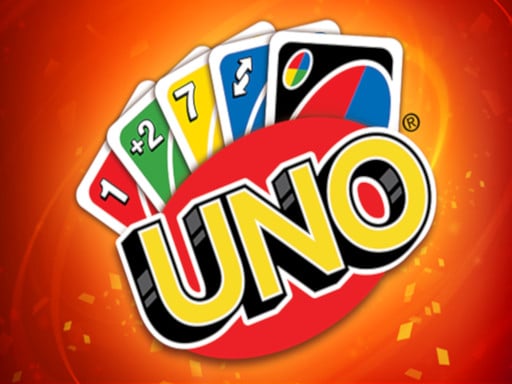
Uno Friends is the classic card game that’s easy to pick up and impossible to put down. It is a game that's very simple to learn but still has some strategic complexity.
Multiplayer game
UNO Card Game brings classic tabletop-inspired card play directly to your browser screen. Designed as an approachable casual experience, Uno Friends is simple to learn while offering strategic complexity for players looking to outsmart opponents. Using intuitive mouse controls, you can jump straight into matches that are easy to pick up and impossible to put down.
Choose Play now to load the game.
Official listing
Uno Friends is the classic card game that’s easy to pick up and impossible to put down. It is a game that's very simple to learn but still has some strategic complexity.
From the game listing
Left mouse
Open this card to load the gameplay video.
UNO Card Game brings classic tabletop-inspired card play directly to your browser screen. Designed as an approachable casual experience, Uno Friends is simple to learn while offering strategic complexity for players looking to outsmart opponents. Using intuitive mouse controls, you can jump straight into matches that are easy to pick up and impossible to put down.
UNO Card Game captures the spirit of traditional card sessions in a quick-to-launch Unity3D browser environment. Built with accessible mechanics, this multiplayer card title focuses on straightforward interaction where players navigate rounds using basic mouse clicks. The gameplay balances immediate accessibility with genuine strategic layers, ensuring that beginners can start instantly while tactical thinkers plan moves ahead. Categorized alongside arcade, classic, and .io titles, the game provides a casual card room atmosphere where decision-making dictates match momentum. Whether testing your luck or practicing smart card preservation, every turn challenges your ability to adapt to shifting tabletop situations.
Your primary objective in UNO Card Game is to engage in strategic card matches and outplay your table rivals. By learning simple card fundamentals and balancing short-term plays with deeper tactical moves, you strive to maintain control across the match. Succeeding requires monitoring the flow of the table, reacting to turns, and using calculated decisions to master each round.
1. Launch UNO Card Game directly inside your desktop browser window.
2. Observe the active table state and review your available cards.
3. Use the left mouse button to select and play valid cards on your turn.
4. Balance simple moves with strategic complexity to counter other players' actions.
5. Continue taking turns until the multiplayer match reaches its conclusion.
Left mouse: Select and play cards or interact with table options
UNO Card Game emphasizes a balance between instantaneous learning curves and deliberate tactical planning. Because the core mechanics are straightforward, new players can understand turn structures immediately without extensive onboarding. However, consistent success relies on mastering strategic depth, deciding when to hold key cards, and adjusting to multiplayer dynamics. Operating as a lightweight Unity3D browser game, the focus remains squarely on rapid table interactions and continuous card play, delivering a satisfying rhythm that keeps matches fast-paced, competitive, and enjoyable across successive sessions.
UNO Card Game runs within a standard 900 x 600 canvas dimension in modern web browsers, requiring mouse support for controls.
Categorized under multiplayer, card, and casual strategy genres, UNO Card Game fits into the broader tradition of browser-based digital tabletop gaming. These titles prioritize quick matchmaking, intuitive interfaces, and social competition, allowing players to jump in without lengthy setups. Combining classic rules with arcade and .io gaming accessibility, the genre offers rewarding short sessions driven by strategic thinking.
Players looking for a fun uno card game experience often search for accessible web adaptations that preserve classic mechanics. Whether seeking an uno card game game for casual sessions or friendly competition, browser versions provide instant access. The appeal lies in familiar card dynamics paired with strategic decision-making that players can enjoy anywhere.
UNO: Like the traditional UNO card game centered on matching colors or numbers, UNO Card Game offers approachable tabletop card action; however, this browser version is packaged as a quick-play Unity3D web title with direct mouse controls.
How do you control actions in UNO Card Game? All card selections and menu interactions in UNO Card Game are performed using your left mouse button on desktop browsers.
Is UNO Card Game suitable for beginners? Yes, Uno Friends is designed to be very simple to learn for newcomers while offering strategic complexity for experienced card players.
Tell us if the game does not load, the information is wrong or the content needs review.
Report a problemExplore popular games by category, shared tags and site-wide activity.