Official listing
Game description
Welcome to the Unmatch Candy. Unmatch the candy is a new puzzle game and very easy to play. Just separate the matched puzzle for the block. It's very simple, right? Play with your friends and have fun!
Puzzles game
Unmatch Candy is an accessible browser puzzle game where your primary objective is to separate matched puzzle blocks. Built with simple click mechanics, this candy-themed challenge provides quick puzzle-solving fun for players of all ages looking for straightforward, casual board manipulation in their web browser.
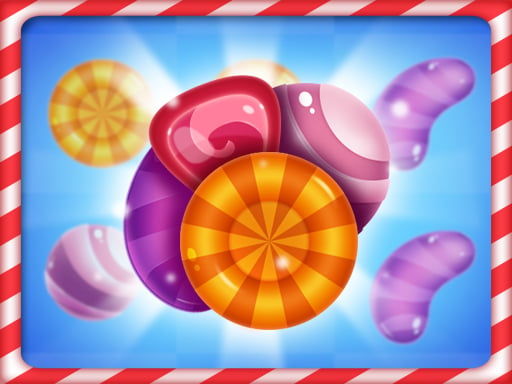
Choose Play now to load the game.
Official listing
Welcome to the Unmatch Candy. Unmatch the candy is a new puzzle game and very easy to play. Just separate the matched puzzle for the block. It's very simple, right? Play with your friends and have fun!
From the game listing
Left mouse button click
Open this card to load the gameplay video.
Unmatch Candy is an accessible browser puzzle game where your primary objective is to separate matched puzzle blocks. Built with simple click mechanics, this candy-themed challenge provides quick puzzle-solving fun for players of all ages looking for straightforward, casual board manipulation in their web browser.
Unmatch Candy presents an inverse take on traditional matching games by tasking players with separating matched puzzle pieces from their blocks. Featuring bright candy elements and kid-friendly mechanics, the game is designed to be very easy to pick up and play without complicated onboarding. Players interact with the screen using simple left-click actions to adjust and unmatch pieces. Whether you are enjoying a casual session alone or sharing friendly turns with friends, the clear board layout and straightforward rules offer a lighthearted puzzle-solving pastime directly within your browser window.
Your main objective in Unmatch Candy is to successfully separate matched puzzle configurations across the board. Instead of grouping identical candy pieces together as seen in conventional match titles, your goal is to break up existing matches and separate pieces from the block through direct left mouse clicks to resolve the puzzle.
1. Launch Unmatch Candy in your web browser to display the active puzzle board.
2. Observe the layout of matched candy pieces placed on the block.
3. Click matching candy elements with the left mouse button.
4. Separate the matched puzzle elements until the board is solved.
Left mouse button click: Separate matched puzzle candies
Gameplay in Unmatch Candy centers on visual recognition and deliberate piece separation. While standard puzzle entries reward clustering identical icons together, this title asks you to isolate matched items across the block. Because the control scheme is straightforward and relies entirely on left mouse clicks, the core focus stays on observing the board layout and deciding which candies to unmatch next. This streamlined loop makes the game accessible for kids and casual players seeking uncomplicated puzzle entertainment.
Unmatch Candy belongs to the casual puzzle genre, offering simple logic mechanics suitable for players of various skill levels, including kids. Puzzle games on the web typically emphasize spatial awareness, piece manipulation, and straightforward problem-solving. By keeping mechanics minimal and focusing on clear visual feedback, the game provides a quick and relaxing experience that requires no complex setup or steep learning curve.
Players searching for an unmatch candy game or a relaxing puzzle game online will discover an easy-to-learn title with direct mouse controls. In Unmatch Candy, the core loop centers on unlinking candy pieces from blocks, making it an intuitive option for anyone looking for friendly, lightweight browser puzzle entertainment without complicated controls.
What is the main goal in Unmatch Candy? The main goal is to separate matched puzzle candies from the block. Rather than grouping items together, you interact with existing matches to unmatch them across the board.
How do you control Unmatch Candy on desktop? You control the game using the left mouse button. Simply click directly on the candy elements on screen to separate the matched pieces from the puzzle blocks.
Tell us if the game does not load, the information is wrong or the content needs review.
Report a problemExplore popular games by category, shared tags and site-wide activity.


















