About Unlocking
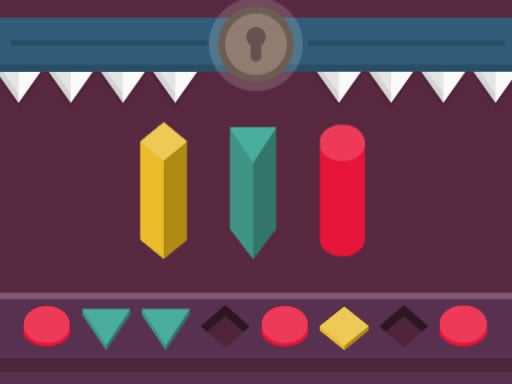
Unlocking is a casual logic puzzle game where players take on the role of a lock-opening specialist tasked with gaining entry into an apartment without damaging the door. By carefully placing colored pieces into matching empty niches, you solve each lock mechanism while avoiding dangerous mistakes that trigger descending thorns.
In Unlocking, you step into the shoes of a door specialist solving intricate lock mechanisms. Instead of breaking down the entrance after losing keys, your goal is to open the lock cleanly and safely. The challenge revolves around analyzing multi-colored figures and finding the correct grooves where each shape belongs. Every stage presents a locked mechanism containing empty niches that must all be occupied to complete the puzzle. The game blends casual accessibility with skill-testing logic, requiring players to think carefully about every move. Making an incorrect placement causes sharp thorns to descend, creating immediate tension as you work to open the lock smoothly.
Your goal
The primary objective in Unlocking is to occupy all empty niches by fitting the multi-colored figures into their matching grooves to open the lock. Players must complete the entire pattern accurately without making an error, as placing an incorrect piece triggers descending thorns that jeopardize your progress.
How to play Unlocking
1. Examine the lock mechanism to identify all empty grooves and niches.
2. Inspect the available multi-colored figures to determine where each piece fits.
3. Use your mouse cursor or touchscreen to select and place figures into their corresponding slots.
4. Fill every vacant niche correctly to successfully open the lock and avoid triggering descending thorns.
Controls and device support
Mouse Click / Drag: Select and place colored figures into matching grooves
Touch Screen Tap / Drag: Select and place colored figures into matching grooves
- Controls: Mouse or touch
- Device support: Desktop + mobile
- Game frame: 1080 x 1920
Rules to keep in mind
- Every multi-colored figure must be inserted into its exact corresponding groove.
- All empty niches within the lock mechanism must be completely occupied to open the lock.
- Placing a figure in the wrong spot causes sharp thorns to descend toward you.
What makes the challenge interesting
Gameplay in Unlocking centers on spatial observation, color matching, and careful decision-making. Because the lock will only release when every empty groove is accurately filled, players must double-check color and shape compatibility before committing to a move. The threat of descending thorns discourages hasty guessing, encouraging a deliberate and methodical puzzle-solving approach. The straightforward single-player mechanic provides a focused casual experience that challenges both logic and precision across each puzzle encounter.
Tips for Unlocking
- Match colors carefully before placing any piece to ensure you do not trigger the descending thorns with an incorrect placement.
- Survey all available niches first so you can plan the correct sequence for inserting the multi-colored figures.
- Take your time on each puzzle rather than rushing, as accurate placement is essential to opening the lock cleanly.
The skills behind the game
As a logic puzzle game, Unlocking emphasizes deductive thinking and pattern alignment over high-speed reflexes. Puzzle games of this type challenge players to evaluate visual constraints and manipulate distinct geometric or colored elements until a complete solution is achieved, making it suitable for casual sessions and skill development alike.
Who will enjoy this game
Players looking for an engaging unlocking game or an accessible puzzle game online can enjoy Unlocking directly in their web browser. Its intuitive mechanics of inserting colored figures into lock grooves provide a neat combination of single-player puzzle solving and casual logic gameplay.
Frequently asked questions
What happens if I place a figure in the wrong groove? If you make an error when inserting a figure, sharp thorns will descend on you as a penalty.
How do you successfully open the lock? The lock opens once you have correctly occupied all empty niches with their corresponding multi-colored figures.
What control methods are supported in Unlocking? You can play using a computer mouse on desktop or by touching the screen on mobile devices.
Something not right?
Tell us if the game does not load, the information is wrong or the content needs review.
Report a problem ›