About Unicorn Math
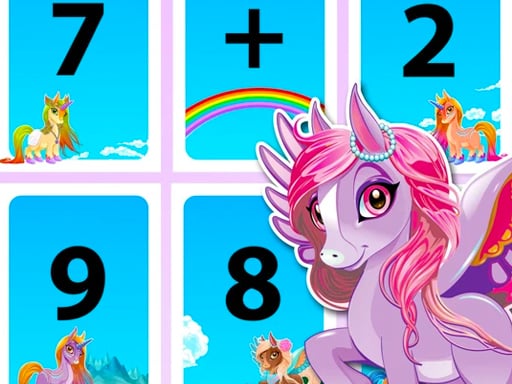
Unicorn Math is an educational browser game where young learners solve math calculation problems alongside a supportive unicorn guide. As questions appear on screen, players work through basic arithmetic challenges at a comfortable pace. Correct solutions earn positive feedback, while incorrect answers prompt the character to guide you toward the right solution, creating a low-pressure setting to build foundational calculation skills.
Unicorn Math centers on an interactive learning loop designed to help children engage with arithmetic in a friendly setting. A character named Little Unicorn presents math questions directly to the player, encouraging active problem-solving. When you select or enter the correct result, the game provides immediate positive reinforcement to celebrate your accuracy. If you make a mistake, the unicorn responds gently by showing and explaining the correct answer, helping turn calculation errors into immediate learning opportunities.
The experience is built to make mathematical thinking approachable and engaging. By pairing standard calculation practice with colorful visuals and an encouraging companion, the game aims to foster curiosity and confidence around basic math concepts.
Your goal
Your main goal in Unicorn Math is to solve each presented calculation correctly and build confidence with numbers. Rather than racing against strict hazards, players aim to develop steady calculation habits, understand arithmetic relationships, and learn from guided corrections whenever an answer is missed.
How to play Unicorn Math
1. Start the game and look at the calculation question presented on screen by the unicorn companion.
2. Read the numbers carefully and work out the calculation in your head or on scratch paper.
3. Select your chosen answer using a mouse click on desktop or a tap on your touchscreen.
4. Review the feedback provided: celebrate correct solutions or study the guided correction if your answer was incorrect.
5. Proceed to the next question and continue practicing your calculation skills.
Controls and device support
Mouse click or tap to play. All in-game selections and answers are made directly through standard point-and-click or touchscreen interactions.
- Controls: Mouse or touch
- Device support: Desktop + mobile
- Game frame: 1080 x 1920
Rules to keep in mind
- The unicorn presents math calculation problems for the player to solve.
- Selecting the correct calculation yields positive feedback on screen.
- Submitting an incorrect answer prompts the game to display the correct solution to support learning.
What makes the challenge interesting
The core gameplay focus of Unicorn Math is patient arithmetic practice and low-stress problem solving. Instead of penalizing mistakes abruptly, the system emphasizes continuous learning by providing immediate explanations when an incorrect option is chosen. This structure helps young players focus on accuracy rather than rushing. Balancing steady mental calculation with visual observation is the central rhythm of each session.
Tips for Unicorn Math
- Double-check your calculations before tapping an answer choice. Taking an extra moment prevents simple misclicks and reinforces mental math accuracy.
- Pay close attention to guided corrections whenever an answer is missed. Understanding why the provided solution is correct helps avoid repeating the same arithmetic mistake.
- Use scratch paper beside your keyboard or device if mental math feels overwhelming. Working out steps by hand makes multi-digit or unfamiliar calculations easier to solve.
- Maintain a steady solving rhythm instead of guessing quickly. Rushing through choices increases errors, while measured pacing builds reliable arithmetic habits.
Playing on different devices
Unicorn Math operates on HTML5 technology with a vertical 1080 x 1920 layout, making it well-suited for smartphones and tablets held in portrait orientation. On desktop web browsers, the entire game interface can be comfortably operated using standard mouse clicks without requiring keyboard inputs.
The skills behind the game
In the realm of educational puzzle and brain games, learning titles often rely on friendly characters and visual themes to make core subjects approachable for young players. Unicorn Math blends animal-themed artwork with calculation puzzles, fitting naturally into casual brain-training and kids' skill games where steady problem solving is rewarded.
Who will enjoy this game
Players looking for a unicorn math game typically seek an accessible, family-friendly learning activity that pairs visual charm with educational value. Whether used as a casual practice tool between lessons or as an introduction to basic arithmetic, Unicorn Math provides a supportive digital space for practicing calculation logic through straightforward browser controls.
Frequently asked questions
What kind of questions does Unicorn Math feature? The game focuses on math calculation questions presented directly by a friendly unicorn character to encourage foundational arithmetic practice.
What happens if I choose the wrong answer? When an incorrect answer is selected, the game gently presents the correct solution so players can learn the right calculation without harsh penalties.
Can I play Unicorn Math on mobile devices? Yes, the HTML5 game supports direct touchscreen taps and is built in a portrait aspect ratio suitable for mobile phones and tablets.
Something not right?
Tell us if the game does not load, the information is wrong or the content needs review.
Report a problem ›