Official listing
Game description
Two Cars is a very addictive and challenging racing game. You only need to control 2 cars so you don't hit obstacles.
Racing game
Two Cars is a fast-paced 2D arcade racing challenge where players steer two vehicles at the same time. The core objective is simple yet intense: navigate both cars down the track without colliding with obstacles. Testing coordination and quick reaction time, this hypercasual skill game delivers an engaging dual-control driving experience directly in your web browser.
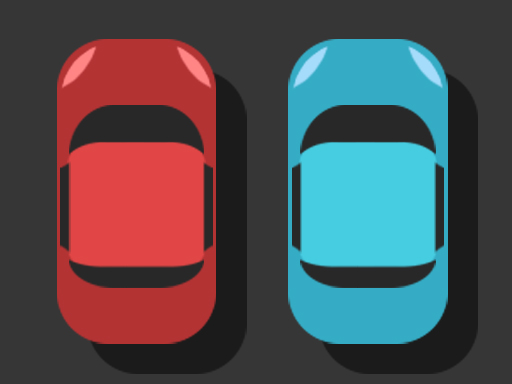
Choose Play now to load the game.
Official listing
Two Cars is a very addictive and challenging racing game. You only need to control 2 cars so you don't hit obstacles.
From the game listing
Tap left right screen Press the A and L keys on the keyboard
Open this card to load the gameplay video.
Two Cars is a fast-paced 2D arcade racing challenge where players steer two vehicles at the same time. The core objective is simple yet intense: navigate both cars down the track without colliding with obstacles. Testing coordination and quick reaction time, this hypercasual skill game delivers an engaging dual-control driving experience directly in your web browser.
Two Cars presents a distinctive take on the casual arcade racing genre by placing you in command of two separate vehicles simultaneously. Instead of competing on a traditional crowded racetrack against AI opponents, your attention is divided between parallel driving lanes. You must guide both vehicles through dynamic obstacle courses where a single misstep or collision will disrupt your run.
Built with responsive 2D HTML5 mechanics, the game demands high levels of visual awareness and multitasking. As both cars travel forward, hazards appear across different lanes, requiring immediate input decisions. The continuous action encourages players to sharpen their reflexes, practice rhythm, and strive for an improved high score with each new driving attempt.
The primary goal in Two Cars is to keep both cars traveling smoothly along the track for as long as possible. You must manage split-second lane switches to ensure neither vehicle hits any obstacle in its path, surviving continuous hazards to push your personal high score higher.
1. Start the game to immediately launch both cars into motion along their respective lanes.
2. Scan the upcoming road ahead to spot oncoming obstacles across both sides of the screen.
3. Press the A key or tap the left side of the screen to switch lanes for the left car.
4. Press the L key or tap the right side of the screen to switch lanes for the right car.
5. Coordinate both hands continuously to dodge every hazard and maintain an uninterrupted run.
A key: Steer the left car between lanes
L key: Steer the right car between lanes
Tap left screen: Steer the left car between lanes
Tap right screen: Steer the right car between lanes
Mastery in Two Cars centers on split attention and rhythm. Because hazards emerge simultaneously on two independent paths, players cannot fixate on one vehicle without risking a collision on the other. Success requires softening your visual focus across the entire screen so you can anticipate incoming patterns well in advance.
Maintaining a steady cadence with your fingers allows you to execute clean lane shifts without second-guessing your timing, making each run a pure test of mental coordination and reflex control.
Within the racing and arcade categories, Two Cars stands out by turning vehicular driving into an intense coordination puzzle. While conventional racing titles emphasize speed curves and passing opponents, this title focuses entirely on evasive maneuvering and obstacle avoidance under dual-control constraints, testing player reflexes in a distinct hypercasual format.
Players looking for a thrilling two cars game or an engaging racing game online will appreciate the clean mechanics of Two Cars. By boiling down driving to essential lane-shifting inputs, it delivers immediate, skill-based arcade action suited for quick sessions on web and mobile browsers alike.
Asphalt: Like Asphalt, Two Cars centers on fast car navigation, but Asphalt delivers 3D high-speed circuit racing against opponents whereas Two Cars is a minimalist 2D obstacle-avoidance skill game requiring simultaneous dual-vehicle control.
What are the primary controls for playing Two Cars on desktop? On desktop keyboards, press the A key to shift the left car and the L key to shift the right car across lanes.
How do you control both vehicles on mobile touchscreens? On mobile devices, tap the left side of your screen to maneuver the left car and the right side for the right car.
What causes a run to end in Two Cars? A run ends whenever either car collides with an obstacle on the roadway, requiring you to restart your high score attempt.
Tell us if the game does not load, the information is wrong or the content needs review.
Report a problemExplore popular games by category, shared tags and site-wide activity.




















