Official listing
Game description
Can you find the duplicated icon between many icons! It's harder than you think!
Puzzles game
Twice! Find the duplicate is a compact puzzle challenge about spotting one repeated icon in a busy set. The official description frames it as harder than it looks, and the instructions keep the action simple: tap the duplicate icon with a finger or the left mouse button to dismiss it.
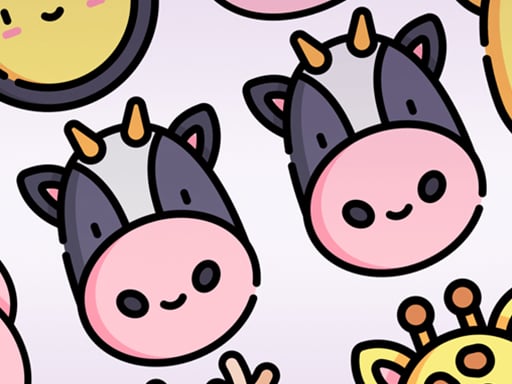
Choose Play now to load the game.
Official listing
Can you find the duplicated icon between many icons! It's harder than you think!
From the game listing
Tap a duplicate icon with your finger or the left mouse button to dismiss it
Open this card to load the gameplay video.
Twice! Find the duplicate is a compact puzzle challenge about spotting one repeated icon in a busy set. The official description frames it as harder than it looks, and the instructions keep the action simple: tap the duplicate icon with a finger or the left mouse button to dismiss it.
This listing places the game in Puzzles with Matching, Puzzle and Skill tags, which fits a visual search task rather than a story or reflex test. The play idea is direct: many icons appear together, one icon is duplicated, and the player resolves the moment by identifying that repeated symbol. The challenge comes from attention, comparing shapes quickly and resisting the urge to tap the first similar icon. Because the source only confirms the goal and the tap or click action, this page does not add timers, lives, levels or scoring.
Your objective is to find the duplicated icon among many icons and dismiss it by tapping with a finger or clicking with the left mouse button. The description stresses that the duplicate can be harder to spot than expected, so success depends on careful comparison rather than guessing. A correct selection is the repeated icon itself, not a merely similar one.
1. Look over the full group of icons and remember that the target is the one icon that appears twice.
2. Compare icons that look alike instead of assuming the first familiar shape is the duplicate.
3. When you identify the repeated icon, tap it with your finger or press the left mouse button on it.
4. The confirmed result is dismissing that duplicate icon; no extra penalty, score or stage rule is stated.
The supplied instructions say: “Tap a duplicate icon with your finger or the left mouse button to dismiss it.”
The focus is narrow but demanding: scan a field of look-alike icons, notice which symbol appears twice and act on that discovery. Matching and Skill tags fit because the task rewards visual comparison, patience and a steady eye. The description’s warning that it is harder than expected suggests small differences matter, while the instructions keep the input to a single tap or left click. There is no confirmed combo system or stage structure, so the appeal is the clean moment of recognition.
Within Puzzles, the Matching, Puzzle and Skill tags point to a visual-search challenge: notice patterns, compare near-identical symbols and choose the one repeated icon. It is closer to a spot-the-difference style task than to narrative adventure, though the source confirms only the duplicate-finding goal. That makes attention the main skill.
Natural keyword context centers on the exact title, Twice! Find the duplicate, plus the clearer phrase “twice! find the duplicate game.” A broader phrase such as “puzzle game online” fits the Puzzles category, but it should be read as genre context rather than proof of demand. The matching and skill tags support that placement.
What is the goal in Twice! Find the duplicate? Find the icon that appears twice among the many icons, then dismiss that duplicate. The confirmed input is a finger tap or left mouse button click on the repeated icon.
How do I control the game? Use the supplied control only: tap the duplicate icon with your finger or press the left mouse button on it. No keyboard, swipe or other input is confirmed in the source.
Are there timers, scores or levels? The supplied facts do not mention a timer, score, lives, penalties or levels. Treat any such feature as unconfirmed unless the game itself shows it during play.
Tell us if the game does not load, the information is wrong or the content needs review.
Report a problemExplore popular games by category, shared tags and site-wide activity.




















