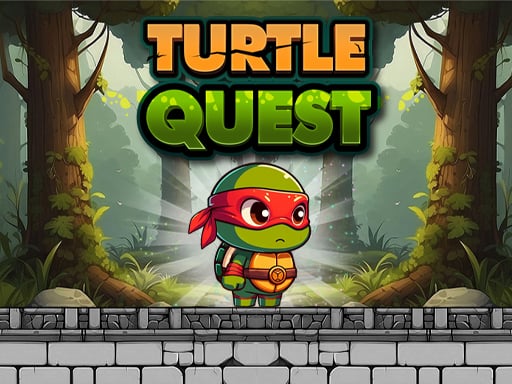
About Turtle Quest
Turtle Quest is a 2D side-scrolling platform adventure where you step into the role of a determined ninja turtle. After an enemy named Tyfun poisons your beloved master, you must travel through hazardous terrain, avoid mysterious traps, and gather curative yellow liquid to restore your master's health and save the day.
In Turtle Quest, players navigate a colorful platforming world filled with dangerous obstacles and hostile encounters. The narrative centers on a devoted turtle whose master falls critically ill following a poison attack orchestrated by the villain Tyfun. To reverse the effects of the toxin, you must venture out on a dangerous rescue mission, applying agile ninja skills across tricky terrain.
Throughout each stage, the core loop balances careful platforming with defensive and offensive tool use. You will run and jump across suspended ledges, deploy a boomerang to strike down threats, throw out ropes to maneuver gaps, and deploy a parachute to glide safely downward. Navigating past concealed traps while hunting for the vital yellow liquid keeps the quest engaging from screen to screen.
Your goal
Your primary mission is to gather the yellow liquid needed to cure the poisoned master and ultimately confront and defeat the villain Tyfun. Achieving this requires navigating past hidden traps, clearing platforming hazards, and surviving hostile confrontations across every quest segment.
How to play Turtle Quest
1. Start the stage and assess the platform layout ahead, watching closely for sudden drop-offs or suspicious hazards.
2. Use your directional movement and jump commands to leap across suspended platforms and navigate elevation changes.
3. Throw your boomerang to hit distant targets or clear obstructing adversaries blocking your path forward.
4. Deploy your rope or glide with your parachute to safely cross wider gaps and prevent hazardous falls.
5. Collect every container of yellow liquid you encounter to secure the antidote needed for your master.
6. Advance through the quest lines until you track down and defeat the main villain, Tyfun.
Controls and device support
On PC keyboards, press the Up Arrow to jump, Left Arrow to move left, and Right Arrow to move right. Use the A key to throw your boomerang, the S key to spread your rope, and the D key to open your parachute. On Android mobile devices, control movement and actions using dedicated on-screen touch buttons.
- Controls: Keyboard
- Device support: Desktop + mobile
- Game frame: 1280 x 720
Rules to keep in mind
- Yellow liquid must be gathered throughout the journey to treat the master's poisonous affliction.
- Mysterious traps placed across platforms must be avoided to keep your turtle character safe.
- Tyfun is the central enemy target who must be defeated to resolve the master's crisis.
What makes the challenge interesting
Turtle Quest emphasizes mobility management and situational utility over brute force. Rather than relying solely on straightforward jumps, the turtle hero possesses specialized gear: a ranged boomerang attack, a traversal rope, and a deployable parachute. Success relies on recognizing which tool fits each obstacle before committing your character to a jump.
A key tradeoff involves pacing your movement across unfamiliar ground. Rushing forward can leave you unprepared for unexpected traps or sudden drop-offs where parachute activation or rope spreading is essential. Maintaining a measured cadence allows you to throw the boomerang early, secure landing zones, and preserve your position while seeking out yellow liquid supplies.
Tips for Turtle Quest
- Scout platform edges before leaping forward. Charging ahead blindly often triggers unseen traps, so pause briefly to verify landing points before committing to a long drop.
- Use the boomerang from a safe distance to clear path obstacles early. Attacking ahead prevents awkward close-quarters collisions while you are trying to land on narrow ledges.
- Deploy your parachute when descending from tall structures. Failing to open the parachute during steep descents can cause you to overshoot target platforms or fall into hazards.
- Keep your fingers ready on the rope and jump keys during complex crossings. Quick tool selection lets you recover your footing when platforms are spaced far apart.
- Prioritize path routes that contain yellow liquid items. Staying focused on collecting the remedy ensures you meet the master's recovery objective during your run.
Stages and progression
The adventure in Turtle Quest unfolds across a series of platforming quests that test your mastery of ninja navigation. As you advance through the journey toward confronting Tyfun, platform placements become more intricate and trap layouts require sharper coordination between your parachute, rope, and boomerang skills.
To improve over time, practice building a steady rhythm between running, launching tools, and landing safely. Taking each quest segment with calculated pacing helps you memorize tricky trap placements and systematically gather the yellow liquid needed to heal the master.
Playing on different devices
On desktop browsers, keyboard controls provide distinct key bindings for movement and abilities. Using the arrow keys for running and jumping alongside the A, S, and D keys for the boomerang, rope, and parachute allows for comfortable two-handed coordination during fast platforming segments.
On Android touchscreen devices, the game provides on-screen touch buttons for directional maneuvering and action triggers. Touch play benefits from steady thumb positioning so you can tap jump and utility buttons quickly without obscuring your view of upcoming floor traps.
The skills behind the game
Turtle Quest blends 2D platforming action with casual adventure mechanics. In platform games of this style, timing jumps and clearing environmental hazards form the foundation of moment-to-moment gameplay. The addition of utility items such as gliders and grappling tools enriches the movement vocabulary, giving players multiple ways to tackle elevated terrain and wide gaps.
As a casual adventure title, the game focuses on accessible control inputs paired with clear narrative goals. Players of all experience levels can jump directly into the rescue storyline without navigating convoluted menus, making it well suited for quick play sessions on either computer or mobile browsers.
Who will enjoy this game
Players looking for a fun turtle quest or a responsive turtle quest game will appreciate the classic platforming structure and intuitive toolset. The experience is tailored for fans of retro-inspired side-scrollers who enjoy practicing precision jumps, dodging traps, and working through short quest challenges.
Whether you are looking to spend a few casual minutes practicing platforming timings or want to guide the heroic turtle through to his final showdown with Tyfun, the simple control scheme makes it easy to pick up and play anytime directly in your web browser.
Frequently asked questions
What is the main goal in Turtle Quest? The main goal is to journey through platforming quests, collect yellow liquid to create an antidote for your poisoned master, and defeat the villain Tyfun.
How do you control the turtle on PC? Use the Left and Right Arrow keys to run, Up Arrow to jump, A to throw your boomerang, S to spread your rope, and D to deploy your parachute.
Can Turtle Quest be played on mobile devices? Yes, Turtle Quest supports Android devices with on-screen touch buttons mapped to character movement, jumping, and combat actions.
What tools can the turtle use during platforming? The turtle can throw a boomerang to attack enemies, deploy a rope across wide gaps, and open a parachute to glide safely downward.
Something not right?
Tell us if the game does not load, the information is wrong or the content needs review.
Report a problem ›