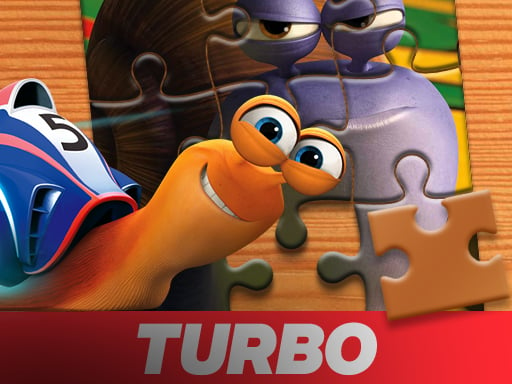
About Turbo Jigsaw Puzzles
Turbo Jigsaw Puzzles presents a casual puzzle-assembling experience where players reconstruct an image from scattered pieces. After selecting a preferred difficulty setting—easy, medium, or hard—the puzzle pieces are randomly distributed across the screen. Players use drag-and-drop mouse controls to align each fragment over a transparent reference image until the entire picture connects seamlessly.
In Turbo Jigsaw Puzzles, the main gameplay loop revolves around visual matching and board organization. At the start of a session, you choose your challenge level from three available options: easy, medium, or hard. Once the choice is made, the puzzle picture is broken into individual pieces and spread randomly across the play area.
Your objective is to examine each loose piece and identify where it fits onto the central board. The playing field features a transparent underlay of the complete image to guide piece placement. Using smooth mouse dragging, you pick up pieces from the edges and set them directly over their matching positions until every segment locks together into the original illustration.
Your goal
The primary goal is to successfully place and connect every scattered piece onto the matching outline until the final picture is fully restored. Players can challenge themselves by progressing from easy setups to medium and hard modes, focusing on smoother piece identification and efficient assembly across each attempt.
How to play Turbo Jigsaw Puzzles
1. Select your desired difficulty setting from easy, medium, or hard on the starting screen.
2. Observe the transparent reference image displayed in the assembly area to understand the overall composition.
3. Scan the randomly scattered jigsaw pieces located around the board for distinct colors, patterns, or edges.
4. Click and drag individual pieces toward their corresponding positions on the transparent underlay.
5. Release each piece in place and continue connecting segments until the entire picture is fully assembled.
Controls and device support
Control the puzzle pieces using standard drag-and-drop mouse input to pick up, move, and position parts onto the board.
- Controls: Mouse or touch
- Device support: Browser
- Game frame: 800 x 600
Rules to keep in mind
- Players must choose a difficulty level (easy, medium, or hard) before the board is populated with pieces.
- Jigsaw pieces are randomly distributed across the display at the beginning of the round.
- Pieces must be dragged over the matching transparent guide image to connect the complete picture.
What makes the challenge interesting
The core appeal of Turbo Jigsaw Puzzles lies in patient visual discrimination and spatial alignment. Because pieces are scattered across the screen without predefined sorting, players exercise observation skills to pair distinct color gradients, line work, and contrast regions with the transparent background template.
A key tradeoff involves deciding whether to assemble identifiable focal points first or systematically work through surrounding sections. Higher difficulty levels increase the density of fragments, demanding more deliberate inspection while managing screen space effectively as you move pieces into place.
Tips for Turbo Jigsaw Puzzles
- Use the transparent background guide to your advantage by matching prominent color blocks first. Placing high-contrast landmarks early prevents loose pieces from cluttering your active assembly area.
- Group loose pieces around the perimeter of the screen before dragging them inward. Sorting pieces loosely by general tone avoids repeatedly scanning the entire screen for a single match.
- Start on easy mode if you want to familiarize yourself with piece proportions and image details before stepping up to medium or hard variations.
- Work from connected clusters outward rather than dropping random fragments across isolated sections. Linking neighboring parts ensures stable progress toward finishing the image.
Stages and progression
Progression in Turbo Jigsaw Puzzles is self-directed through the three selectable difficulty tiers: easy, medium, and hard. Each tier adjusts the complexity of the puzzle configuration.
Players can establish their own practice routine by starting on the easy tier to learn the visual cues of the image, then stepping up to medium and hard modes to tackle finer piece cuts and denser board layouts.
The skills behind the game
As a classic entry in the jigsaw puzzle genre, this game focuses on steady observation, spatial reasoning, and constructive problem-solving. Jigsaw titles appeal to players seeking relaxed, unhurried gameplay where the primary satisfaction comes from watching disjointed fragments gradually form a coherent, finished picture.
The inclusion of transparent guidance and selectable difficulty modes allows puzzle enthusiasts of varied skill levels to enjoy the mechanics without unnecessary complexity.
Who will enjoy this game
Players looking for a reliable turbo jigsaw puzzles game online can jump straight into the action without complex prerequisites. The intuitive drag-and-drop interface makes it accessible for quick puzzle-solving breaks or longer casual gaming sessions.
Whether practicing visual scanning across scattered fragments or aiming to master the hard setting, the game provides a clean online jigsaw puzzle format suited for casual desktop browsers.
Frequently asked questions
What difficulty options are available in Turbo Jigsaw Puzzles? Players can choose between three distinct difficulty settings at the start of the game: easy, medium, and hard, allowing for adaptable puzzle complexity.
How do you control and move puzzle pieces? Pieces are moved across the screen using standard drag-and-drop mouse controls, picking up fragments and placing them over the matching transparent guide image.
Is there a visual guide to help assemble the puzzle? Yes, the play area includes a transparent reference image that shows the full picture under the board, helping players visually match and align each piece.
Something not right?
Tell us if the game does not load, the information is wrong or the content needs review.
Report a problem ›