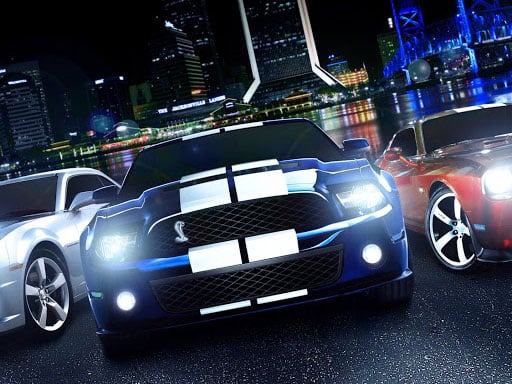
About Tuning Cars Stunts
Tuning Cars Stunts is a 3D driving game where players can select between five different vehicles, modify their appearance and performance, and take them out for high-speed runs. Featuring nitro boosts, camera adjustments, and vehicle customization, it combines stunt driving with detailed car personalization in your browser.
In Tuning Cars Stunts, you get access to five distinct cars ready for both visual and performance modifications. The garage lets you customize specific vehicle components such as bumpers, hoods, exhaust pipes, rims, and spoilers. Alongside cosmetic body alterations, you can adjust color schemes across the car body, window glass, tire smoke, and underglow neon lights. The game also provides four graphical presets ranging from low to ultra, as well as multiple camera effect settings to tailor the visual presentation to your setup.
Once your build is ready, you can drive freely to test vehicle handling, perform drifts, and execute stunt maneuvers. Integrated controls allow you to trigger nitro thrust for extra acceleration, activate slow-motion effects, switch viewing angles, or cycle directly to the next car during your session.
Your goal
The main goal is to build and tune your preferred vehicle builds across three upgrade stages to maximize acceleration, then pilot each car to execute drifting and stunt runs. Experiment with different cosmetic combinations, camera perspectives, and speed boosts to get the most out of all five available vehicles.
How to play Tuning Cars Stunts
1. Select your preferred vehicle from the five available car models or switch between them anytime using the Tab key.
2. Customize your vehicle by selecting new bumpers, hoods, exhaust pipes, rims, and spoilers.
3. Personalize styling by changing the colors of the bodywork, window glass, tire smoke, and underglow neon.
4. Apply performance upgrades across three distinct stages to increase your car's acceleration.
5. Steer your car using WASD or the Arrow keys, and press F to engage nitro boost when extra speed is needed.
6. Use T to slow down time for precise control during stunts, and press Enter to reset your car if it flips or gets stuck.
Controls and device support
WASD / Arrow Keys: Drive and steer the car
F: Nitro boost / add force
T: Activate slow motion
Tab: Switch to the next car
C: Change camera perspective
Mouse Wheel: Adjust camera distance
- Controls: WASD + arrow keys
- Device support: Browser
- Game frame: 800 x 600
Rules to keep in mind
- Car upgrades consist of three progressive stages, which directly govern vehicle acceleration.
- If your vehicle becomes immobilized, overturned, or poorly positioned, pressing Enter resets the car back into action.
What makes the challenge interesting
Driving in Tuning Cars Stunts revolves around balancing raw straight-line speed with controlled cornering and aerial maneuvers. Upgrading a car's stage enhances its acceleration, allowing players to build momentum quickly before hitting stunt ramps or initiating long drifts. Activating nitro with F gives an immediate burst of force, while tapping T to engage time-dilation helps you navigate sharp angles or stabilize vehicles mid-air. Adjusting the camera view with C and zooming with the mouse wheel lets you maintain clear situational awareness across open driving spaces.
Tips for Tuning Cars Stunts
- Engage the time-slow feature (T) when entering sharp turns or approaching ramps to maintain steady control over your car's trajectory.
- Max out your vehicle's three-stage upgrade path early to ensure optimal acceleration before attempting high-speed stunt runs.
- If frame rates drop on your machine, lower the visual setting preset in the options menu from ultra to high, medium, or low.
Stages and progression
Vehicle progression is centered on a three-stage mechanical upgrade system for each of the five cars. Advancing through these three stages directly improves vehicle acceleration, enabling faster launches and higher responsiveness when navigating driving and stunt environments.
Playing on different devices
The game runs in desktop browser environments with keyboard and mouse input. Players can customize visual performance to fit their hardware by toggling camera graphic effects and choosing between low, medium, high, and ultra quality presets.
Something not right?
Tell us if the game does not load, the information is wrong or the content needs review.
Report a problem ›