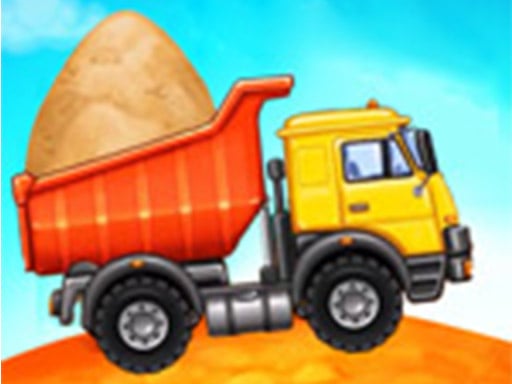
About Trcuk Factory For Kids 2
Trcuk Factory For Kids 2 invites young builders to construct, refuel, and drive their own specialized construction vehicles. Players assemble machinery piece by piece, visit the fueling station to prepare their trucks, and head out to complete building tasks such as assembling a house and a swimming pool.
Trcuk Factory For Kids 2 delivers an accessible simulation loop focused on vehicle creation and construction projects. Players start by putting together various heavy machines and transport vehicles with intuitive tap or click interactions. Once assembled, each vehicle is driven to the gas station to fill up on fuel before moving on to hands-on building projects.
Designed with colorful visuals and straightforward mechanics, the experience emphasizes step-by-step assembly, cleaning, and vehicle preparation. Children engage in guided steps to see how heavy machinery helps build structures like houses and swimming pools from start to finish.
Your goal
The primary goal is to assemble construction vehicles accurately, fill them with gas at the station, and deploy them across active building sites. By completing each assembly and refueling phase, players successfully advance through construction tasks to create finished houses and swimming pools.
How to play Trcuk Factory For Kids 2
1. Select a vehicle project and assemble its parts by tapping or clicking each piece into place.
2. Drive your newly constructed transport vehicle over to the gas station.
3. Fill the vehicle's fuel tank to prepare it for active construction work.
4. Navigate to the building site and operate the machinery to construct houses and pools.
Controls and device support
Mouse Click: Select, assemble vehicle parts, refuel at the pump, and interact with construction tasks
Touch Tap: Assemble vehicle pieces, operate fuel pumps, and complete building actions on screen
- Controls: Mouse or touch
- Device support: Desktop + mobile
- Game frame: 800 x 504
Rules to keep in mind
- Vehicles must be built and assembled before they can be taken to the fueling station.
- Trucks must be filled with gas at the station prior to embarking on construction operations.
- Players use interactive taps or clicks to progress through each stage of assembly and building.
What makes the challenge interesting
Gameplay centers on a clear sequence of creation, preparation, and execution. Players begin at the assembly workshop, matching vehicle components with just a few direct touches. After vehicle construction, the focus transitions to vehicle maintenance and logistics, ensuring the truck is fueled up at the gas station. Finally, the machinery is put to practical use on site, letting players directly participate in building houses and swimming pools.
Tips for Trcuk Factory For Kids 2
- Inspect the outline and shape of each vehicle piece carefully to snap parts together quickly during assembly.
- Make sure to complete the refueling interaction thoroughly at the gas station before moving to the job site.
- Follow the sequence step by step from building to driving to keep project construction running smoothly.
The skills behind the game
Categorized under casual, creation, and kids' vehicle titles, this game offers friendly, constructive activities suitable for boys and girls alike. By blending mechanical puzzles with creative building goals, it provides a gentle introduction to transport vehicles, car care, and structural construction.
Who will enjoy this game
Players looking for Trcuk Factory For Kids 2 or the broader Trcuk Factory For Kids 2 game experience can enjoy an interactive browser title highlighting transport assembly, fueling stations, and rewarding construction activities.
Frequently asked questions
What kind of structures can players build in this game? Players use their assembled construction vehicles to work on major building projects, including constructing houses and swimming pools.
What steps are required before driving to the construction site? You must first assemble your construction transport using vehicle parts and then fill the truck with gas at the fueling station.
How do you control the vehicle building and fueling actions? All interactions are handled via direct tap or mouse click inputs, allowing easy vehicle assembly and site work.
Something not right?
Tell us if the game does not load, the information is wrong or the content needs review.
Report a problem ›