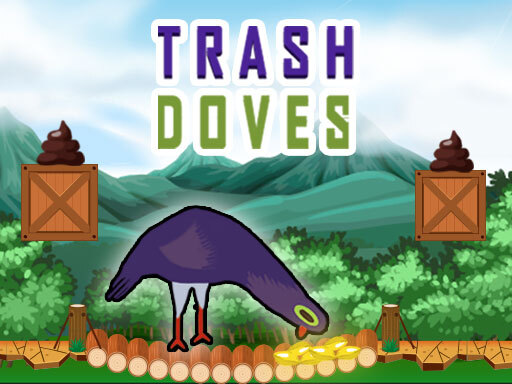
About Trash Doves
Trash Doves is a fast-paced 2D arcade reaction game where you help a stationary dove destroy incoming eggs. Sitting firmly in the middle of the screen, your feathered character must react swiftly to threats approaching from both sides. Every incoming egg demands an accurate tap on the matching flank. One strike on the wrong side or a momentary hesitation that drains the time bar ends the run instantly.
In Trash Doves, the entire gameplay loop revolves around high-speed binary decision-making and rhythmic physical input. The dove remains stationary in the center while eggs approach continuously from either the left or right side. Players must look ahead, identify which direction requires clearing, and execute prompt directional inputs to wreck each egg before it causes trouble.
The core tension comes from balancing extreme input speed against strict directional precision. A visible time bar constantly ticks down, compelling you to maintain a rapid pace throughout every session. If you react too slowly and allow the meter to deplete, the attempt concludes immediately. Conversely, striking in haste toward an empty side results in an immediate game over, turning every round into a frantic test of composure.
Your goal
Your primary goal in Trash Doves is to survive as long as possible by smashing eggs on the correct side without misclicking or running out of time. Success depends on maintaining a seamless chain of correct directional hits, reading incoming patterns swiftly, and keeping the active timer bar continuously replenished through consistent, error-free action.
How to play Trash Doves
1. Position your hands comfortably over your chosen directional inputs, such as the A and D keys, arrow keys, or mouse.
2. Observe the center of the screen to identify which side the closest incoming egg is approaching from.
3. Tap left or strike right to smash the target corresponding exactly to its approach side.
4. Monitor the countdown bar at all times, sustaining a brisk clearing pace so the timer does not expire.
5. Avoid rushing blind inputs, as a single attack on the incorrect side triggers an immediate game over.
Controls and device support
Control the dove's attacks using the A and D keys, the Left and Right Arrow keys, or the Left Mouse Button on corresponding screen sides.
- Controls: Keyboard
- Device support: Desktop + mobile
- Game frame: 400 x 700
Rules to keep in mind
- The dove remains in a fixed central position and breaks eggs coming toward it from the left or right.
- Tapping on the incorrect side immediately ends the game.
- Allowing the time bar to completely run out causes an automatic game over.
What makes the challenge interesting
Trash Doves tests your visual processing and split-second hand-eye coordination under continuous time pressure. Because you are restricted to two directional options—left and right—the game feels instantly intuitive, yet the shrinking timer creates intense psychological pressure. The key challenge lies in developing an unbroken rhythm without letting panic dictate your strikes.
Players frequently face a tradeoff between frantic rapid-fire clicking and deliberate visual confirmation. Speed keeps your timer safe, but overcommitting to repetitive single-side inputs will inevitably lead to an accidental misclick when the sequence alternates. Mastering the flow requires learning to read two or three targets ahead while executing current inputs cleanly.
Tips for Trash Doves
- Anchor your eyes slightly above the dove rather than directly on it. Tracking upcoming eggs early gives your brain extra milliseconds to prepare the next directional shift.
- Use two separate hands on keyboard controls such as A and D or Left and Right arrows. Splitting left and right duties between hands prevents mental cross-wiring during sudden side switches.
- Avoid spamming inputs faster than you can visually verify them. Rushing often causes a fatal click on an empty side, which instantly terminates your run.
- Keep a steady cadence instead of alternating between long pauses and frantic bursts. A smooth, rhythmic pace stabilizes the countdown bar while minimizing chaotic handling errors.
Playing on different devices
Trash Doves supports multiple input schemes on desktop, allowing players to choose between the A and D keys, standard Left and Right arrow keys, or left mouse button clicks. For players using touch or mouse inputs, tapping the left or right halves of the screen directs the dove's attacks accordingly.
The game operates in a vertical 400 x 700 aspect ratio, making a centered browser window or portrait mobile display ideal for keeping both flanks clearly visible in your peripheral field.
The skills behind the game
While categorized broadly among clicker and arcade titles, Trash Doves operates primarily as a rapid-reaction timing challenge. Traditional idle clickers emphasize passive generation and incremental upgrades, but this title focuses entirely on active, twitch-reflex inputs. Every click directly drives an on-screen defense action, bridging the gap between simple two-button arcade games and high-tempo tapping mechanics.
The lighthearted animal theme and immediate restart cycle make it an accessible option for short gaming breaks. Its clean two-lane format strips away complicated inventory management, offering players a pure test of perceptual speed and mechanical consistency.
Who will enjoy this game
Players looking for an engaging clicker game online or a fast-paced trash doves game experience will find a focused, reflex-oriented challenge here. The design strips out complex setup barriers, allowing casual gamers to jump straight into high-stakes tapping sessions from any standard web browser.
Because sessions are rapid and restart instantly upon defeat, it serves as a great warm-up tool for sharpening directional reaction times and visual scanning. Whether you want a quick two-minute coordination drill or an intense survival session, the tight countdown timer keeps every round exhilarating.
Frequently asked questions
What happens if I tap the wrong side in Trash Doves? Tapping on the wrong side results in an immediate game over. You must ensure your strike direction matches the incoming egg's side every single time.
What controls can I use to play the game on a computer? You can use the A and D keys, the Left and Right Arrow keys, or the Left Mouse Button to trigger left and right actions.
Why did my game end even though I didn't misclick? Trash Doves features an active time bar. If you take too long between successful hits and the timer runs out, the run automatically ends.
Something not right?
Tell us if the game does not load, the information is wrong or the content needs review.
Report a problem ›