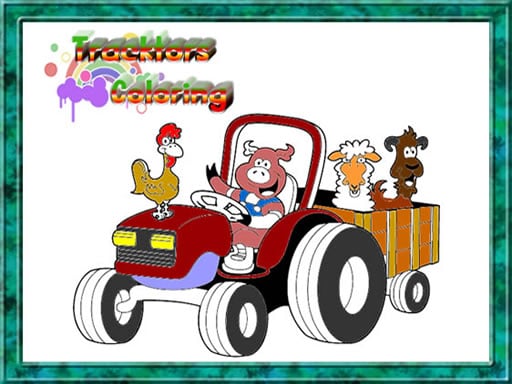
About Tractor Coloring Pages
Tractor Coloring Pages is a creative digital coloring activity designed for kids and fans of farm machinery. Players can choose from twelve distinct tractor illustrations, pick vibrant hues from the color palette, adjust brush sizes for fine details, and correct slips with an eraser tool. Once finished, completed tractor artwork can be saved directly to your device.
Tractor Coloring Pages provides an approachable artistic canvas focused on agricultural machinery. Upon entering the game, you can browse a selection of twelve tractor outline drawings ready to be filled with color. The interface organizes creative tools cleanly around the drawing area: a vibrant palette of colors sits on the right side of the screen, while adjustable brush sizing options are located on the left. Players simply click to select a color, choose an appropriate brush thickness, and paint across the canvas using mouse or touchscreen inputs. If a stroke crosses outside an outline, an eraser tool makes it easy to clean up mistakes without restarting the picture. After completing a tractor design, you can save your finished picture to view or share later.
Your goal
The main objective in Tractor Coloring Pages is to color and complete any of the twelve tractor drawings to your liking. By selecting suitable colors, adjusting brush sizes for both wide fills and intricate sections, and erasing accidental marks, you can create polished farm vehicle pictures and save the finalized illustrations to keep.
How to play Tractor Coloring Pages
1. Click play on the main menu and select one of the twelve tractor illustrations to begin coloring.
2. Choose a color by clicking on the palette located on the right side of the screen.
3. Adjust your brush size using the controls on the left side to match the area you wish to fill.
4. Apply color across the illustration by clicking and dragging your mouse or sliding your finger across the screen.
5. Select the eraser tool whenever you need to clean up stray strokes or fix mistakes.
6. Save your completed tractor artwork once you finish coloring to preserve your creation.
Controls and device support
Mouse Left Click: Select tractor drawings, pick colors, adjust brush sizes, choose tools, and paint
Mouse Drag: Slide across the screen to apply color or erase strokes
Tap: Select tractor drawings, pick palette colors, set brush sizes, and switch tools
Touch and Slide: Slide across the screen to paint colors or erase marks
- Controls: Mouse or touch
- Device support: Browser
- Game frame: 1280 x 720
Rules to keep in mind
- Players may freely select any of the twelve available tractor outlines at the start.
- Colors are selected from the palette on the right side of the screen before painting.
- Brush size settings on the left side must be adjusted to paint smaller or larger areas cleanly.
- The eraser tool is used to correct any stray strokes or coloring errors.
What makes the challenge interesting
Gameplay in Tractor Coloring Pages revolves around thoughtful brush control and creative color selection. Because the outline art includes both large vehicle panels and smaller mechanical elements, managing your brush thickness is essential. Reducing the brush size on the left side allows you to fill compact contours without bleeding over the borders, while larger brush sizes quickly cover wide tractor bodies and backgrounds. The built-in eraser ensures players can experiment freely with different hues without fear of permanent mistakes. When coloring is finished, saving the completed image provides a satisfying sense of artistic accomplishment.
Tips for Tractor Coloring Pages
- Reduce your brush size before painting tight mechanical corners or narrow tractor details to prevent accidental overflow.
- Use larger brush sizes for the main tractor frame, wheels, and open background areas to speed up coloring.
- Do not hesitate to switch to the eraser immediately whenever a color stroke extends past the vehicle outlines.
- Always save your finished artwork after completing a page so you can keep and view your tractor design later.
The skills behind the game
Tractor Coloring Pages fits into the puzzle and kids casual category by encouraging visual creativity and hand-eye coordination. Rather than presenting rigid obstacles or fast-paced timers, coloring activities allow players to focus on spatial awareness, color harmony, and careful tool adjustments. Working through detailed machine drawings provides a relaxing, low-pressure creative experience suitable for younger audiences.
Who will enjoy this game
Players searching for a casual coloring game online or an engaging puzzle game online will find Tractor Coloring Pages to be an accessible drawing activity. Featuring dedicated brush sizing, vibrant palettes, and twelve distinct tractor coloring pages, it provides an easy-to-learn coloring pages game experience accessible directly in any web browser.
Games with a similar feel
Happy Color: Like Happy Color, Tractor Coloring Pages lets players fill detailed vehicle art with vibrant tones. However, while Happy Color utilizes numbered color regions for structured tapping, Tractor Coloring Pages offers freeform brush painting with adjustable sizes and an eraser.
Frequently asked questions
How many tractor pictures can I color in this game? Tractor Coloring Pages includes twelve different tractor illustrations that you can freely select and color.
Can I fix mistakes if I color outside the lines? Yes, you can select the built-in eraser tool at any time to remove accidental strokes and correct errors.
Can I save my finished tractor drawings? Yes, the game allows you to save your completed artwork once you finish coloring so you can use it later.
Something not right?
Tell us if the game does not load, the information is wrong or the content needs review.
Report a problem ›