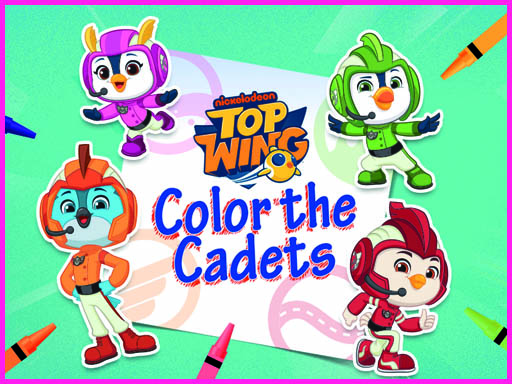
About Top Wing: Color the Cadets
Top Wing: Color the Cadets is a casual browser coloring game based on the animated series. Players can explore a collection of black and white illustration sheets and bring four academy cadets—Swift, Penny, Brody, and Rod—to life using a selection of creative painting tools and color palettes.
In Top Wing: Color the Cadets, you enter a family-friendly creative studio featuring the eager rescue birds of Top Wing Academy. The game presents several line-art pages illustrating cadet characters who work together to help their community and earn their wings.
Players select a page from the gallery and use the coloring tools placed across the bottom of the screen. You can experiment with different shades, pick your preferred coloring methods, and freely express your imagination without rigid time limits or penalties. An eraser is also available whenever you wish to clear marks and start fresh.
Your goal
The primary objective is to complete digital art sheets featuring the Top Wing cadets by applying your favorite colors. You freely select artwork, test different coloring tools, and refine your designs at your own pace until each character portrait is fully decorated.
How to play Top Wing: Color the Cadets
1. Browse the available black and white illustration pages to pick the cadet scene you want to paint.
2. Examine the palette and coloring tools displayed along the bottom of the game interface.
3. Use your mouse to click and select specific colors and drawing instruments.
4. Apply color directly to the characters and backgrounds to fill in the sheet.
5. Select the eraser tool if you want to remove unwanted strokes or restart an area from scratch.
Controls and device support
Mouse: Select artwork, choose coloring tools and colors, and paint or erase on the canvas.
- Controls: Mouse or touch
- Device support: Browser
- Game frame: 800 x 600
Rules to keep in mind
- Coloring choices are completely unrestricted; you can paint characters with original series colors or any imaginative color scheme.
- Artwork can be modified or reset using the eraser tool without incurring penalties or losing access to other pages.
What makes the challenge interesting
Gameplay in Top Wing: Color the Cadets centers on low-pressure creative expression. Because there are no countdown timers, score counters, or failure conditions, players can concentrate entirely on aesthetic choices and fine motor control. The toolkit provided at the bottom of the window makes it simple to switch between hues, try different stroke techniques, and polish details across scenes featuring Swift, Penny, Brody, and Rod.
Tips for Top Wing: Color the Cadets
- Decide on a background shade before detailing character feathers and outfits so that broad strokes do not overlap smaller accents.
- Switch between available tool styles at the bottom bar to find the method that gives you the smoothest fill.
- Use the eraser whenever a color spreads beyond your intended border rather than leaving stray marks on the line art.
The skills behind the game
As a casual, educational HTML5 browser title, this game emphasizes relaxation and accessible creativity. It strips away high-intensity mechanics like health bars or reflex challenges, making it an ideal digital activity for younger audiences and casual players who enjoy drawing and coloring activities online.
Who will enjoy this game
Players looking for a family-friendly coloring game online can easily dive into Top Wing: Color the Cadets game. With freeform coloring tools, recognizable cartoon figures, and simple mouse navigation, it offers a direct and approachable art experience straight in the web browser.
Games with a similar feel
Happy Color: Like Happy Color, this title provides structured digital art pages for players to fill with color. However, while Happy Color focuses on a guided color-by-number format, Top Wing: Color the Cadets offers open-ended freedom with direct tool selection and an eraser.
Frequently asked questions
Which characters can you color in Top Wing: Color the Cadets? The game features four cadet bird characters from Top Wing Academy: Swift, Penny, Brody, and Rod, each available across various outline sheets.
How do you control the coloring tools in the game? You use the mouse to browse illustration pages, pick tools and shades from the bottom panel, and apply or erase color across the canvas.
Something not right?
Tell us if the game does not load, the information is wrong or the content needs review.
Report a problem ›