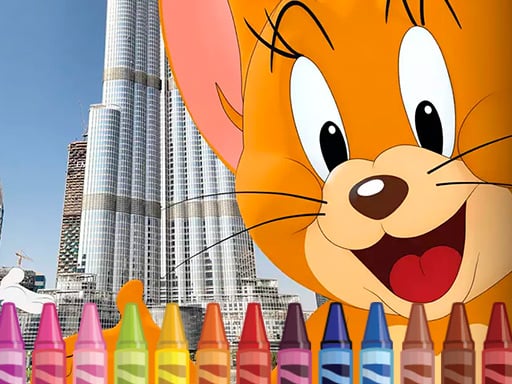
About Tom and Jerry Coloring
Tom and Jerry Coloring is a relaxed browser coloring game built around the familiar cat-and-mouse pair. Instead of chasing and jokes, the focus shifts to filling prepared pictures from their adventures using simple mouse or tap controls.
The listing presents Tom and Jerry Coloring as a calmer alternative to the characters' usual running around. The description says the restless cat and mouse want a more relaxed activity, such as drawing or coloring pictures of their many adventures. It also reassures players that strong drawing skill is not required because professional artists and developers have prepared the material. The practical action is simple: grab the mouse or tap the screen and start coloring. Tags place it in Coloring, Fun, HTML5, Kids, and Mobile contexts, while the category is Puzzles.
Your goal
The objective is to color prepared pictures connected to Tom and Jerry's adventures. There is no stated timer, score, lives system, or fail condition in the source, so the clearest goal is creative completion: choose colors, apply them with mouse or tap input, and enjoy a slower activity than the duo's usual chase comedy.
How to play Tom and Jerry Coloring
1. Open the game and get ready to interact with a prepared coloring picture rather than a blank drawing canvas.
2. Use the mouse on desktop or tap the screen where touch input is available, matching the supplied instruction.
3. Apply colors to the picture areas at your own pace; the source emphasizes relaxed play instead of the characters' usual frantic jokes.
4. Do not worry if you are not confident at drawing, because the description says artists and developers prepared everything for your pleasure.
5. Continue coloring pictures of the pair's many adventures until you are satisfied with the result.
Controls and device support
mouse: Use mouse
tap the screen: tap the screen
- Controls: Mouse or touch
- Device support: Desktop + mobile
- Game frame: 960 x 540
Rules to keep in mind
- Interaction is limited to the supplied inputs: use a mouse or tap the screen.
- The activity centers on coloring prepared pictures of adventures, not on proving advanced freehand drawing ability.
- No timer, score, penalty, lives, or level structure is stated, so treat the page as a casual coloring activity unless the game itself shows otherwise.
What makes the challenge interesting
The gameplay focus is low-pressure color application. The description frames the cat and mouse as tired of their usual jokes and running around, so the experience is positioned as a quieter kind of play. Because the source says the pictures are prepared and that weak drawing skill should not stop anyone, the challenge appears to be choosing and placing colors rather than mastering complex mechanics. That makes the loop easy to understand: look at the picture, use the supported input, and build a finished colored scene.
Tips for Tom and Jerry Coloring
- Treat it as a relaxed coloring break; the source explicitly frames the game as a calmer alternative to chasing and jokes.
- If using a mouse, move slowly around edges for cleaner fills; if tapping, use deliberate taps so each color lands where intended.
- You do not need drawing confidence to start, so experiment with color choices and adjust the picture until it looks pleasing to you.
Playing on different devices
The supplied instruction supports both mouse use and screen tapping, and the tags include HTML5, Kids, and Mobile. The listed dimensions are 960 x 540, which suggests a compact browser play area rather than a device-specific install requirement.
The skills behind the game
Although categorized under Puzzles, the evidence points more toward a casual coloring activity than a logic challenge. The useful puzzle-like element is attention to spaces and color placement, while the tags emphasize Coloring, Fun, Kids, Mobile, and HTML5 play. Players expecting a demanding puzzle should instead expect a gentle creative task with simple input.
Who will enjoy this game
Natural phrases for this page include the exact title, Tom and Jerry Coloring, plus broader wording such as Tom and Jerry coloring game, coloring game online, and puzzle game online. These should be treated as descriptive language only, not as measured demand. The strongest relevance comes from the title, coloring description, mouse-or-tap instruction, and Coloring/Kids/Mobile tags.
Games with a similar feel
Happy Color: Happy Color is a useful reference because both involve filling prepared pictures with color. The meaningful difference is that Happy Color is associated with numbered color regions, while Tom and Jerry Coloring is described only as relaxed mouse-or-tap coloring of cat-and-mouse adventure pictures.
Frequently asked questions
Do I need to be good at drawing to play Tom and Jerry Coloring? No. The description directly says that not being very good at drawing is not a reason to give up, because professional artists and developers prepared the pictures for your pleasure.
What controls does Tom and Jerry Coloring use? The supplied instruction is short and exact: use mouse or tap the screen. That covers desktop-style pointer input and touch input without adding unsupported buttons or keys.
Is Tom and Jerry Coloring a fast action game? The source presents the opposite mood: the cat and mouse are tired of usual jokes and running around, so they choose a more relaxed activity built around coloring pictures.
Something not right?
Tell us if the game does not load, the information is wrong or the content needs review.
Report a problem ›