About Tom and Jerry Clicker
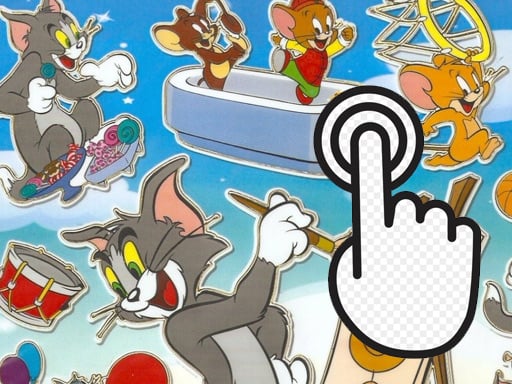
Tom and Jerry Clicker is a bright, dynamic HTML5 clicker built around the familiar chase between a huge cat and a small sneaky mouse. The confirmed input is simple: use a mouse or tap the screen. The listing promises rich graphics and unique music, but it does not state scores, timers, lives, or stages.
This listing presents a light cartoon clicker rather than a rules-heavy action game. The description emphasizes laughter, fooling around, and the long-running Tom and Jerry confrontation, with rich graphics and a unique music accompaniment. In practical terms, the only confirmed player input is clicking with a mouse or tapping the screen, so the page should be read as a simple interactive cartoon experience. Category and tags place it among HTML5, kids, mobile, skill, and slicing listings, but those labels are context only and do not prove extra mechanics.
Your goal
The objective is to keep interacting with the cat-and-mouse action by clicking or tapping, as the clicker format suggests. The source does not define a final score, level target, ending, timer, or life count, so the practical goal is to respond quickly and keep the cartoon confrontation moving.
How to play Tom and Jerry Clicker
1. Start the game and let the Tom and Jerry scene load; the source describes a bright, dynamic presentation rather than a complex setup.
2. Choose the confirmed input for your device: use a mouse on desktop or tap the screen on touch devices.
3. Click or tap on the game area to interact with the cat-and-mouse action.
4. Repeat the same click-or-tap loop to continue playing; no keys, combos, or special gestures are listed.
5. Because no scoring or failure rules are stated, judge progress by the on-screen response rather than by an assumed timer or life count.
Controls and device support
The only confirmed input is to use a mouse or tap the screen; no keys, buttons, or gestures are specified.
mouse: Use mouse
tap the screen: tap the screen
- Controls: Mouse or touch
- Device support: Desktop + mobile
- Game frame: 1928 x 1080
What makes the challenge interesting
The focus is fast, simple interaction inside a familiar cartoon rivalry. The description sells mood first: bright visuals, dynamic energy, rich graphics, unique music, and an optimistic tone. The clicker label and the mouse-or-tap instruction suggest repeated input is the core loop, while the kids, mobile, skill, and slicing tags add genre context only. Since no upgrades, stages, penalties, or win conditions are confirmed, players should expect a straightforward tap-and-react experience.
Tips for Tom and Jerry Clicker
- Start at a steady pace and learn what each click or tap changes before trying to speed up.
- On touch screens, use short deliberate taps; this is general practice for tap-based games and avoids accidental extra input.
- If the music is part of the appeal, keep sound on; if it distracts you, lower volume rather than changing your clicking rhythm.
Playing on different devices
The listing is tagged HTML5 and Mobile and gives a 1928 x 1080 frame, while the instructions cover mouse or tap. It does not state browser, operating-system, performance, or controller requirements.
The skills behind the game
The category is Clicker, and the tags add HTML5, Kids, Mobile, Skill, and Slicing context. That places the game near casual tap-or-click titles for younger players, but the tags should not be read as confirmed features; the verified action remains mouse or tap input.
Who will enjoy this game
Natural phrasing centers on the exact title, Tom and Jerry Clicker, plus close variants such as Tom and Jerry clicker game and broader clicker game online language. These are useful wording cues only; the supplied keyword evidence is unverified and does not establish search volume.
Games with a similar feel
Cookie Clicker: Cookie Clicker shares the repeated-action idea: the player clicks or taps to keep interaction going. The difference is that Cookie Clicker is associated with accumulating resources and buying production upgrades, while this listing confirms only cartoon presentation and mouse-or-tap input.
Frequently asked questions
What do you do in Tom and Jerry Clicker? You interact with a bright Tom and Jerry cat-and-mouse scene by using a mouse or tapping the screen. The source confirms the theme and input, but not a score target, timer, lives, or ending.
Can I play Tom and Jerry Clicker on a phone or tablet? The listing is tagged Mobile and the instructions include tapping the screen, so touch play is supported. It does not list specific device, browser, or performance requirements.
Something not right?
Tell us if the game does not load, the information is wrong or the content needs review.
Report a problem ›