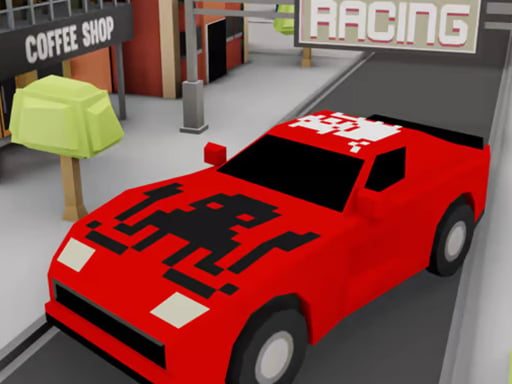
About TinyTownRacing
TinyTownRacing is a fast-paced 3D driving game where players navigate a car through busy traffic while dodging surrounding vehicles and road hazards. As your car continually accelerates, quick reflexes and precise steering become essential to keep cruising, collect golden coins, and customize your vehicle with shiny new skins.
In TinyTownRacing, you are placed in control of a vehicle maneuvering through an active roadway filled with traffic and obstacles. The primary challenge comes from surviving as long as possible without a collision. As you cover more distance, the vehicle accelerates, requiring faster reaction times to switch lanes smoothly and avoid oncoming hazards across the map.
Golden coins are scattered along the roadway for players to pick up while driving. Accumulating these coins allows you to upgrade and customize your car with a collection of unique, shiny new skins. Balancing risky maneuvers to grab coins while keeping your vehicle intact forms the core driving experience.
Your goal
The main goal in TinyTownRacing is to drive as far as possible through dense traffic without crashing into other cars or obstacles. Along the way, aim to gather scattered golden coins to unlock every available car skin and achieve a personal best distance.
How to play TinyTownRacing
1. Start your drive on the road and observe the flow of traffic ahead.
2. Steer left or right using your keyboard to navigate between open lanes.
3. Dodge other cars and avoid all obstacles placed across the map.
4. Gather golden coins scattered along your driving path whenever it is safe.
5. Use your collected coins to unlock new car skins and customize your vehicle.
Controls and device support
A or Left arrow key: Go left
D or Right arrow key: Go right
- Controls: Keyboard
- Device support: Browser
- Game frame: 800 x 600
Rules to keep in mind
- Hitting another vehicle or obstacle on the map will cause a crash and end your run.
- Driving speed steadily accelerates the longer you stay on the road without crashing.
- Collecting golden coins contributes directly toward unlocking and customizing new car skins.
What makes the challenge interesting
TinyTownRacing centers around reflex-driven lane management and hazard avoidance in a 3D environment. Because the car accelerates automatically the longer you survive, the margin for error narrows over time. Players must constantly scan oncoming traffic patterns, anticipate sudden lane blocks, and make split-second decisions about whether to risk swerving toward stray golden coins. Maintaining smooth lateral positioning with the steering keys is crucial for enduring high-speed stretches.
Tips for TinyTownRacing
- Prioritize safe lane positioning over reaching for risky coins when traffic clusters tightly ahead.
- Keep your eyes focused further down the road to spot obstacle formations before high speeds limit your reaction window.
- Use quick, controlled taps to steer left or right rather than holding keys down excessively to prevent oversteering.
Stages and progression
Progression in TinyTownRacing revolves around accumulating golden coins during runs to unlock a variety of unique, shiny car skins, rewarding persistent runs and skilled coin collection over time.
The skills behind the game
Categorized under Sports with driving and racing tags, TinyTownRacing emphasizes motor-skill timing and obstacle navigation. Rather than running on a closed circuit with laps, it offers an arcade-style driving challenge where enduring congested traffic tests quick reactions and vehicle handling.
Who will enjoy this game
Players searching for a tinytownracing game or an engaging sports game online can jump directly into this 3D reflex driver. TinyTownRacing combines simple directional steering with coin-collecting goals to provide an accessible browser-based racing challenge.
Games with a similar feel
Asphalt: Like the Asphalt series, TinyTownRacing delivers fast-paced 3D car driving action. However, while Asphalt features complex tracks and nitro mechanics, TinyTownRacing focuses purely on endless traffic dodging and coin collection using straightforward lane-switching controls.
Frequently asked questions
How do you steer your car in TinyTownRacing? You can steer left using the A key or Left arrow key, and steer right using the D key or Right arrow key on your keyboard.
What are the golden coins used for? Golden coins gathered along the road are used to upgrade and customize your car by unlocking unique, shiny new vehicle skins.
Does the car speed change during a run? Yes, your car naturally accelerates the more distance you cover, increasing the difficulty and challenging your reaction speed.
Something not right?
Tell us if the game does not load, the information is wrong or the content needs review.
Report a problem ›