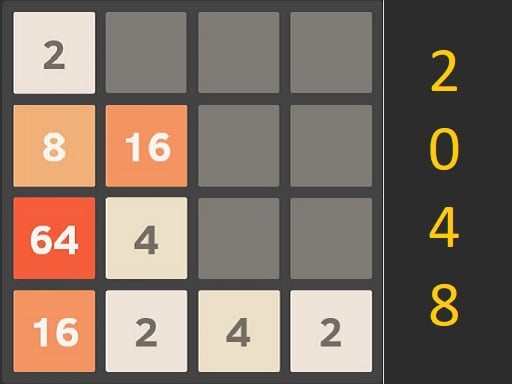
Official listing
Game description
A variety of puzzle games are gathered together, all of which are very fun and can exercise your reaction ability. Come and give it a try.
Puzzles game
TinyGameBox brings together a compact suite of brain-teasing mini-games designed to test your mental agility and quick reactions. Built around accessible number puzzles and fast-paced puzzle concepts, it offers short, bite-sized sessions that you can jump into instantly on desktop or mobile browsers without any complicated setup.
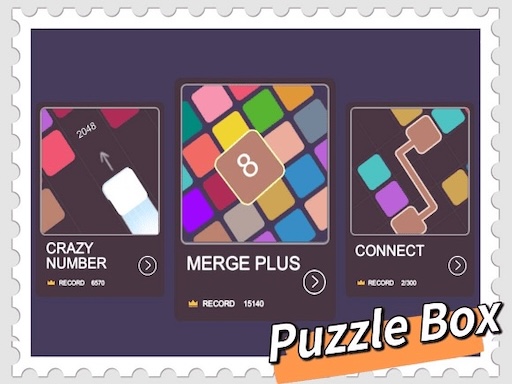
Choose Play now to load the game.
Official listing
A variety of puzzle games are gathered together, all of which are very fun and can exercise your reaction ability. Come and give it a try.
From the game listing
Mouse click or tap to play
Open this card to load the gameplay video.
TinyGameBox brings together a compact suite of brain-teasing mini-games designed to test your mental agility and quick reactions. Built around accessible number puzzles and fast-paced puzzle concepts, it offers short, bite-sized sessions that you can jump into instantly on desktop or mobile browsers without any complicated setup.
TinyGameBox serves as a versatile puzzle compilation featuring multiple quick-fire brain games in a single place. The experience centers around testing your quick decision-making and reaction ability through casual, number-driven logic challenges.
Presented in a clean portrait orientation, the package makes it easy to switch between challenges or replay individual puzzles to improve your consistency. Whether you are working through number combinations or testing your reflexes, each round provides immediate, responsive gameplay designed for quick casual play sessions.
The primary objective across the included games is to solve incoming puzzle layouts accurately while responding quickly to changing board conditions. Players aim to sharpen their reaction ability, complete each puzzle's logic requirements, and sustain clean runs without making rushed inputs.
1. Launch the game in your browser window to display the main puzzle interface.
2. Scan the current screen layout to identify the active numbers, matching tiles, or reaction targets.
3. Click or tap on the relevant tiles or interface buttons to make your move.
4. React promptly to new pieces or board shifts to keep the puzzle progressing smoothly.
5. Restart or switch puzzles when a round concludes to practice maintaining a steady rhythm.
Use mouse clicks on desktop or screen taps on touch devices to interact with all puzzle menus and in-game elements.
The core appeal of TinyGameBox lies in balancing rapid visual scanning with deliberate logic. Because the collection highlights both number puzzles and reaction challenges, players must shift between methodical planning and instinctive tapping.
A key tradeoff involves managing speed versus accuracy. Moving too quickly can result in accidental placements or missed number alignments, while hesitating too long can disrupt your reaction rhythm. Success comes from developing a calm, steady scanning pace that lets you spot valid moves before committing your input.
Rather than relying on elaborate multi-tier unlock trees, TinyGameBox emphasizes personal skill progression across its puzzle assortment. As you spend more time with the different game styles, you can focus on reading board states faster and executing cleaner tap sequences.
A sensible practice routine involves replaying individual puzzle types until your inputs feel automatic, then transitioning to faster reflex challenges to test your adaptability under pressure.
The game runs in a vertical aspect ratio of 350 by 600 pixels, making it particularly natural on mobile phones in portrait mode where one-handed tapping feels responsive.
On desktop browsers, the compact vertical frame leaves ample screen space while allowing precise mouse clicking without requiring rapid cursor travel across wide displays.
Within the online puzzle category, multi-game collections like TinyGameBox serve players looking for immediate variety without committing to lengthy tutorials or complex mechanics. By blending arithmetic number logic with reflex-driven interaction, the format provides an engaging diversion for casual puzzle enthusiasts.
Number and reaction puzzles remain popular in browser gaming because they offer instant feedback. Players can test their pattern recognition, adjust their strategy on the fly, and enjoy quick mental workouts in short bursts throughout the day.
Players searching for a casual puzzle game online often want lightweight experiences that load quickly and deliver instant problem-solving satisfaction. TinyGameBox answers this demand by packaging number-matching mechanics and reaction exercises into a single browser title.
Whether you are looking for the dedicated TinyGameBox game or exploring compact number puzzles in general, the title offers an easy entry point for daily mental warmups and casual puzzle practice.
2048: Like 2048, TinyGameBox incorporates number-oriented puzzle mechanics where players must pay attention to numerical values and spatial arrangements. While 2048 is dedicated entirely to sliding and merging tiles on a single grid, TinyGameBox provides a broader variety of quick-fire puzzle and reaction styles in one package.
What kind of puzzles are included in TinyGameBox? TinyGameBox features a variety of casual brain teasers, with a particular focus on number puzzles and reaction-testing challenges designed for fast, accessible browser play.
How do you control the games in TinyGameBox? The entire collection uses single-point inputs. You can click with your mouse on desktop computers or tap the screen directly on mobile phones and tablets.
Can I play TinyGameBox on a mobile browser? Yes, the vertical 350x600 layout is well-suited for mobile screens, enabling convenient tap controls and seamless portrait-mode play without dedicated app installations.
Tell us if the game does not load, the information is wrong or the content needs review.
Report a problemExplore popular games by category, shared tags and site-wide activity.