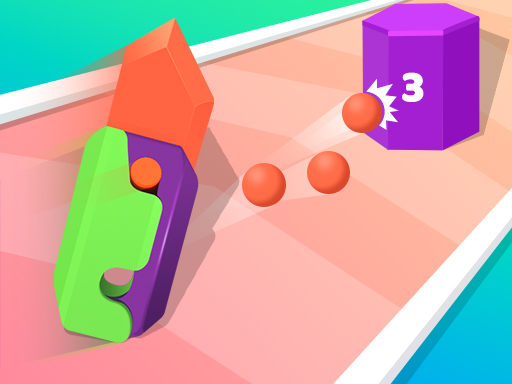
About Tiktok Gravity Knife Rush
Tiktok Gravity Knife Rush is a fast-paced browser arcade title that blends obstacle-dodging parkour runner mechanics with active target shooting. Players guide their character through dangerous courses to gather knives, pass numerical gates, and battle hazards ranging from spinning maces to explosive bombs across selectable modes.
Tiktok Gravity Knife Rush presents a colorful runner format structured around quick reflexes, knife collection, and hazard management. Depending on the chosen style of play, the action shifts between continuous course navigation and direct shooting challenges. As you advance along the track, your main goal is to build up an arsenal while avoiding deadly traps.
The game features two distinct gameplay experiences: a Parkour mode centered on gathering as many blades as possible while selecting favorable digital gates, and a shooting mode where players fire upon digital posts and battle enemies. Across both formats, players must maintain sharp spatial awareness to maneuver past spinning maces, sticks, swinging hammers, and explosive bombs.
Your goal
Your core objective is to collect knives, select the most beneficial digital gates, and safely negotiate hazardous courses filled with traps. In shooting mode, focus on targeting digital posts and overcoming enemies, while in parkour mode, prioritize building a large collection of knives while dodging lethal obstacles.
How to play Tiktok Gravity Knife Rush
1. Select your preferred experience, choosing between the focused Parkour mode or the target-driven shooting mode.
2. Use mouse clicks or touchscreen taps to steer, interact, and guide your character through the course.
3. Collect loose knives scattered along the pathway to expand your available blades.
4. Evaluate oncoming digital gates carefully and steer through the option that best supports your run.
5. Aim and fire at digital posts when playing the shooting mode while watching for enemy threats.
6. Actively maneuver around moving hazards, including spinning maces, sticks, falling hammers, and bombs.
Controls and device support
The game uses simple mouse click or touchscreen tap inputs to play across both desktop and mobile web browsers.
- Controls: Mouse or touch
- Device support: Desktop + mobile
- Game frame: 750 x 1334
Rules to keep in mind
- In shooting mode, fire upon digital posts to interact with them and collect additional knives.
- In parkour mode, pass through digital gates while gathering as many knives along the track as possible.
- Avoid contact with mechanical obstacles such as spinning maces, sticks, and heavy hammers.
- Steer clear of explosive bombs placed along the running lanes.
What makes the challenge interesting
Tiktok Gravity Knife Rush centers on fast decision-making and route planning under pressure. The main tension comes from balancing item collection against hazard avoidance. Knives and digital gates often sit directly adjacent to rotating maces, swinging hammers, or bombs, forcing players to judge whether a quick detour for an extra blade leaves enough room to dodge incoming traps.
The dual-mode design gives the game a dynamic rhythm. Parkour mode emphasizes continuous lane changes, forward anticipation, and gate evaluation, whereas shooting mode requires accurate timing to hit digital posts while monitoring enemy positions. Mastering both styles demands a steady hand and rapid visual scanning.
Tips for Tiktok Gravity Knife Rush
- Scan the track ahead early to identify the best digital gate before traps force you into a rushed lane choice.
- Do not risk collision for a single knife; avoiding bombs and hammers preserves your run better than reckless collection.
- In shooting mode, keep a consistent firing rhythm toward digital posts so you can collect knives while tracking enemies.
- Watch the rotation cycle of spinning maces carefully and time your passage through the opening rather than darting blindly.
Stages and progression
While navigating courses in Tiktok Gravity Knife Rush, players encounter shifting combinations of obstacles and targets across different runs. Building a personal practice routine involves getting comfortable with gate selection in parkour mode before switching over to test your aiming speed against digital posts and enemy encounters in shooting mode.
Playing on different devices
Designed with a vertical 750 x 1334 resolution, the game runs smoothly on both desktop monitors and mobile screens. Touchscreen devices offer intuitive direct tapping, while desktop players can achieve clean steering precision using straightforward mouse clicks.
The skills behind the game
Although classified broadly under racing and combat tags, Tiktok Gravity Knife Rush operates primarily as an arcade gate runner and reaction game. Players who enjoy obstacle courses, fast reflexes, and multiplier gates will find familiar mechanics here, elevated by the option to switch over to projectile shooting targets.
Who will enjoy this game
For players seeking an energetic online racing game or quick arcade reflex test, Tiktok Gravity Knife Rush offers short, engaging sessions that can be played instantly in a web browser. It serves as an entertaining casual challenge for practicing quick visual sorting, route planning, and obstacle avoidance without requiring complex software setups.
Frequently asked questions
What modes can I play in Tiktok Gravity Knife Rush? The game features two main styles of play: a Parkour mode focused on collecting knives and choosing digital gates, and a shooting mode centered on targeting digital posts and battling enemies.
What obstacles do I need to avoid on the track? Players must actively dodge spinning maces, sticks, heavy hammers, and explosive bombs placed along the running lanes.
Can I play this game on mobile devices? Yes. The game supports both mouse clicks on computers and tap controls on mobile touchscreens, fitted within a portrait display format.
Something not right?
Tell us if the game does not load, the information is wrong or the content needs review.
Report a problem ›