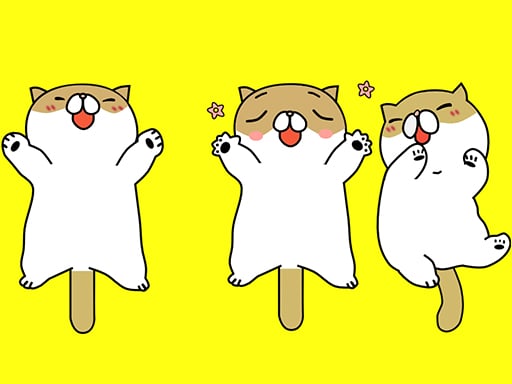
About Tickling Cat
Tickling Cat is a cat-themed clicker game built around very simple touch input. The listing describes play as touching the screen buttons on a mobile device, so this page focuses on quick tapping, clear on-screen prompts, and light interaction rather than complex controls or progression.
Tickling Cat is presented as a small cat-themed Clicker game with an extremely simple input model: touch the screen buttons, especially when playing on a mobile phone. The public listing does not explain scoring, levels, win states, upgrades, or a detailed tickling system, so the safest way to understand it is as a tap-and-react animal toy rather than a deep management or arcade challenge. Its 800 x 600 presentation and Cat, Kids, and Educational tags suggest a casual, approachable browser experience. That makes the main appeal immediacy: open, tap the visible controls, and interact with the cat theme without learning a large ruleset.
Your goal
The objective is to interact with the Tickling Cat screen by touching its buttons and responding to whatever the game shows next during each short session. Because the source does not state points, timers, failure conditions, or completion stages, treat the goal as simple touch-based interaction rather than chasing a documented score or ending.
How to play Tickling Cat
1. Open Tickling Cat and look for the visible on-screen buttons described by the listing.
2. If you are on a mobile device, touch the screen buttons directly; the instructions describe touch-screen controls.
3. Tap the available buttons to interact with the cat-themed clicker screen and watch for the game's response.
4. Continue with simple taps during the session; since no scoring, levels, or ending are stated, judge progress by the on-screen reactions rather than a documented goal.
Controls and device support
Only touch-screen input is described; keyboard, mouse, and gamepad controls are not stated.
Touch screen: Use the on-screen buttons
- Controls: Mouse or touch
- Device support: Desktop + mobile
- Game frame: 800 x 600
What makes the challenge interesting
The gameplay focus is minimal and tactile: a cat-themed Clicker where the confirmed action is touching screen buttons, with the description pointing especially toward mobile phones. There is no evidence of combos, resource management, timed challenges, character upgrades, or multi-stage structure, so the experience should be framed around immediate taps and simple cause-and-effect feedback. Players who enjoy very light interaction may find it approachable, while players seeking deep systems should note that the listing does not document them.
Tips for Tickling Cat
- Use short, deliberate taps on the visible buttons instead of rapid random presses; the listing only confirms touch input, so controlled taps make responses easier to notice.
- Play on a phone or tablet if available, because the description specifically highlights mobile phones and touch-screen buttons rather than keyboard or mouse play.
- Treat it as a light cat-themed clicker: set expectations for simple interaction, since no upgrades, levels, or scoring rules are documented in the source.
Playing on different devices
The description emphasizes mobile phones and says to touch screen buttons on a mobile device; the listed size is 800 x 600. No desktop, tablet, browser, or performance requirements are stated beyond that.
The skills behind the game
Within the Clicker category, Tickling Cat fits the broad idea of repeated simple input rather than precision movement for short play sessions. The Cat, Kid, Kids, Educational, and King tags frame it as a light animal-themed casual title, although the listing does not detail lessons, difficulty, or progression systems.
Who will enjoy this game
Natural phrases for this page include "tickling cat," "tickling cat game," and "clicker game online" for discovery and relevance. They match the exact title, the cat theme, and the Clicker category, but they are seed phrases only and should not be read as measured demand or ranking evidence. Use them as descriptive language, not performance data.
Frequently asked questions
How do you play Tickling Cat? The listing says to use touch-screen controls and, on a mobile device, simply touch the screen buttons. No keyboard, mouse, or gamepad inputs are documented.
Is Tickling Cat a mobile game? It is described as performing especially on mobile phones and uses touch-screen buttons, so mobile play is the clearest fit. Other device support is not specified.
What kind of game is Tickling Cat? It is categorized as a Clicker and tagged with Cat, Kids, and Educational themes, suggesting a simple casual animal interaction rather than a complex strategy game.
Something not right?
Tell us if the game does not load, the information is wrong or the content needs review.
Report a problem ›