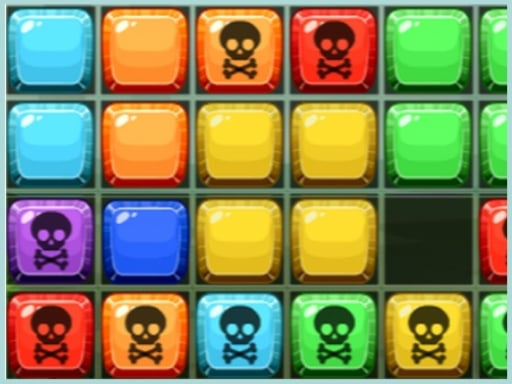
Official listing
Game description
Jeu de blocs classique avec un mode de jeu de puzzle et d'arcade! Tout est gratuit, profitez simplement de ce puzzle.
Clicker game
three blocks is a free classic block puzzle game that features both puzzle and arcade game modes. Designed for straightforward touch interaction, players can dive directly into placing blocks and clearing space across the board. Whether you want a casual brain teaser or active arcade sessions, the game provides accessible tile-matching entertainment in your browser.

Choose Play now to load the game.
Official listing
Jeu de blocs classique avec un mode de jeu de puzzle et d'arcade! Tout est gratuit, profitez simplement de ce puzzle.
From the game listing
touch
Open this card to load the gameplay video.
three blocks is a free classic block puzzle game that features both puzzle and arcade game modes. Designed for straightforward touch interaction, players can dive directly into placing blocks and clearing space across the board. Whether you want a casual brain teaser or active arcade sessions, the game provides accessible tile-matching entertainment in your browser.
three blocks delivers a classic block puzzle experience that blends traditional puzzle mechanics with arcade-style pacing. The game is completely free to play and offers distinct modes catering to different play styles, from thoughtful puzzle solving to dynamic arcade challenges. Players interact with blocks using simple touch controls on a vertical playfield. Built to be immediately approachable, the game strips away complex setup so you can focus entirely on positioning shapes and managing available board room. By combining timeless block-fitting gameplay with accessible controls, three blocks provides an engaging, portable challenge for players who enjoy testing their spatial awareness and logic skills online.
The main objective in three blocks is to place and arrange blocks across the board to solve puzzle layouts and progress through the arcade modes. Players must carefully inspect available spaces, manage their block placement using touch inputs, and keep the playing area organized to continue playing for as long as possible without running out of valid moves.
1. Launch three blocks in your web browser to start the game.
2. Choose between the available puzzle mode and arcade game mode.
3. Observe the vertical play area and the shapes presented for placement.
4. Use touch controls to select and position blocks onto the board.
5. Continue fitting pieces together to solve each puzzle layout and keep playing.
Touch: Select and place blocks on the screen
Gameplay in three blocks centers on classic block manipulation across puzzle and arcade formats. In puzzle mode, players can focus on deliberate placement and spatial planning, analyzing how each block fits into the grid. Arcade mode introduces a more active rhythm, encouraging quick decision-making and continuous placement. Because the interface relies on direct touch controls, placing pieces is immediate and intuitive. Navigating the 1080x1920 layout requires keeping an eye on open spaces to prevent overcrowding. This dual-mode structure provides both relaxed logic challenges and fast-paced tile management for enthusiasts of classic block puzzlers.
three blocks features a portrait 1080x1920 display format optimized for touch-enabled devices like smartphones and tablets, though it can also be played in any standard mobile or desktop web browser.
Listed in the Clicker and block puzzle categories, three blocks combines the approachable, tap-friendly interactions of clickers with the spatial logic of classic brick-fitting games. While traditional clickers focus on rapid tapping to generate numbers or upgrades, this title channels that direct input simplicity into arranging shapes and solving board layouts. This blend makes it easy to pick up for quick casual sessions while retaining the analytical satisfaction characteristic of tile-matching games.
Players searching for a three blocks game or looking for a free clicker game online will appreciate the clean design and immediate accessibility of three blocks. By focusing on classic block puzzle fundamentals across distinct puzzle and arcade modes, the title caters to fans of casual browser-based brain teasers. Its intuitive touch interface and zero-installation format make it a convenient choice for quick puzzle breaks on desktop or mobile browsers.
Tetris: Like Tetris, three blocks revolves around manipulating and arranging geometric block shapes within a defined playing field. However, while Tetris emphasizes rotating falling tetrominoes to clear horizontal lines under constant gravity, three blocks offers distinct puzzle and arcade modes centered around direct touch placement on the board.
Is three blocks free to play? Yes, three blocks is completely free to play directly in your web browser, offering full access to its puzzle and arcade modes without any required downloads.
What game modes are available in three blocks? The game features two primary modes: a classic puzzle mode focused on deliberate block placement and an arcade mode offering faster, more active puzzle-solving action.
How do you control the blocks in the game? three blocks uses straightforward touch inputs, allowing players to tap and drag blocks directly into position on compatible touchscreens or using standard mouse clicks.
Tell us if the game does not load, the information is wrong or the content needs review.
Report a problemExplore popular games by category, shared tags and site-wide activity.