Official listing
Game description
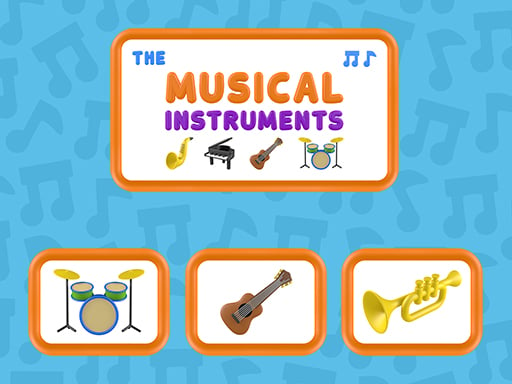
The Musical Instruments is a game developed for children where they will learn musical instruments and their sounds in a fun way. Excellent educational resource. Game developed by: Nau.kids
Clicker game
The Musical Instruments is an educational browser game designed for young learners to discover instrument sounds and visual shapes. Players listen closely to audio cues and click the corresponding instrument on screen. Developed by Nau.kids, this simple listening challenge introduces foundational auditory recognition skills through direct, approachable click-based interactions.
Choose Play now to load the game.
Official listing
The Musical Instruments is a game developed for children where they will learn musical instruments and their sounds in a fun way. Excellent educational resource. Game developed by: Nau.kids
From the game listing
Click on the musical instrument that matches your sound
Open this card to load the gameplay video.
The Musical Instruments is an educational browser game designed for young learners to discover instrument sounds and visual shapes. Players listen closely to audio cues and click the corresponding instrument on screen. Developed by Nau.kids, this simple listening challenge introduces foundational auditory recognition skills through direct, approachable click-based interactions.
The Musical Instruments offers an accessible sound-recognition experience tailored for children and classroom environments. The visual layout presents colorful, cartoon-style instruments on a clean stage, welcoming players into a relaxed learning space. Rather than testing fast reflexes or demanding complex inputs, the game emphasizes patient listening and visual identification.
During each turn, an audio prompt plays, presenting the distinctive timbre or melody of a specific instrument. The player must evaluate the sound, survey the instruments displayed on the screen, and select the one that produces that noise. This cycle of listening, comparing, and clicking reinforces the relationship between familiar instruments and their real-world acoustic profiles.
The primary objective in The Musical Instruments is to accurately identify and click the musical instrument that matches the sound currently playing. Players aim to sharpen their listening comprehension and instrument recognition by connecting each audio prompt with its correct visual counterpart without rushing.
1. Ensure your device audio is turned on so you can clearly hear each instrument sample.
2. Listen carefully to the audio prompt played during the round.
3. Scan the displayed cartoon instruments on the screen to consider your options.
4. Click or tap directly on the instrument that matches the sound you heard.
5. Continue to the next prompt to practice identifying additional musical sounds.
Click on the musical instrument that matches your sound.
The core appeal of The Musical Instruments lies in attentive listening and associative learning. Unlike action-heavy titles, the primary challenge here is distinguishing between different acoustic qualities such as brass tones, string vibrations, or percussive strikes. Players learn to slow down and isolate key sound characteristics before making a choice.
The main tradeoff for the player is taking extra moments to listen fully versus guessing too quickly based purely on visual appearance. Taking time to process the entire audio clip ensures higher accuracy and builds genuine auditory recognition over repeated plays.
While listed under clicker games due to its point-and-click interface, The Musical Instruments functions fundamentally as an educational music game. Educational games emphasize low-pressure discovery, clear visual cues, and focused auditory feedback, making them especially useful in school or family settings where foundational skills are developed.
Music and sound identification activities bridge sensory exploration with casual gameplay. By pairing cute cartoon graphics with authentic instrument tones, the game provides a gentle environment for learners to practice listening comprehension at their own pace.
Players searching for the musical instruments game typically seek lighthearted, browser-based activities that teach music concepts without complicated controls. Simple sound-matching activities are great for short learning sessions at home or during classroom music introductions.
For those looking for a casual clicker game online with educational value, this title offers an uncomplicated entry point. The straightforward mouse or touch interaction allows young learners to engage independently while building auditory confidence.
What is the main goal in The Musical Instruments? The goal is to listen to the audio clip played in each round and click the matching musical instrument shown on the screen, helping players learn instrument sounds in an interactive format.
Do I need sound enabled to play this game? Yes, audio is essential because the primary mechanic requires identifying instruments based on the sounds they produce. Playing with clear sound or headphones ensures you can hear each prompt accurately.
Who is this game designed for? The game is designed primarily for children and early learners as an educational resource to discover music, recognize instruments, and practice auditory matching.
Tell us if the game does not load, the information is wrong or the content needs review.
Report a problemExplore popular games by category, shared tags and site-wide activity.























