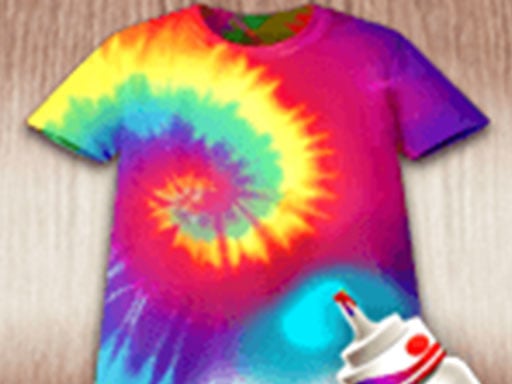
About The Dye DIY
The Dye DIY invites players to embrace modern fashion trends by customizing beachwear, bags, and tops through creative fabric dyeing techniques. Complete client requests or design unique pieces by tying items and applying bright paints using simple tap and click controls directly in your web browser.
The Dye DIY is a casual creative crafting game where you take on client orders to transform everyday wardrobe pieces into colorful tie-dyed fashion statements. From T-shirts and bikinis to beach bags, players explore hands-on garment customization through a step-by-step process of preparing fabric, binding it, and introducing vivid colors.
Your goal
Your main objective is to fulfill client orders by styling and painting custom garments. Follow incoming requests to match desired patterns on various clothing items and beach accessories, or experiment with artistic color combinations to complete every design project successfully.
How to play The Dye DIY
1. Review the client request to see what garment and color style needs to be created.
2. Select your clothing item, such as a T-shirt, bikini, or beach bag, to begin the DIY process.
3. Tie or bind the fabric first to prepare the pattern sections before coloring.
4. Apply paint and dye colors across the designated sections using tap or click inputs.
5. Reveal your finished custom garment and complete the customization to satisfy your client.
Controls and device support
Click: Interact with tools, tie garments, and apply dye colors
Tap: Interact with tools, tie garments, and apply dye colors
- Controls: Mouse or touch
- Device support: Desktop + mobile
- Game frame: 720 x 1280
Rules to keep in mind
- Follow the essential tie-dye method: prepare and tie the clothing piece first before applying paint or dye.
- Work with a variety of specified apparel types, including T-shirts, bikinis, and beach bags, according to order needs.
What makes the challenge interesting
Gameplay centers on the creative and tactile process of tie-dye craftwork. Each project guides the player through folding or tying garments and splashing vibrant dyes onto the fabric. The relaxing loop blends artful color application with responsive tap-and-click interactions, letting you satisfy client requests across beachwear and accessories without complex mechanical hurdles.
Tips for The Dye DIY
- Pay close attention to client preferences before applying dye to ensure the finished piece matches the requested design style.
- Ensure you complete the tying stage properly so that the paint creates distinctive patterns across your clothing item.
- Experiment with placing different colors on separate tied sections to create vibrant, balanced beach accessories.
The skills behind the game
As a hypercasual title with dress up, design, and coloring themes, The Dye DIY focuses on immediate, accessible creative play. It distills real-world fashion crafting into brief, satisfying customization sessions that players can pick up and enjoy instantly.
Who will enjoy this game
Fans searching for a dress up game or a relaxing coloring game online will appreciate the hands-on crafting loop in The Dye DIY game, which emphasizes garment painting and fashion decoration.
Games with a similar feel
Love Nikki-Dress UP Queen: Like Love Nikki-Dress UP Queen, this title centers on stylish wardrobe aesthetics, but The Dye DIY focuses directly on hand-dyeing and crafting individual garments rather than coordinating full multi-piece outfits.
Project Makeover: While Project Makeover involves comprehensive character styling and makeover tasks, The Dye DIY concentrates specifically on the artistic process of tying and coloring clothing items like shirts and bags.
Frequently asked questions
What kinds of items can you dye in The Dye DIY? Players can customize several types of apparel and summer accessories, including T-shirts, bikinis, and beach bags, using various dye colors and patterns.
How do you control the tools in The Dye DIY? You can navigate the menus, tie garments, and apply paint simply by tapping on touchscreens or clicking with a mouse on desktop browsers.
Something not right?
Tell us if the game does not load, the information is wrong or the content needs review.
Report a problem ›