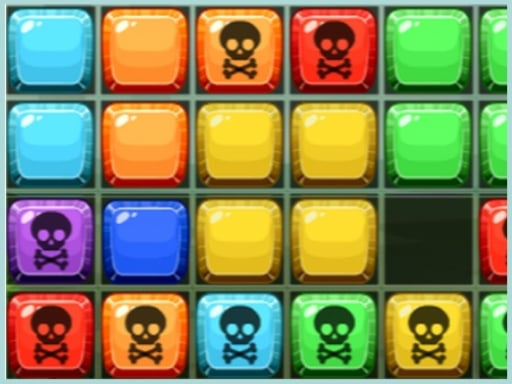
Official listing
Game description
Drag and drop the blocks from left to right or from right to left, in order to fill a complete row of blocks to eliminate them. Collect more rows at a time to get more score.
Puzzles game
Tetrix Blocks is a browser puzzle game where players slide pieces across the board to create solid lines. By dragging blocks from left to right or right to left, you fill gaps in incomplete rows to trigger line clears. Clearing several rows at the same time awards more score, challenging you to plan block movements carefully.
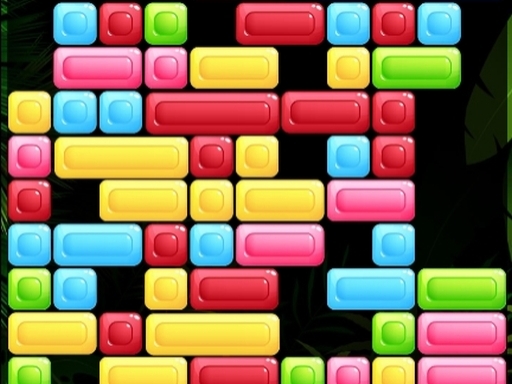
Choose Play now to load the game.
Official listing
Drag and drop the blocks from left to right or from right to left, in order to fill a complete row of blocks to eliminate them. Collect more rows at a time to get more score.
From the game listing
Use touchscreen or mouse to play this game
Open this card to load the gameplay video.
Tetrix Blocks is a browser puzzle game where players slide pieces across the board to create solid lines. By dragging blocks from left to right or right to left, you fill gaps in incomplete rows to trigger line clears. Clearing several rows at the same time awards more score, challenging you to plan block movements carefully.
Tetrix Blocks delivers a clean, spatial puzzle experience centered on sliding block rows. Players interact with the grid using a mouse or touchscreen to move individual blocks horizontally into open spaces. Each time a row is completely filled with blocks without any gaps, that row is eliminated from the playfield. The primary scoring mechanic rewards clearing multiple rows simultaneously, giving players an incentive to set up larger multi-line clears rather than clearing lines one by one. With its intuitive HTML5 block-matching format, the game challenges your spatial awareness and strategic placement as you manage horizontal movement across the board.
The main objective in Tetrix Blocks is to earn high scores by continuously filling and clearing full horizontal rows of blocks. You must maneuver blocks left and right into empty gaps across the board. Maximizing your score requires setting up placements where dropping or aligning pieces eliminates multiple rows in a single action.
1. Inspect the board to identify open spaces and incomplete horizontal rows.
2. Click and drag or touch-swipe a block horizontally to slide it left or right into a gap.
3. Align blocks until a horizontal row is completely filled across the grid.
4. Eliminate full rows instantly from the board to create room and gain points.
5. Position your moves to complete and collect multiple rows at once for higher score rewards.
Mouse Click and Drag: Slide blocks horizontally left or right into gaps
Touchscreen Drag: Slide blocks horizontally left or right across the screen
Gameplay in Tetrix Blocks centers on spatial planning and deliberate block movement. Because pieces move strictly along horizontal tracks, every slide changes the layout of the rows. Success depends on spotting which gaps need filling and predicting how moving one piece might leave another row unaligned. While clearing single lines keeps the board orderly, the highest scores come from setting up compound clears where multiple rows vanish together. Players must balance immediate line completions against patient setups for larger multi-row eliminations.
As a member of the puzzle genre, Tetrix Blocks emphasizes logical reasoning, pattern recognition, and careful spatial manipulation. Block matching games typically ask players to organize geometric shapes within confined grids. Tetrix Blocks builds upon these traditional puzzle mechanics by using a horizontal sliding structure, offering accessible gameplay that challenges players to think ahead about every move.
Players searching for an entertaining puzzle game online will find engaging mechanics in the Tetrix Blocks game. By focusing on direct row elimination and block alignment, this title delivers classic block puzzle gameplay playable directly in modern web browsers across desktop and mobile devices without requiring extra downloads.
Tetris: Tetrix Blocks shares the core concept of completing solid horizontal rows to eliminate blocks with Tetris. However, while Tetris involves rotating and positioning pieces falling from the top under time pressure, Tetrix Blocks focuses on dragging and sliding existing blocks horizontally across the grid.
How do you score points in Tetrix Blocks? You earn score by sliding blocks left or right to fill complete horizontal rows, and you get even more score when you eliminate multiple rows at once.
Can I play Tetrix Blocks on mobile devices? Yes, Tetrix Blocks is built with HTML5 and supports touchscreens, allowing you to drag and drop blocks directly using touch controls on your phone or tablet.
In which directions can blocks be moved? Blocks in Tetrix Blocks can only be dragged horizontally, sliding from left to right or right to left across the board to fill empty row spaces.
Tell us if the game does not load, the information is wrong or the content needs review.
Report a problemExplore popular games by category, shared tags and site-wide activity.