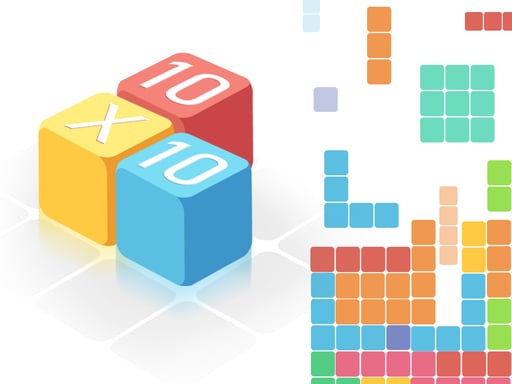
About Tetris 3D Game
Tetris 3D Game is a browser-based puzzle challenge where pieces descend from the top of the play area. Players manipulate incoming blocks by steering them horizontally, rotating, and mirroring shapes to pack the box tightly. By completing full horizontal rows, you clear lines from the grid, manage space, and accumulate points.
In Tetris 3D Game, players manage a continuous stream of descending shapes entering from the upper screen. Your goal is to maneuver each piece across the grid, shifting left or right while adjusting orientation through rotation and mirroring. As blocks settle into the playing container, neat placement allows you to form solid horizontal lines without empty gaps.
When a full row is successfully assembled, it disappears from the box to free up crucial vertical space. Confident players can accelerate the descent of pieces to speed up their setup and continuously build their running score as they clear successive rows.
Your goal
The primary objective in Tetris 3D Game is to construct complete rows inside the box to remove lines and collect score. Players must position, rotate, and mirror incoming falling blocks carefully so the structure does not stack out of control before lines can be cleared.
How to play Tetris 3D Game
1. Watch the top of the screen as new block formations begin their downward path into the playing area.
2. Move falling blocks left or right across the columns to align them over suitable empty gaps.
3. Rotate and mirror the shapes to match the contours of the existing blocks already resting in the box.
4. Speed up the block drop when you are certain of your positioning to place it down promptly.
5. Fill entire rows to remove completed lines and steadily increase your total score.
Controls and device support
Keyboard and Mouse: Move, rotate, mirror, and drop blocks into the box
- Controls: Keyboard
- Device support: Browser
- Game frame: 800 x 600
Rules to keep in mind
- Blocks descend continuously from the upper boundary toward the base of the board.
- Completing an entire horizontal row removes that line from the board and awards score.
- Shapes can be moved sideways, rotated, mirrored, or made to fall faster during descent.
What makes the challenge interesting
Success in Tetris 3D Game revolves around visual planning and spatial agility. Because pieces arrive continuously from the top, maintaining a flat, cohesive baseline inside the box prevents towering stacks from clogging your board. Mastering both rotation and mirroring allows you to fit awkward block shapes into tight spaces. Knowing when to accelerate a block drop saves time once an alignment is confirmed, while keeping the playfield open for subsequent clears.
Tips for Tetris 3D Game
- Evaluate both rotation and mirroring before committing a piece, ensuring you find the orientation that leaves the fewest open holes underneath.
- Keep your stack as level as possible across all columns so upcoming shapes can easily slot into multiple available target spots.
- Only accelerate a block's fall when you are entirely confident in its landing column and rotation to avoid misplacements.
Playing on different devices
Tetris 3D Game runs in an 800 x 600 display resolution and supports standard desktop play via keyboard and mouse inputs.
The skills behind the game
Belonging to the Puzzles category, Tetris 3D Game focuses on logic, geometry, and real-time decision-making. Puzzle titles challenge players to identify structural patterns and execute tidy spatial arrangements under the steady pressure of descending items.
Who will enjoy this game
Players looking for a classic puzzle game online will find familiar line-clearing mechanics in Tetris 3D Game. The experience combines rapid block placement, orientation adjustments, and score hunting into an accessible browser session suitable for puzzle enthusiasts.
Games with a similar feel
Tetris: Like the classic Tetris, Tetris 3D Game tasks players with guiding descending blocks into complete rows to clear space. However, this version explicitly incorporates shape mirroring alongside standard rotation to adjust incoming pieces.
Frequently asked questions
How do you clear lines in Tetris 3D Game? You clear lines by moving, rotating, and mirroring falling blocks until they form a complete, solid horizontal row across the box.
Can you make pieces drop faster? Yes, you can accelerate the downward speed of blocks whenever you have verified your final alignment and positioning.
What controls are supported for playing? The game uses keyboard and mouse inputs on desktop browsers to navigate, manipulate, and place falling shapes.
Something not right?
Tell us if the game does not load, the information is wrong or the content needs review.
Report a problem ›