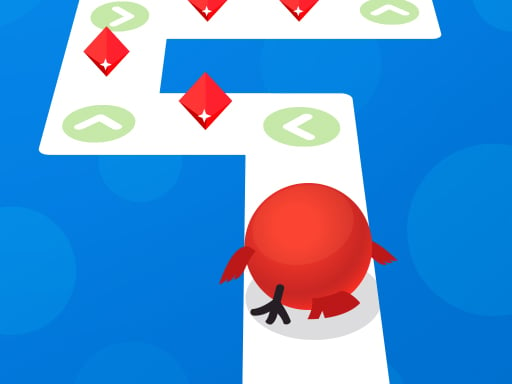
About Tap Tap Reloaded
Tap Tap Reloaded is a fast-paced, community-driven rhythm game that invites players to tap along with a variety of musical tracks. Built with feedback from dedicated rhythm game enthusiasts, it offers high-speed track navigation, deep visual personalization, and dedicated practice tools to help you master tricky music segments with precise mouse timing.
Tap Tap Reloaded focuses on musical coordination, challenging players to keep pace with incoming rhythm notes on a customizable track highway. The title emphasizes responsive control and community participation, allowing enthusiasts to request and vote on new songs they want to see added to the roster.
Beyond standard play, the game introduces comprehensive practice features. Players can jump directly into specific sections of any song, adjust note scrolling speeds, and tweak visual elements such as lane angles, note colors, sizes, and highway designs to match their personal playstyle.
Your goal
The main goal in Tap Tap Reloaded is to hit incoming notes accurately as they travel down the music highway. By keeping rhythm with the audio track, mastering difficult song segments through targeted practice, and optimizing your visual interface, you aim to achieve flawless completion across every featured track.
How to play Tap Tap Reloaded
1. Select a song from the available catalog or vote on upcoming community music requests.
2. Configure your highway settings, adjusting lane angle, note speed, colors, and note size to your preference.
3. Use your mouse to hit incoming rhythm notes in time with the music as they reach the target line.
4. Use the section practice tool to isolate and rehearse difficult song segments at your preferred speed.
Controls and device support
Mouse: Navigate menus and tap rhythm notes in time with music tracks
- Controls: Mouse or touch
- Device support: Desktop + mobile
- Game frame: 800 x 600
Rules to keep in mind
- Notes must be tapped in coordination with the rhythm as they travel down the track highway.
- Practice mode allows you to select custom song sections and modify scroll speed freely.
- Community song additions are influenced by player requests and voting submissions.
What makes the challenge interesting
Gameplay revolves around rhythm precision and visual track reading. Because incoming notes move quickly along the highway, finding the right combination of scroll speed and visual clarity is essential. The game lets you modify background colors, lane tilt, and note dimensions, ensuring you can tailor the interface for maximum readability. When a challenging rhythm pattern appears, jumping straight into that specific song segment lets you rehearse complex transitions repeatedly until your timing becomes second nature.
Tips for Tap Tap Reloaded
- Adjust note speed in the options menu to find a balance between clear note spacing and comfortable reaction time.
- Use section skipping to practice difficult patterns repeatedly instead of restarting the entire track from the beginning.
- Customize background and note colors with high contrast to make incoming beats easily visible during fast-paced sequences.
The skills behind the game
Categorized under hypercasual and arcade titles, Tap Tap Reloaded combines quick-access browser mechanics with deep rhythm gameplay. Players can start tapping immediately while taking advantage of flexible customization settings that appeal to both casual listeners and dedicated rhythm game veterans.
Who will enjoy this game
Players searching for Tap Tap Reloaded or looking to try a responsive tap tap reloaded game online will find a music experience focused on player choice, track practice, highway customization, and community-requested songs.
Frequently asked questions
How do you play Tap Tap Reloaded? You play by using your mouse to tap along with incoming notes as they travel down the music highway, matching your inputs to the rhythm of the selected song.
Can you practice specific parts of a song in Tap Tap Reloaded? Yes, the game features a section practice tool that lets you skip directly to any part of a song and adjust note speeds for targeted rehearsal.
Can you customize the game highway in Tap Tap Reloaded? Yes, you can customize highway design, lane angle, note speed, note size, note color, and background colors to suit your visual preferences.
Something not right?
Tell us if the game does not load, the information is wrong or the content needs review.
Report a problem ›