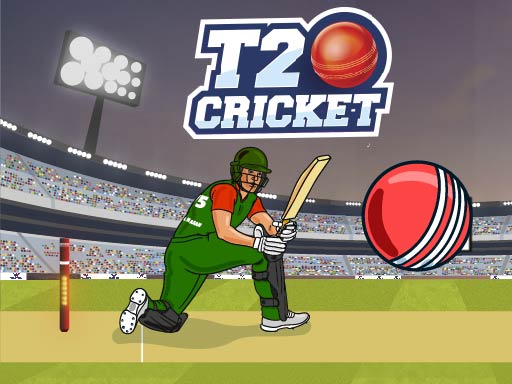
About T20 Cricket
T20 Cricket is a browser-based sports game where you step into the role of a batsman facing rapid deliveries on a green field. Set in a busy stadium with excited spectators, each play tests your reflexes as the opposing bowler sprints toward the wicket. Your immediate objective is reading the pitch, timing your swing cleanly, and deciding whether to defend or strike the ball hard into the outfield.
T20 Cricket captures the fast-moving energy of short-format cricket inside an accessible browser experience. The match takes place on an expansive green pitch flanked by active stands. As the batsman representing the Bangladesh cricket team, you stand guard over the stumps while the bowler gathers momentum and unleashes a fast delivery.
The core loop revolves around sharp observation and immediate reactions. Because the bowler charges quickly toward the wicket, there is very little idle time between the run-up and the release. Once the delivery is underway, you must judge the flight of the ball and strike at the exact moment of impact. Success depends on maintaining steady focus across every delivery rather than swinging blindly.
Your goal
Your objective in T20 Cricket is to protect the wicket by reacting promptly to each incoming bowl. The primary goal is connecting cleanly with the ball to hit it firmly into play or block dangerous deliveries. By honing your timing, you aim to build a consistent batting rhythm and demonstrate your cricket handling against fast-paced bowling.
How to play T20 Cricket
1. Load the game in your browser window and prepare for the incoming bowler's run-up.
2. Watch the bowler approach the wicket closely to anticipate the release angle and pace.
3. Track the ball as it travels across the green field toward your batting crease.
4. Click your mouse or tap the screen at the crucial moment to swing your bat and strike the ball.
5. Reset your stance immediately after each shot to get ready for the bowler's next delivery.
Controls and device support
On desktop computers, click on the screen to hit the ball. On mobile devices, tap on the screen to strike.
- Controls: Mouse or touch
- Device support: Desktop + mobile
- Game frame: 1280 x 720
Rules to keep in mind
- The bowler runs fast toward the wicket and releases the ball with high speed toward the batsman.
- The player acts as the batsman and must react to either defend against the ball or hit it hard.
- Input is registered by tapping or clicking anywhere on the screen during the delivery.
What makes the challenge interesting
The defining appeal of T20 Cricket lies in its fast reaction requirement and simplified single-action timing. Unlike complex multi-button sports simulations that ask players to juggle footwork, shot selection, and loft angles simultaneously, this title streamlines the batting experience down to one critical reflex: executing a click or tap at the ideal instant.
This streamlined mechanic introduces a distinct visual discipline tradeoff. If you commit to an early swing out of anticipation, you risk mistiming the delivery before the ball reaches striking distance. Conversely, waiting too long to confirm the path can leave your bat trailing behind a brisk bowl. Balancing patient visual tracking against an instantaneous trigger pull is the core skill demanded on every pitch.
Tips for T20 Cricket
- Anchor your eyes on the bowler's release point rather than your batsman. Watching the ball from the exact moment it leaves the hand gives you maximum time to process its speed and trajectory.
- Avoid pre-clicking before the ball crosses midway. Anticipating too early often causes a premature swing, leaving your wicket exposed to fast-traveling deliveries.
- Maintain a steady hand on your mouse or screen. Quick, light taps or clicks provide much faster trigger response than heavy, tense presses when reacting to sudden bursts of speed.
- Treat defensive touches and hard hits as a function of your contact point. Aiming for clean central contact rather than frantic swinging helps keep your shot under control across consecutive deliveries.
Playing on different devices
T20 Cricket runs inside standard web browsers across both mobile and desktop setups. On desktop PCs, the game renders in a standard 1280x720 landscape frame, allowing you to use mouse clicks to trigger swings. On mobile screens, direct screen taps provide an intuitive handheld feel, making quick batting attempts effortless on touch displays.
The skills behind the game
Within the sports and hypercasual arcade space, ball games centered on cricket emphasize immediate hand-eye coordination over drawn-out strategic management. Rather than navigating full-length team fielding formations or complex stamina meters, arcade sports titles isolate the most dramatic moment of athletic competition: the standoff between bowler and batter.
By paring away secondary interface mechanics, these quick-play experiences turn batting into an accessible rhythm challenge. Players can jump in for a short session to test their reaction speeds against fast deliveries, enjoying the visual atmosphere of a packed stadium without having to commit to multi-hour test matches.
Who will enjoy this game
Fans searching for a fast-paced sports game online often want instant athletic excitement that launches directly in a web tab. T20 Cricket fits this need by offering rapid batting rounds that demand zero complex controller configurations or lengthy tutorials.
Whether you are looking for a casual t20 cricket game to challenge your quick-twitch reflexes during a study break or simply want to practice batting timing on touch and mouse devices, this format provides immediate, repeatable sports action.
Frequently asked questions
How do I swing the bat in T20 Cricket? You hit the ball by clicking anywhere on the screen if you are playing on a PC, or by tapping the screen if you are playing on a mobile device.
What team do you play as in the game? The game centers on picking the Bangladesh cricket team, placing you in the role of the batsman in front of stadium fans.
Can I practice this game on a mobile phone? Yes. The game natively supports touch controls on mobile devices, allowing you to tap directly on your screen to time your hits against the bowler.
Something not right?
Tell us if the game does not load, the information is wrong or the content needs review.
Report a problem ›