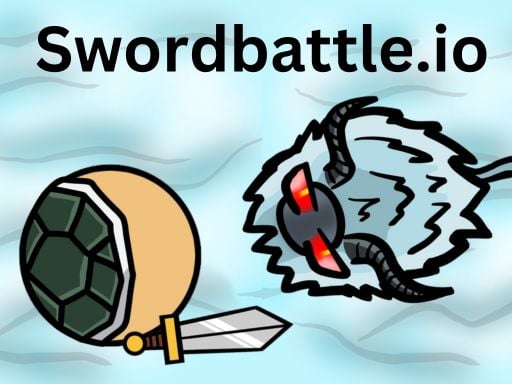
About Swordbattle.io
Swordbattle.io is a fast-paced multiplayer arena game where players wield 2D swords, clash with live competitors, and gather coins across the map. Every coin acquired directly increases your character's size and combat strength, transforming modest duels into high-stakes territorial survival. Players must balance aggressive melee swings and ranged weapon throws against the constant need to harvest resources and outmaneuver rivals striving to become the largest presence in the arena.
Set in an open, top-down battlefield, Swordbattle.io throws competitors into real-time skirmishes using a variety of 2D blades. The central gameplay loop revolves around navigating the arena floor, scooping up scattered coins, and engaging hostile players. Because accumulating wealth fuels both personal growth and overall combat power, each encounter forces quick tactical calculations between pursuing fleeing targets or continuing an economic farming route.
Survival demands active spatial control. Clashing directly with opponents allows you to protect your territory and claim dominance, but every offensive move requires careful positioning. Whether confronting rivals alongside friends or facing chaotic solo skirmishes, the experience centers on expanding your character's scale while managing the distinct momentum that comes with wielding a growing blade.
Your goal
The primary objective in Swordbattle.io is to gather as many coins as possible to increase your character's size, build immense physical power, and outlast rival combatants across the arena. Players aim to continuously upgrade their warrior, eliminate hostile opponents, and establish sustained dominance at the top of the battlefield.
How to play Swordbattle.io
1. Enter the arena and select your preferred navigation method, choosing between standard keyboard steering or streamlined mouse movement in the settings menu.
2. Navigate open spaces using directional keys or mouse tracking to locate and collect scattered coins across the 2D arena floor.
3. Aim your cursor toward rival players and click to swing your sword during close-quarters encounters.
4. Launch your sword as a ranged projectile using the secondary attack input to strike fleeing or distant adversaries.
5. Absorb collected riches to steadily upgrade your character, gaining the scale and combat power necessary to rule the battlefield.
Controls and device support
Swordbattle.io offers two primary desktop control schemes. Under the default configuration, players navigate using the WASD or Arrow keys, aim and swing their sword with the mouse click, throw their blade with the C key, and open the in-game chat window by pressing Enter. Alternatively, players can enable Mouse Mode in the settings menu to navigate and aim entirely with cursor movement, using left-click to swing and right-click to throw.
- Controls: WASD + arrow keys
- Device support: Browser
- Game frame: 1280 x 720
Rules to keep in mind
- Collecting arena coins directly enhances your warrior's scale and offensive power, rewarding consistent resource harvesting.
- Combat interactions rely on two fundamental offensive techniques: close-range blade swings and long-range sword throws.
- Players can interact socially and coordinate during combat encounters by activating text chat via the Enter key.
What makes the challenge interesting
Combat in Swordbattle.io hinges on managing spacing and weapon timing. Because the game equips players with both a standard melee swing and a projectile throw, skirmishes are defined by a fluid tug-of-war between close-quarters pressure and mid-range threats. Swapping between an immediate swing and an aggressive blade toss demands accurate cursor placement, particularly when facing nimble opponents who constantly reposition around your reach.
The defining strategic tradeoff centers on growth versus vulnerability. As you collect more coins, your increased size offers greater visual presence, intimidating power, and extended striking reach. However, an expanded physical profile also makes you a significantly larger target for surrounding combatants. Successful play requires mastering sudden directional pivots and timing your attacks cleanly rather than relying entirely on brute scale.
Tips for Swordbattle.io
- Prioritize coin collection during your opening minutes. Gathering resources early builds the physical size and power required to survive hostile encounters, whereas picking fights too quickly leaves smaller characters heavily outmatched.
- Reserve your sword throw for decisive moments or retreating adversaries. Launching your primary weapon leaves you momentarily open if you miss, so practice leading your target rather than throwing on impulse.
- Test both control presets in the settings menu to find your preferred handling style. Dedicated keyboard movement grants precise directional pivots, while mouse mode offers responsive one-handed tracking across wide areas.
- Use the chat function to communicate with friendly combatants when coordinating in group clashes. Playing with allies helps secure dense coin zones that are otherwise difficult to hold alone.
Stages and progression
Progression within a match is governed by immediate coin acquisition rather than static checkpoint stages. As your coin tally rises, your character undergoes visible growth, amplifying striking capabilities and presence across the arena floor. This escalating size represents your upgrade pathway, shifting your role from an evasive scavenger in early minutes to an arena powerhouse capable of dominating territorial clashes.
Because survival becomes progressively more tense as your warrior expands, developing an adaptable match rhythm is vital. Players should focus on refining their movement routes, transitioning smoothly from perimeter coin sweeps toward high-value central clashes once their scale and combat strength can withstand heavy opposition.
Playing on different devices
Swordbattle.io is engineered for desktop web browsers with a native resolution ratio of 1280 by 720. To ensure consistent handling across diverse player setups, the game features two distinct input profiles accessible via the in-game settings. The default dual-hand setup uses WASD or Arrow keys for movement alongside mouse targeting and the C key for throws, while Mouse Mode enables complete movement and pointing through cursor positioning alone.
The skills behind the game
Belonging to the classic tradition of top-down arcade action and online battle arenas, Swordbattle.io captures the competitive spirit shared by popular web-based arena titles. Rather than relying on intricate inventories or prolonged setup phases, arena brawlers emphasize immediate entry, rapid spatial assessment, and continuous physical positioning. Players enter directly into an active environment where every step requires navigating between resource harvesting and defensive skirmishing.
The inclusion of 2D melee combat mechanics provides an immediate arcade rhythm. Success depends on tracking the swing arcs of nearby opponents while carefully protecting your own flank. By pairing accessible movement with escalating stakes driven by character scaling, the game offers casual players an entertaining venue for quick combat drills and competitive multiplayer sparring.
Who will enjoy this game
Players searching for swordbattle.io or a responsive swordbattle.io game typically want an instant-action browser experience that balances straightforward controls with competitive multiplayer depth. The title satisfies this intent by offering swift match deployment without lengthy installation hurdles, providing both solo warriors and groups of friends with a dynamic 2D playground where spatial awareness and sharp reflexes decide each encounter.
For enthusiasts exploring an action game online, the appeal lies in tangible mid-match progression. Because coin harvesting immediately translates into noticeable character scale and heightened battlefield authority, every play session functions as a tactical exercise in risk evaluation: knowing when to collect peacefully on the fringes versus when to engage aggressive front-line opponents.
Frequently asked questions
How do you grow larger and stronger in Swordbattle.io? Your character's size and combat strength increase as you collect coins scattered across the battlefield. The more coins you accumulate, the bigger and more formidable your warrior becomes during match play.
What is the difference between default controls and Mouse Mode? Default controls separate keyboard movement using WASD or Arrow keys from mouse-based swinging and the C key throw. Mouse Mode, enabled in settings, binds movement directly to your cursor and maps throws to right-click.
Can you throw your weapon at distant opponents? Yes. Players can throw their sword across distances using the C key under default keyboard controls, or by pressing the right mouse button when playing in Mouse Mode.
Is it possible to play Swordbattle.io alongside friends? Yes. The game features real-time multiplayer arena combat where you can battle alongside or against friends, and includes an in-game chat feature activated by pressing Enter.
Something not right?
Tell us if the game does not load, the information is wrong or the content needs review.
Report a problem ›