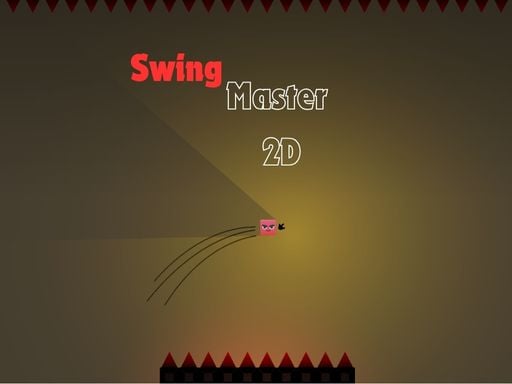
About Swing Master 2D
Swing Master 2D is a single-player 2D platform arcade game built around aerial momentum and rapid directional evasion. Players grapple and swing through hazardous corridors, alternating between mouse-driven swinging and keyboard dashes to navigate past sharp spikes and environmental obstacles across 10 distinct stages.
In Swing Master 2D, movement relies on balancing swinging arcs with sudden horizontal bursts. The core play loop challenges you to read the upcoming layout, launch a tether using the left mouse button, gain vertical clearance, and maneuver across deep gaps. Spikes and hazardous obstacles line the routes, forcing quick reactions when transitioning between airborne swinging and mid-air dashes.
Each of the 10 levels presents a compact platforming obstacle course designed to test mechanical precision. Rather than standard continuous running, success depends on understanding when to let your swing carry your momentum and when to cancel an arc with a left or right dash to skirt around hazardous spikes safely.
Your goal
The primary goal is to reach the end of each stage without striking spikes or stationary hazards, successfully completing all 10 levels. Players aim to refine their timing, learning to judge tether release points and dash distances so they can cleanly clear wide gaps in a single fluid sequence.
How to play Swing Master 2D
1. Observe the surrounding room layout to identify spike placements, open chasms, and safe landing zones ahead.
2. Hold or click the Left Mouse Button to attach a swing line and build pendulum momentum across gaps.
3. Release your swing at the peak of your forward arc to maximize horizontal distance and launch into the air.
4. Press the A key to trigger a leftward dash or the D key for a rightward dash when you need instant horizontal repositioning.
5. Guide your character through the obstacle course to reach the end of the course and unlock the next level.
Controls and device support
Control your character using standard keyboard and mouse inputs: press the Left Mouse Button to Swing, press A to Dash Left, and press D to Dash Right.
- Controls: Mouse or touch
- Device support: Browser
- Game frame: 1920 x 1080
Rules to keep in mind
- Contact with spikes or hazardous obstacles interrupts your run and requires re-attempting the stage.
- Swinging requires activating the left mouse button to latch on and traverse wide gaps.
- Directional dashes via the A and D keys provide rapid horizontal correction during navigation.
- Complete the designated route to progress through all 10 available levels in sequence.
What makes the challenge interesting
The core mechanical tension in Swing Master 2D revolves around momentum management versus sharp directional resets. A smooth swing builds forward speed and altitude, allowing you to bypass large gaps with ease. However, high speeds make it harder to avoid narrow clusters of spikes. The dash actions function as corrective tools, allowing you to instantly shift left or right mid-flight to dodge sudden dangers.
Mastering the game requires coordinating both hands simultaneously: one managing mouse click release timings for natural swinging arcs, and the other poised over the A and D keys for sudden emergency evasions.
Tips for Swing Master 2D
- Release your mouse click at the crest of your swing. Releasing too early cuts your forward carry short, while releasing too late drives your character downward toward floor hazards.
- Use horizontal dashes to stabilize unsteady falls. When overshooting a landing or drifting toward wall spikes, tap A or D to realign your path before landing.
- Scan upcoming corridors before making big swings. Tracking where ceiling and floor spikes sit allows you to decide whether a high arc or a low dash is the safer route.
- Avoid mashing dash keys in rapid succession. Committing to a dash changes your trajectory sharply, so trigger dashes only when clear clearance exists.
Stages and progression
Swing Master 2D features a structured sequence of 10 distinct levels. As you advance through the stages, the platforming courses require increasingly precise timing to weave through tighter obstacle layouts and longer gap sequences.
Players should focus on building reliable control habits early on. Developing consistency with basic pendulum arcs and directional dash cancels in the initial stages builds the mechanical dexterity needed to tackle later challenges smoothly.
The skills behind the game
As an arcade platformer within the casual skill genre, Swing Master 2D emphasizes rapid trial-and-error mechanics and manual coordination. Physics-assisted swinging combined with direct dash inputs bridges the gap between traditional momentum platformers and high-reflex precision obstacle games.
The compact 10-stage design fits well into quick browser play sessions, giving players an accessible arcade challenge that relies on timing, trajectory assessment, and agile finger work rather than complex inventory or leveling systems.
Who will enjoy this game
Players looking for a lightweight browser experience in Swing Master 2D can expect focused physics platforming that tests reflex execution. The pairing of mouse clicks for tethering and A/D keys for dashing creates an intuitive dual-input control setup.
Whether practicing clean pendulum arcs or working to beat all 10 stages in a single sitting, the Swing Master 2D game offers an approachable format for anyone who enjoys reflex-based platform navigation and timing challenges.
Frequently asked questions
How many levels are included in Swing Master 2D? The game includes 10 dedicated levels, each offering an arcade obstacle course filled with gaps and spike hazards to navigate.
How do you swing and dash in the game? You swing by holding and releasing the Left Mouse Button, and dash horizontally by pressing the A key for leftward movement and the D key for rightward movement.
What hazards must you avoid during a run? Players must actively avoid spikes and environmental obstacles while swinging across open chasms and navigating tight corridors.
Something not right?
Tell us if the game does not load, the information is wrong or the content needs review.
Report a problem ›