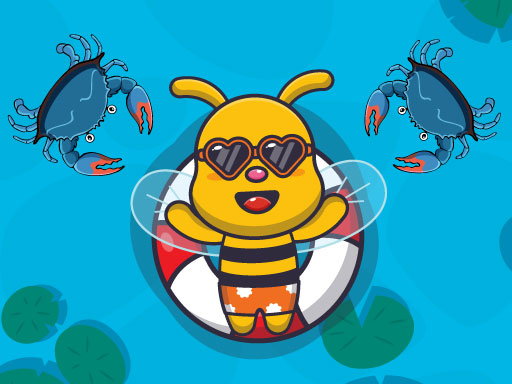
About Swimming Bee
Swimming Bee is an online arcade title where players steer a character through underwater hazards to complete distinct stages. Built with accessible one-tap mechanics, the game emphasizes quick visual scanning and steady movement adjustments. Players must navigate around obstacles placed along the path to reach the end of each course safely.
In Swimming Bee, players enter a continuous obstacle-course run set in an aquatic environment. The main activity centers on guiding your swimmer through hazards that test your timing and spatial awareness. Because the character moves forward across the screen, your primary task is observing open pathways and steering clear of hazards that block the path to the finish.
The game follows a streamlined hypercasual structure designed for instant play. Each level presents a dedicated layout with unique obstacles, encouraging players to practice clean positioning rather than rushing recklessly. With multiple difficulty settings and stage layouts available, both newcomers and experienced arcade fans can test their reflexes at their own pace.
Your goal
The primary objective in Swimming Bee is to maneuver through all obstacles in a stage and reach the end of the level without colliding with hazards. Players aim to refine their movement precision across various difficulty settings, successfully completing each course layout through steady control and attentive hazard avoidance.
How to play Swimming Bee
1. Launch Swimming Bee in your web browser and tap the screen to initiate your swim run.
2. Watch the incoming track closely to identify upcoming obstacles and open navigation gaps.
3. Use tap or click inputs to adjust your swimmer's position along the course.
4. Steer through hazard clusters by maintaining steady alignment rather than making erratic inputs.
5. Cross the finish threshold to complete the level and proceed to the next available challenge.
Controls and device support
Tap or click the screen to interact and control movement throughout the level.
- Controls: Mouse or touch
- Device support: Desktop + mobile
- Game frame: 720 x 1280
Rules to keep in mind
- Players must navigate past all obstacles placed throughout the course to reach the end of the level.
- Collisions with hazards along the swim path prevent clean completion of the course.
- Different difficulty levels adjust the overall challenge presented during obstacle runs.
What makes the challenge interesting
The core appeal of Swimming Bee lies in its rhythm of micro-adjustments and visual anticipation. Because the playfield is arranged vertically in a portrait orientation, hazards appear from the path ahead, giving attentive players a brief window to plan their line of movement. Success depends on reading spacing rather than reacting at the absolute last second.
A key strategic tradeoff involves deciding when to reposition early versus holding a steady line. Overcorrecting your path can send your character drifting directly into a neighboring hazard, while waiting too long leaves insufficient room to avoid tight barriers. Developing a calm, measured input cadence helps maintain smooth navigation across varying layouts.
Tips for Swimming Bee
- Scan the upper portion of the screen ahead of your swimmer to spot safe openings early, avoiding surprise collisions with tight hazard arrangements.
- Use light, measured taps rather than rapid rapid-fire inputs to prevent overshooting your intended lane and drifting into obstacles.
- Target the center of wide gaps whenever possible, giving yourself an equal safety buffer on both sides in case your trajectory wavers.
- Stay patient on complex stage layouts by committing to a clear navigation line rather than switching directions midway through an obstacle cluster.
Stages and progression
Swimming Bee incorporates a series of distinct levels alongside multiple difficulty tiers. As players advance through the course catalog, stage designs present varied obstacle arrangements that require tighter timing and sharper positional discipline to reach the finish line.
To build consistency across more demanding layouts, consider establishing a personal practice routine. Starting with accessible stages allows you to find a comfortable control tempo, making it easier to handle complex obstacle sequences as you explore higher difficulty settings.
Playing on different devices
Designed with a 720 by 1280 portrait canvas, Swimming Bee runs natively in HTML5-compatible mobile and desktop web browsers. On touchscreen smartphones and tablets, single-finger tapping offers direct control over navigation. On desktop setups, standard mouse clicks perform the same steering input within the vertical game window.
The skills behind the game
As an arcade and hypercasual avoid game, Swimming Bee delivers rapid gameplay sessions built around immediate input clarity. Hypercasual titles emphasize instant comprehension, stripping away complex menus in favor of swift action where players can jump straight into a run.
The avoid subgenre challenges players to read spatial boundaries under movement pressure. Swimming Bee captures this classic dynamic by combining steady forward motion with responsive path correction, appealing to fans of reflex-focused browser challenges.
Who will enjoy this game
Players looking for a quick swimming bee game session often want an accessible reaction challenge that runs directly in a web browser without lengthy setup. The bite-sized stage format makes it well-suited for brief practice runs during quick breaks.
Whether testing personal reaction times or exploring different difficulty settings, Swimming Bee offers an approachable entry point into obstacle-dodging arcade play. Focusing on gentle inputs and looking ahead on the screen helps players build steady dodging habits.
Frequently asked questions
What is the primary goal in Swimming Bee? The objective is to guide your swimmer through a course filled with obstacles and reach the end of the level safely without running into hazards.
How do you control movement during a swim run? The game utilizes straightforward tap or click inputs. Interacting with the screen directs the character through gaps in the incoming obstacle field.
Does Swimming Bee feature different difficulty levels? Yes, the game includes a variety of levels and difficulty options, accommodating both casual players and those looking for tighter obstacle-avoidance challenges.
Can I play Swimming Bee on both mobile and computer browsers? Yes, the game is built in HTML5 with a 720x1280 portrait format, functioning smoothly via touchscreen taps on mobile devices or mouse clicks on desktop browsers.
Something not right?
Tell us if the game does not load, the information is wrong or the content needs review.
Report a problem ›