About Superwings Coloring
Superwings Coloring is a kid-friendly online coloring game built around the Super Wings cast. The source describes black-marker contour images of Jett and friends, and your job is to add bright color with a mouse or tap until each outlined picture feels finished for relaxed play.
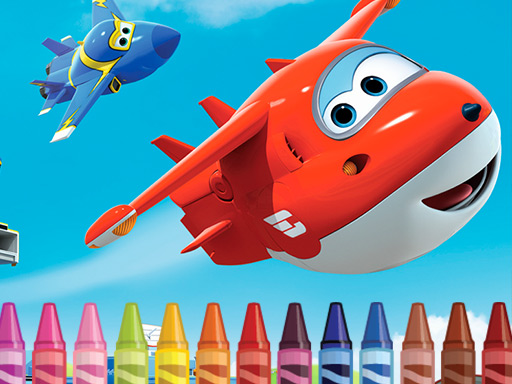
The listing presents Superwings Coloring as an online coloring activity starring airplane-transformer characters from the cartoon “Super Wings.” It says Jett and his friends are ready to play, and names Jett, Donny, Deasy and Jerome as characters waiting to be colored. Each favorite character appears as a contour made with a black marker, so the player’s task is to add bright colors and make the picture colorful. The only stated input is “Use mouse or tap the screen,” and the tags frame it as Coloring, Fun, HTML5, Kids and Mobile.
Your goal
Your goal is to finish each Super Wings outline by adding bright color to the black-marker contour. Choose a character image, apply color with the stated mouse or tap input, and keep going until Jett, Donny, Deasy or Jerome looks colorful rather than line-only.
How to play Superwings Coloring
1. Open the game and look for the Super Wings character outlines described in the listing.
2. Pick an image featuring a favorite character such as Jett, Donny, Deasy or Jerome.
3. Use the mouse or tap the screen, matching the only control instruction supplied.
4. Add bright colors to the black-marker contour so the picture becomes colorful.
5. Finish the current picture, then color another character or replay for simple fun.
Controls and device support
Mouse: Use mouse
Tap the screen: Tap the screen
- Controls: Mouse or touch
- Device support: Desktop + mobile
- Game frame: 960 x 540
What makes the challenge interesting
The focus is calm, creative coloring rather than speed or competition. The description emphasizes recognizable Super Wings faces, simple black-marker contours and the satisfaction of turning line art into a bright picture. Because the instructions only mention mouse or tap, treat each session as a direct coloring interaction: choose a character, apply color, and enjoy the cartoon theme without assuming timers, scores or unlocks.
Tips for Superwings Coloring
- As general advice, start with the largest outlined areas first; it is usually easier to see the character take shape before deciding on smaller details.
- A simple palette can help: pick a few bright colors for the main body, then add accents so Jett, Donny, Deasy or Jerome stays easy to recognize.
- If a child is playing, say each character name aloud while coloring; the listing names several heroes, which makes turn-taking and color choices more engaging.
Playing on different devices
The source tags the game as HTML5 and Mobile and lists a 960 x 540 frame, while the instructions only say to use mouse or tap the screen. Treat it as a simple browser coloring page and avoid assuming extra buttons, gestures or device-specific features.
The skills behind the game
Although the category is Puzzles, the supplied description frames this as a coloring game: the “puzzle” is deciding how to fill each contour neatly and pleasingly. That makes it closer to a casual kids’ creativity page than a logic challenge, while still fitting broad puzzle-and-family browsing categories.
Who will enjoy this game
Natural phrases for this page include “superwings coloring,” “superwings coloring game,” “coloring game online” and the broader “puzzle game online” category seed. These are unverified keyword seeds, so they are used only as language context for a coloring page about Super Wings characters, not as measured demand.
Games with a similar feel
Happy Color: Happy Color is a useful reference because both involve filling pictures with color. The difference is that Happy Color is associated with numbered color regions, while Superwings Coloring is described as brightening black-marker outlines of specific Super Wings cartoon characters.
Frequently asked questions
What do you do in Superwings Coloring? You color black-marker contour pictures of Super Wings characters. The description says to add bright colors so images of favorites such as Jett, Donny, Deasy and Jerome become colorful.
How do you control Superwings Coloring? The supplied instruction is only “Use mouse or tap the screen.” That supports basic desktop mouse play and simple tap input on touch screens, with no extra controls stated.
Which characters appear in the game? The description names Jett, Donny, Deasy and Jerome, and says Jett and his airplane-transformer friends are lined up waiting for you to color them.
Something not right?
Tell us if the game does not load, the information is wrong or the content needs review.
Report a problem ›