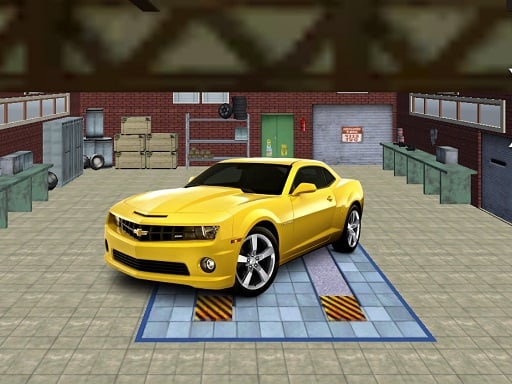
About Supercars stunt ramp
Supercars stunt ramp puts you behind the wheel of high-performance vehicles tasked with navigating elevated stunt layouts and narrow elevated courses. Built as a 3D driving simulator, the game challenges players to maintain steady speed and exact steering across treacherous ramp pathways without plummeting off the edges of its demanding tracks.
Supercars stunt ramp is an online 3D car driving simulator centered on mastering daring maneuvers across elevated pathways. Rendered in WebGL with Unity3D technology, the experience places players into high-powered stunt cars designed to handle extreme inclines, sudden curves, and tricky elevated ramps. Rather than competing in standard circuit laps against rival racers, your primary adversary is the layout itself. The suspended tracks demand consistent throttle discipline and sharp directional adjustments to prevent your vehicle from tumbling into the open void below. Each run requires balanced vehicle handling, encouraging players to judge momentum before launching across gaps or tackling steep ascents. Whether maneuvering through sharp turns or accelerating down long bridge stretches, the simulation emphasizes focused car control and stunt readiness across every impossible pathway.
Your goal
Your primary goal in Supercars stunt ramp is to guide your stunt car safely across narrow, impossible tracks and high-altitude ramps to reach the end of each pathway. You must balance acceleration and careful steering, overcoming sharp elevations and dramatic drops without losing stability or falling off the course boundaries during your stunt drive.
How to play Supercars stunt ramp
1. Launch the game and inspect the initial ramp layout before pressing forward on your accelerator.
2. Accelerate down the platform using W or the Up Arrow key to build the necessary driving momentum.
3. Steer cautiously using A and D or the Left and Right Arrow keys when approaching narrow turns.
4. Slow down by releasing the accelerator or reversing with S or Down Arrow before taking tight corners.
5. Maintain central alignment along elevated ramps to prevent your vehicle from slipping off the track edge.
Controls and device support
WASD / Arrow Keys: Drive, accelerate, brake, and steer
- Controls: WASD + arrow keys
- Device support: Browser
- Game frame: 800 x 600
What makes the challenge interesting
The core gameplay focus of Supercars stunt ramp revolves around throttle modulation and positional precision on narrow aerial structures. Unlike conventional arcade racers where maximum velocity guarantees victory, navigating these impossible tracks requires deliberate speed control. Approaching ramps with excessive momentum can cause your supercar to overshoot landings or lose traction on narrow turns. Conversely, driving too cautiously may prevent you from clearing sudden incline changes. Players must develop a strong feel for vehicle balance, applying smooth keyboard inputs to keep wheels planted on the platform while steering through hazardous stunt sectors.
Tips for Supercars stunt ramp
- Tap steering keys gently rather than holding them down continuously, which prevents your supercar from oversteering off narrow ramp edges.
- Reduce your forward speed well ahead of sharp bends to maintain maximum tire traction and avoid sliding unexpectedly across slick aerial platforms.
- Center your vehicle along the midsection of every ramp before accelerating into steep inclines to maintain a predictable, stable launch trajectory.
The skills behind the game
Sitting firmly within the online 3D racing and stunt driving genres, Supercars stunt ramp emphasizes obstacle navigation over lap times. Browser racing games built in WebGL and Unity3D often showcase precision driving physics where staying on the course is the central challenge. The title adopts this obstacle-course tradition, providing quick, responsive sessions centered on elevated tracks and high-stakes vehicle control.
Who will enjoy this game
Players seeking a dedicated supercars stunt ramp experience or searching for a thrilling racing game online typically prioritize responsive handling and challenging obstacle design. In this supercars stunt ramp game, the focus remains entirely on realistic track hazards, aerial structures, and car simulator mechanics. The title offers straightforward desktop controls that appeal directly to driving fans wanting immediate, skill-based obstacle course runs.
Frequently asked questions
What controls are used to drive in Supercars stunt ramp? You control your vehicle using standard desktop keyboard inputs. Use the W, A, S, and D keys or the directional Arrow keys to steer, accelerate, brake, and navigate along the elevated stunt ramps.
What makes the tracks in this game tricky? The courses are designed as impossible tracks elevated high in the air, featuring narrow paths, steep inclines, and dramatic stunt ramps where any steering mistake can cause your car to fall off.
Is Supercars stunt ramp playable on mobile browsers? The official instructions only list WASD and Arrow key controls, indicating standard desktop browser play. Touchscreen controls are not documented, so a desktop setup with a physical keyboard is recommended.
Something not right?
Tell us if the game does not load, the information is wrong or the content needs review.
Report a problem ›