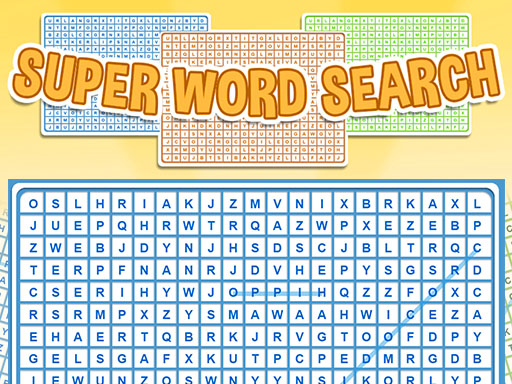
About Super Word Search Game
Super Word Search Game is a casual puzzle game about finding words hidden inside letter grids. The listing describes easy, medium and hard modes, with hard adding time pressure and multiplied points for bigger scores in short sessions.
Super Word Search Game is presented as a casual word puzzle that asks players to find words hidden in the letters of each level. The source description frames it as memory-stimulating and generally beneficial for people of all ages, while also claiming that studies link this kind of play with rejuvenating the brain of elderly people; those benefits should be read as the listing’s claims rather than guarantees. Its clearest structure is the choice of easy, medium and hard modes, where hard is described as the most challenging because it adds a time system and multiplied points.
Your goal
The goal is to locate the words hidden inside the letters of each level. Players can pick easy, medium or hard, and the description says hard mode is the toughest option because time matters and points are multiplied, creating a route to much higher scores than the other modes.
How to play Super Word Search Game
1. Start Super Word Search Game and choose one of the three listed modes: easy, medium or hard.
2. Look at the letter grid for the current level and search for the hidden words.
3. Use the input named in the listing for your device: mouse on desktop, or touch and buttons on mobile.
4. If you select hard mode, expect the most challenging version because the description says it uses time and multiplied points.
5. Complete the level by finding the words hidden in its letters, then continue with the same find-the-words loop.
Controls and device support
- Controls: Mouse or touch
- Device support: Desktop + mobile
- Game frame: 1280 x 720
Rules to keep in mind
- The game has three modes: easy, medium and hard.
- The core task in each level is to find words hidden in the letters.
- Hard mode is described as the most challenging because it adds a time system and multiplied points, which can produce many more points than the other modes.
What makes the challenge interesting
The focus is observation rather than fast action: scan a letter arrangement, recognize word shapes and clear the hidden entries for that level. Easy and medium can suit relaxed play, while hard changes the feel by adding time pressure and a multiplied-points incentive according to the description. The listing also emphasizes memory and all-ages benefits, so the page should present it as a light brain-training style puzzle rather than an arcade reflex game.
Tips for Super Word Search Game
- Begin on easy or medium if you are new, then move to hard only after the hidden-word scanning feels comfortable.
- Scan rows, columns and diagonals methodically instead of jumping randomly; this is general word-search advice for the stated find-the-words goal.
- Treat hard mode as a score-and-speed option, since the description says it combines time with multiplied points for bigger results.
Playing on different devices
The listing tags the game as HTML5 and gives 1280 x 720 dimensions. Its instructions name desktop mouse and mobile touch/buttons, but no deeper device requirements, browser limits or control mappings are stated.
The skills behind the game
The category is Puzzles, and the tags add Educational, Kids, School, Word, Math, Game, Games and HTML5 context. That mix supports a family-friendly word-puzzle framing: simple to understand, useful for vocabulary practice and built around finding hidden words rather than action mechanics.
Who will enjoy this game
Natural phrases for this page include super word search game, word search puzzle and puzzle game online. They fit because the title is exact, the description centers on finding hidden words, and the category is Puzzles; the seed terms are contextual suggestions, not measured demand.
Games with a similar feel
Wordscapes: Both Super Word Search Game and Wordscapes sit in word-puzzle play, but the supplied reference frames Wordscapes around forming words from a set of letters, while this listing is about spotting words hidden in letter grids and choosing easy, medium or hard pressure.
Frequently asked questions
What do you do in Super Word Search Game? You find words hidden in the letters of each level. The description says the game offers easy, medium and hard modes, with hard adding time and multiplied points for a tougher, higher-scoring challenge.
Does Super Word Search Game have difficulty modes? Yes. The source description lists three modes: easy, medium and hard. It calls hard the most challenging because it uses a time system and multiplied points that can yield many more points.
What controls are listed for Super Word Search Game? The instructions are brief and only name desktop mouse plus mobile touch/buttons. No specific keys, gestures, button labels or extra device behavior are provided, so players should expect simple select-and-find input.
Something not right?
Tell us if the game does not load, the information is wrong or the content needs review.
Report a problem ›