Official listing
Game description
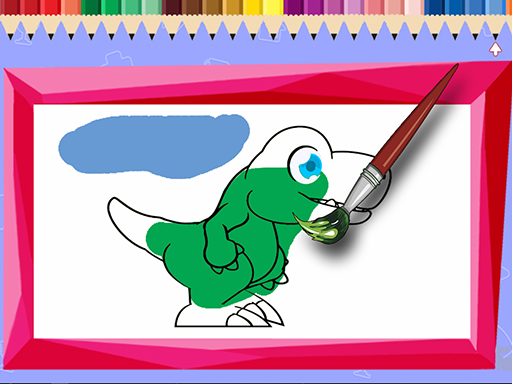
Super fun coloring game! Choose one of the 12 images to color. Paint the way you want and at the end you can print a copy of your colored drawing.
Puzzles game
Super Coloring Game is a relaxed coloring activity where you pick one of 12 cartoon-style pictures, choose colors and brush thickness, then paint the design your own way. The listing describes touch input and an optional print at the end, keeping the focus on simple family-friendly creativity.
Choose Play now to load the game.
Official listing
Super fun coloring game! Choose one of the 12 images to color. Paint the way you want and at the end you can print a copy of your colored drawing.
From the game listing
Use the touch on the screen to choose the designs and paint with your finger Touch the desired color and the thickness of the brush to color
Open this card to load the gameplay video.
Super Coloring Game is a relaxed coloring activity where you pick one of 12 cartoon-style pictures, choose colors and brush thickness, then paint the design your own way. The listing describes touch input and an optional print at the end, keeping the focus on simple family-friendly creativity.
Super Coloring Game is listed in the Puzzles category, but its described play is closer to a casual art activity than a logic challenge. The official description says players choose one of 12 images, paint the way they want, and can print a copy of the colored drawing at the end. Instructions emphasize direct touch input: select a design, touch a color, choose brush thickness, and paint with a finger. Tags such as Cartoon, Cute, Family, Coloring, Boys, Girls, and Baby frame it as a light, kid-friendly browser activity rather than a competitive game.
The goal is to finish a chosen picture in your own style: pick one of the 12 designs, select colors, adjust brush thickness, and paint until the drawing looks right. When the artwork is complete, the description says you can print a copy. There is no stated score to beat; the objective is creative completion.
1. Touch the screen to choose one of the 12 available designs.
2. Touch the desired color to select it for painting.
3. Touch the brush thickness option to choose how wide your strokes will be.
4. Paint with your finger across the chosen image, coloring it the way you want.
5. When the drawing is finished, use the stated print option to make a copy of your colored artwork.
Because the description says paint the way you want, the focus is freeform coloring rather than filling numbered regions or solving a board. The only stated choices are which of the 12 images to use, which color to touch, and which brush thickness to apply. No timer, score, lives, level chain, or penalty system is described, so the page should present it as a calm creative activity. That makes experimentation with color placement and stroke width the main source of variety.
Although the listing places Super Coloring Game under Puzzles, the facts describe coloring rather than matching, logic grids, or physics problems. Its tags point to a cute cartoon style for boys, girls, baby and family audiences, so category context should set expectations for gentle creative play inside a puzzle catalog and casual browsing.
Natural phrases for this page include the exact title, super coloring game, plus broader wording such as coloring game online and puzzle game online. Those phrases fit because the facts support a 12-image coloring activity with touch controls, listed in a puzzle category, without implying measured demand or official ranking.
Happy Color: Happy Color also centers on filling pictures with color, but it is commonly associated with numbered regions, while Super Coloring Game asks players to pick one of 12 images and paint freely with chosen colors and brush thickness before printing.
How many images can I color in Super Coloring Game? The description says there are 12 images to choose from. You select one design, color it in your own style, and can print a copy when finished.
What controls does Super Coloring Game use? The instructions describe touch input: touch the screen to pick a design, touch a color and brush thickness, then paint with your finger. No keyboard or mouse controls are stated.
Can I print my finished drawing? Yes. The description says that at the end you can print a copy of your colored drawing, so finishing a picture can include keeping a printed version.
Tell us if the game does not load, the information is wrong or the content needs review.
Report a problemExplore popular games by category, shared tags and site-wide activity.


















